Page 42
Servo
Page F2 (SERVO)
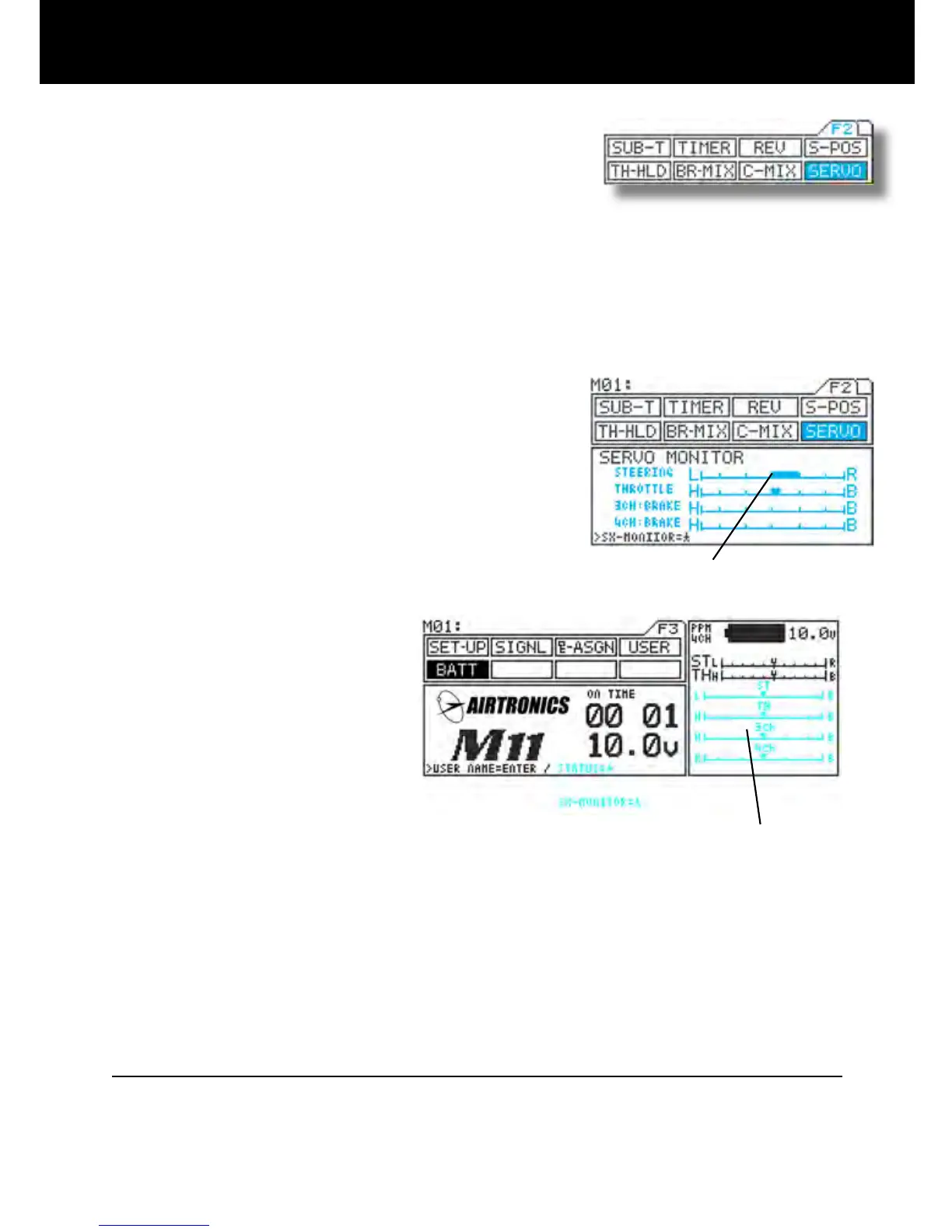
* This function displays the output levels of the various channels in bar graph
form, allowing you to monitor model operation in a virtual manner.
* Using this feature while making function setting can make it easier to under
-
stand adjustments.
* The graph can be displayed in the constant display area, allowing it to be
viewed while making settings of other features.
(Some menus cannot be displayed.)
1) Using the function select keys, move the cursor to
SERVO.
2) Opening the constant display area
You can open the constant display area from any
menu by pressing the H key. Pressing the key a
second time returns the display to normal.
* Menus you can open
F1 F2
(1)D-RATE (1)SUB-T
(2)EPA *(2)TIMER
(3)EXP (3)REV
(4)ARC (4)S-POS
(5)SPEED (5)HOLD
(6)ALB (6)BR-MIX
(7)TR-CLL (7)SERVO
* The graph cannot be displayed from the [LAP] menu.
NOTE
* REV operation is not reected in the servo monitor. Indication of the graph only shows the direction of the input
control such as wheel and trigger movement.
Example)
BATT menu
Servo monitor display
Constant display area
Bar graph display



 To Next Page