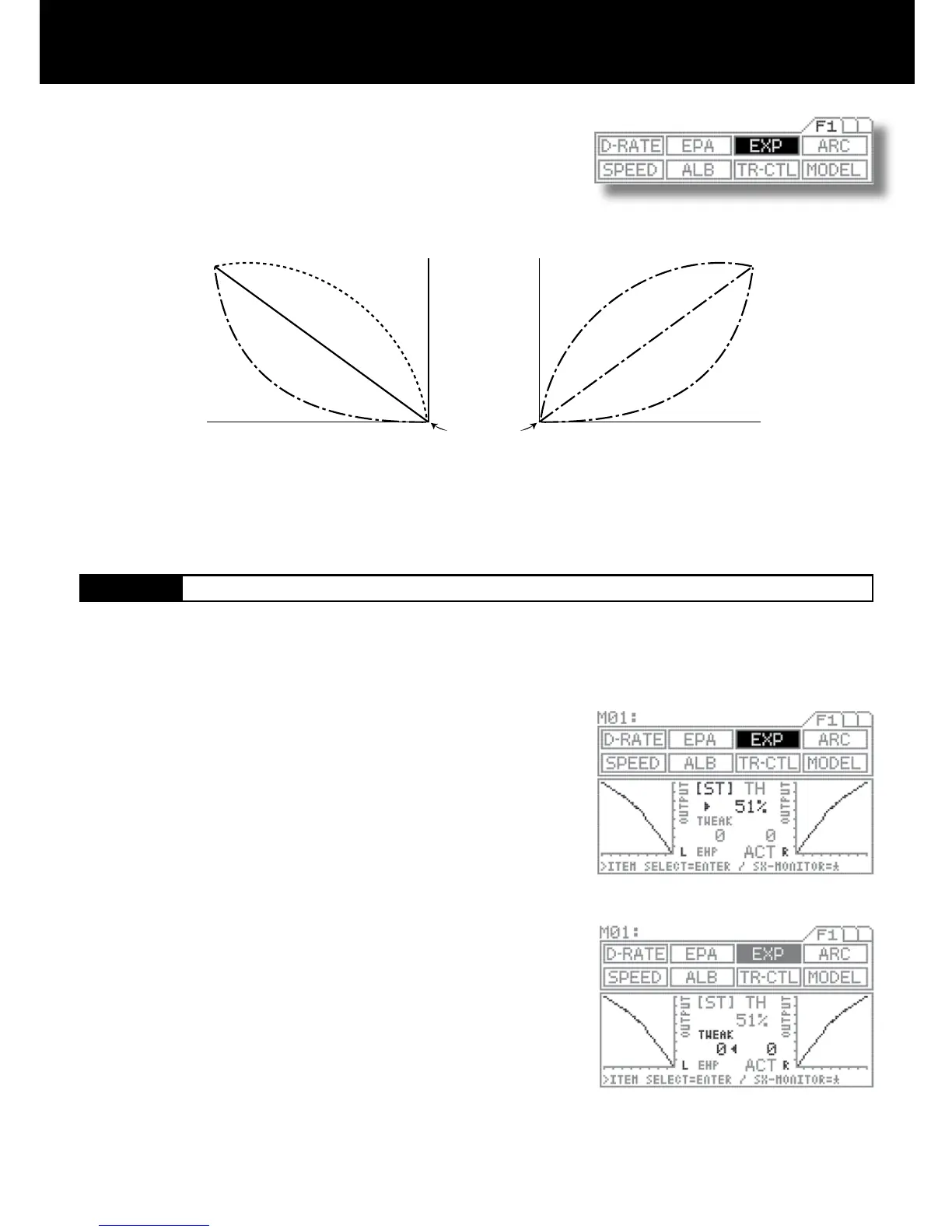
Quick
(1% to 100%)
Quick
(1% to 100%)
Mild
(-1% to 100%)
Mild
(-1% to 100%)
Normal
0%
Normal
0%
Neutral position
Amount of servo operation
Amount of servo operation
Amount of steering wheel operation
on the L side (amount of throttle
trigger operation on the H side)
Amount of steering wheel operation
on the R side (amount of throttle
trigger operation on the B side)
1.
3.
2.
This function varies the amount of servo action with respect to manipulation of the
steering wheel or throttle trigger based from the neutral position. Increasing the
numeric value makes action quicker, while reducing it makes action slower.
Press the function select key and move the cursor to [ST] in EXP.
Set the EXP quantity by pressing the Inc.+ or Dec.- key.
Setting range -100% to 100%
Standard setting 0
TWEAK setting
Use the TWEAK setting when you want to ne-tune the left-right steering bal-
ance.
First, move < or > to below TWEAK with the ENTER key.
To adjust the left side steering, turn the steering wheel to the left and set the
arrow direction to <. To adjust the right side steering, turn the steering wheel to
the right and set the arrow direction to >.
Set the TWEAK quantity by pressing the Inc.+ or Dec.- key.
Setting range -20 to 20
Standard setting 0
Three settings, Mild, Linear and Quick, allow you to set the most effective steering response for your model vehicle. Generally, if
your model vehicle over-steers, reduce the numeric value. If it under-steers, increase the numeric value.



 To Next Page