Page 24
Anti-Lock Braking (For Gas powered model only)
Page F1 (ALB)
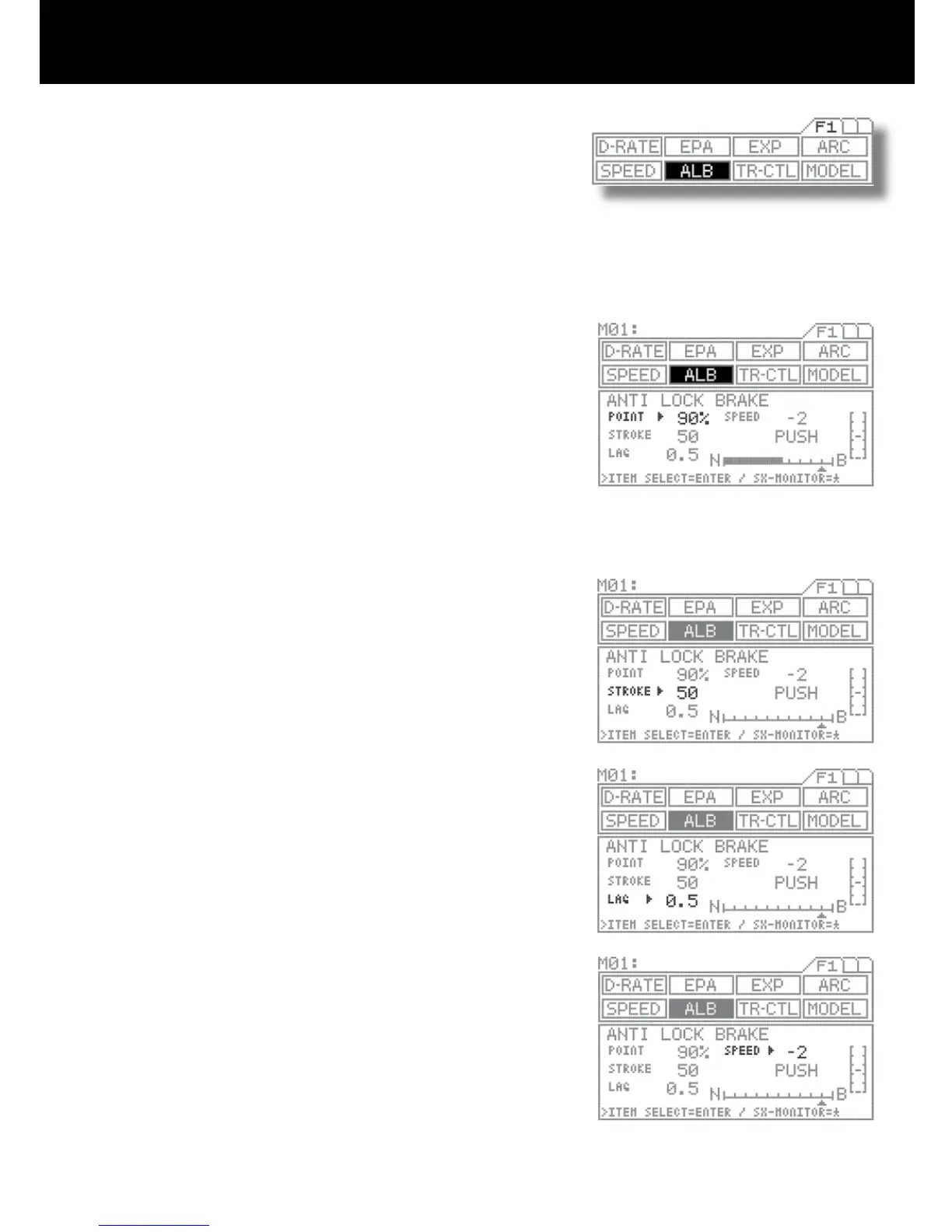
Using the function select keys, move the cursor to ALB.
POINT SETTING
Be sure that arrow appears to the right of POINT, and then set the POINT
value by pressing the Inc.+ or Dec.- key.
POINT: The position where ALB activates.
Setting range 0% to 100% (Default setting 90%)
STROKE SETTING
Move the arrow to the right of STROKE with the ENTER key, and then set the
STROKE value by pressing the Inc.+ or Dec.- key.
STROKE: The width of repeated operation.
Setting range 0 to 100 (Default setting 50)
LAG SETTING
Using the ENTER key, move the arrow to the right of LAG.
Set the POINT value by pressing the Inc.+ or Dec.- key.
LAG: The time lag before ALB activates.
Setting range 0.0 to 2.0 (Default setting 0.5)
SPEED SETTING
Move the arrow to the right of SPEED with the ENTER key, and then set the
SPEED value by pressing the Inc.+ or Dec.- key.
SPEED: The speed of repeated operation.
Setting range -1 to -30 (Default setting -2)
NOTE
Set the hardest brake can be obtain from your model vehicle but carefully set
the anti-lock braking at the point where right before the tires get fully locked
but not to slip and lose the traction at the track.
Anti-lock braking is effective only as long as the ALB switch is depressed.
Anti-lock braking makes it possible to achieve stable braking even on a slip-
pery track. With stable braking, the model vehicle may be able to trace an
exact line as desired for corners.
This function also enables you to set the different Braking characteristics
depending on the model vehicle for on road racing or the off road buggy .
1.
2.
3.
4.
4.



 To Next Page