Page 45
Audio Signal Sound
Page F3 (SIGNL)
* This function allows you to set the key operation tone and alarm tones to be
set independently in different tonal scale.
* Tonal scale of the each key operation or alarm can be set differently on two
parts. Meaning, Tonal scale can be set separately for the rst half and last half
tones.
* Tone can be selectable among 10 tones, providing a total of 100 pattern com
-
binations for the rst half and last half of signals.
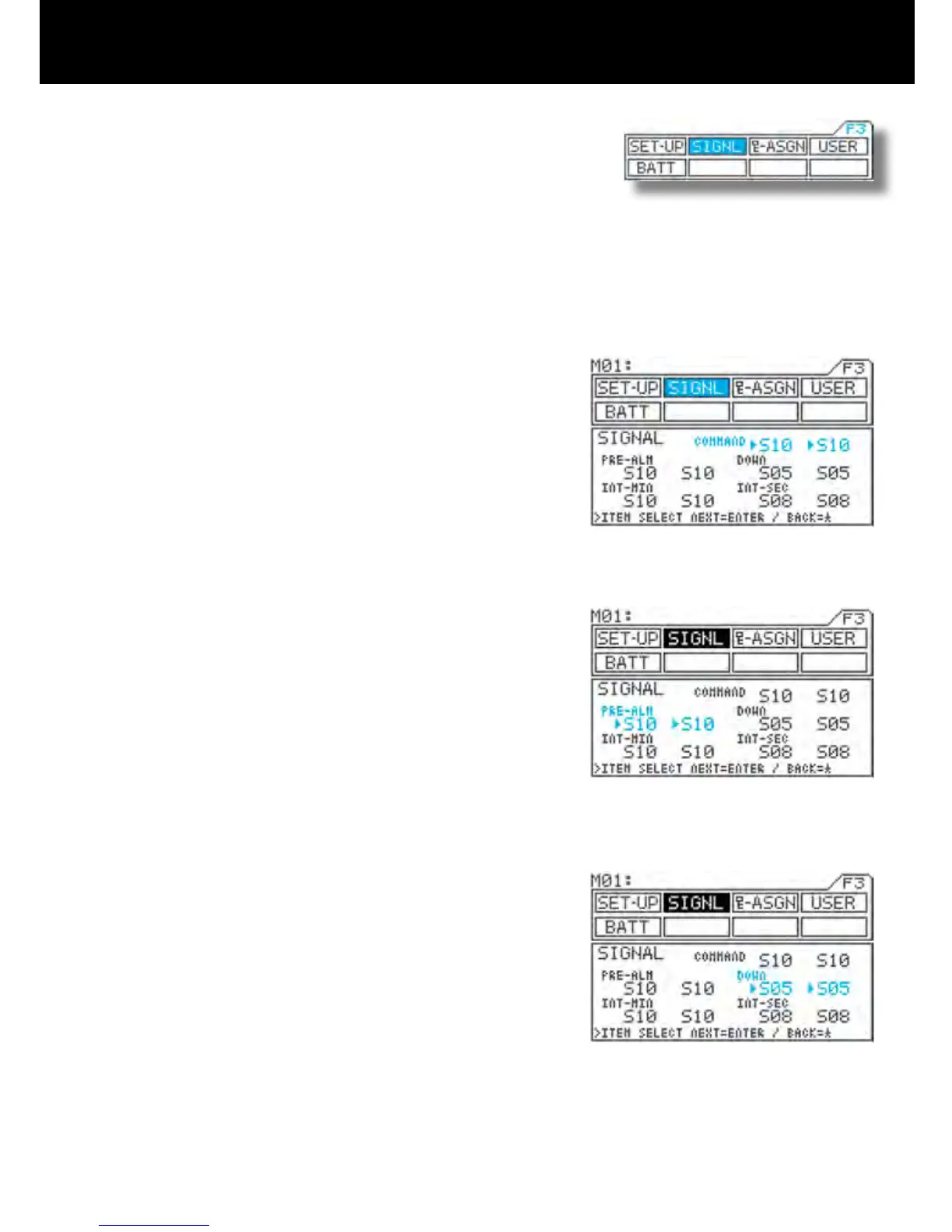
1) Using the function select keys, move the cursor to
SIGNL.
2) Command signal (COMMAND) tone setting
Move u to the right of COMMAND with the ENTER
key or H key, and then set the tone for the rst half
of the signal by pressing the Inc.+ or Dec.- key.
Next, move u one position to the right with the EN-
TER key, and then set the tone for the last half of the
signal by pressing the Inc.+ or Dec.- key.
* Setting range S01 to S10 and MUTE
(silent)
* Standard setting First half: S10,
Last half: S10
* The command signal sounds when menu keys
are pressed.
3) Making pre-alarm (PRE-ALM) tone settings
Move u to the right of PRE-ALM with the ENTER
key or H key, and then set the tone for the rst half
of the signal by pressing the Inc.+ or Dec.- key
Next, move u one position to the right with the EN-
TER key, and then set the tone for the last half of the
signal by pressing the Inc.+ or Dec.- key.
* Setting range S01 to S10 and MUTE
(silent)
* Original setting First half: S10,
Last half: S10
* The pre-alarm signal is used with the lap timer.
4) Making down alarm (DOWN) tone settings
Move u to the right of DOWN with the ENTER key
or H key, and then set the tone for the rst half of the
signal by pressing the Inc.+ or Dec.- key.
Next, move u one position to the right with the EN-
TER key, and then set the tone for the last half of the
signal by pressing the Inc.+ or Dec.- key.
* Setting range S01 to S10 and MUTE
(silent)
* Standard setting First half: S05,
Second half: S05
* The down alarm signal is used with the down
timer.



 To Next Page