Page 46
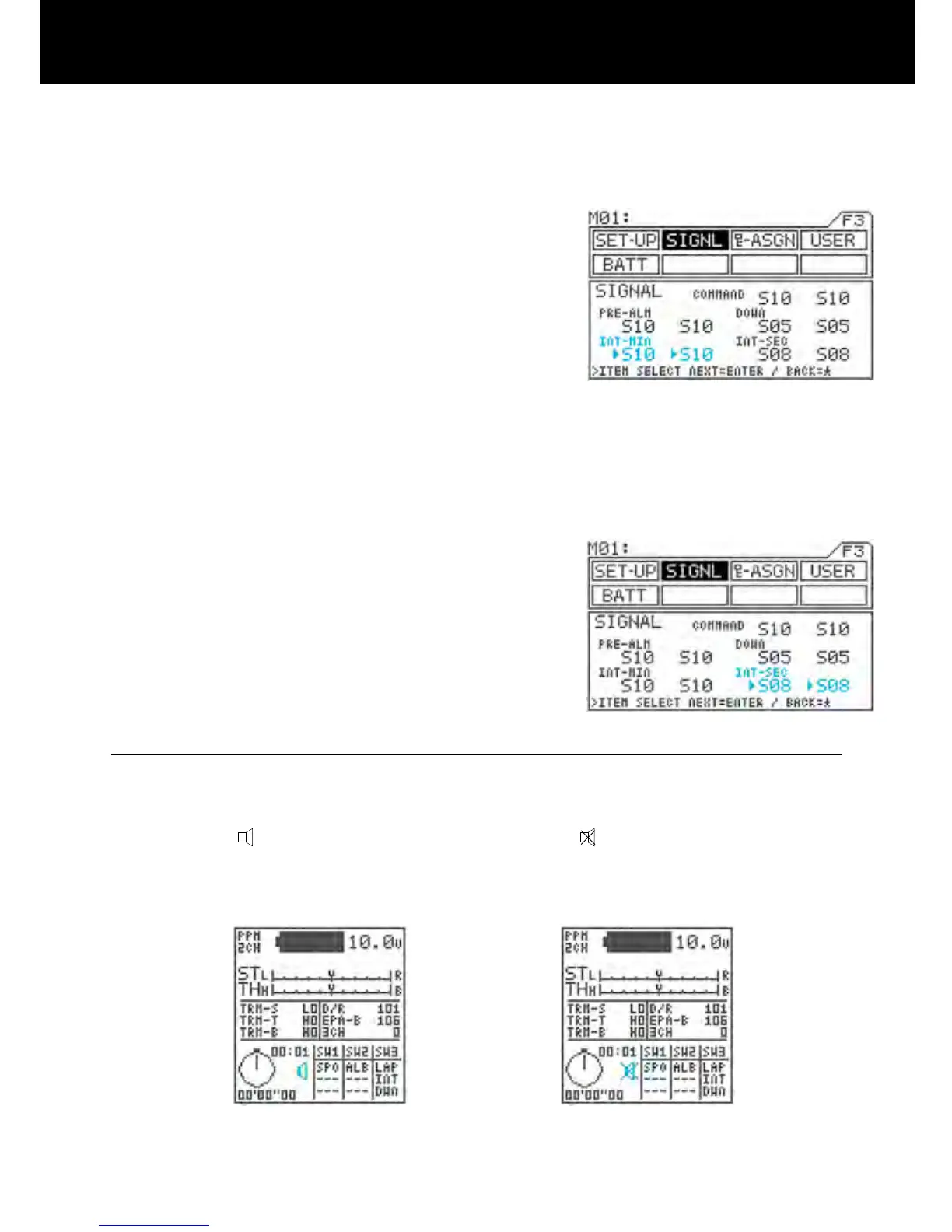
5) Making interval minute alarm (INT) tone settings
Move u to the right of INT-MIN with the ENTER key
or H key, and then set the tone for the rst half of the
signal by pressing the Inc.+ or Dec.- key.
Next, move u one position to the right with the EN-
TER key, and then set the tone for the last half of the
signal by pressing the Inc.+ or Dec.- key.
* Setting range S01 to S10 and MUTE
(silent)
* Standard setting First half: S10,
Last half: S10
* The interval minute alarm is used with the minutes
portion of the interval timer.
6) Making interval seconds alarm (INT) tone settings
Move u to the right of INT-SEC with the ENTER key
or H key, and then set the tone for the rst half of the
signal by pressing the Inc.+ or Dec.- key.
Next, move u one position to the right with the EN-
TER key, and then set the tone for the last half of the
signal by pressing the Inc.+ or Dec.- key.
* Setting range S01 to S10 and MUTE
(silent)
* Standard setting First half: S08,
Second half: S08
* The interval seconds alarm is used with the second
portion of the interval timer.
IMPORTANT
- If two signals overlap, they sound as a single tone. The longer tone may not sound.
- If you do not want a signal tone, select MUTE for both the rst and last halves of the tone. If you mute only half
the tone, the half will sound.
- The buzzer icon
displayed in the constant display area changes to if both halves of the command setting
are muted.



 To Next Page