Page 12
Battery / Operation Timer
Page F3 (BATT)
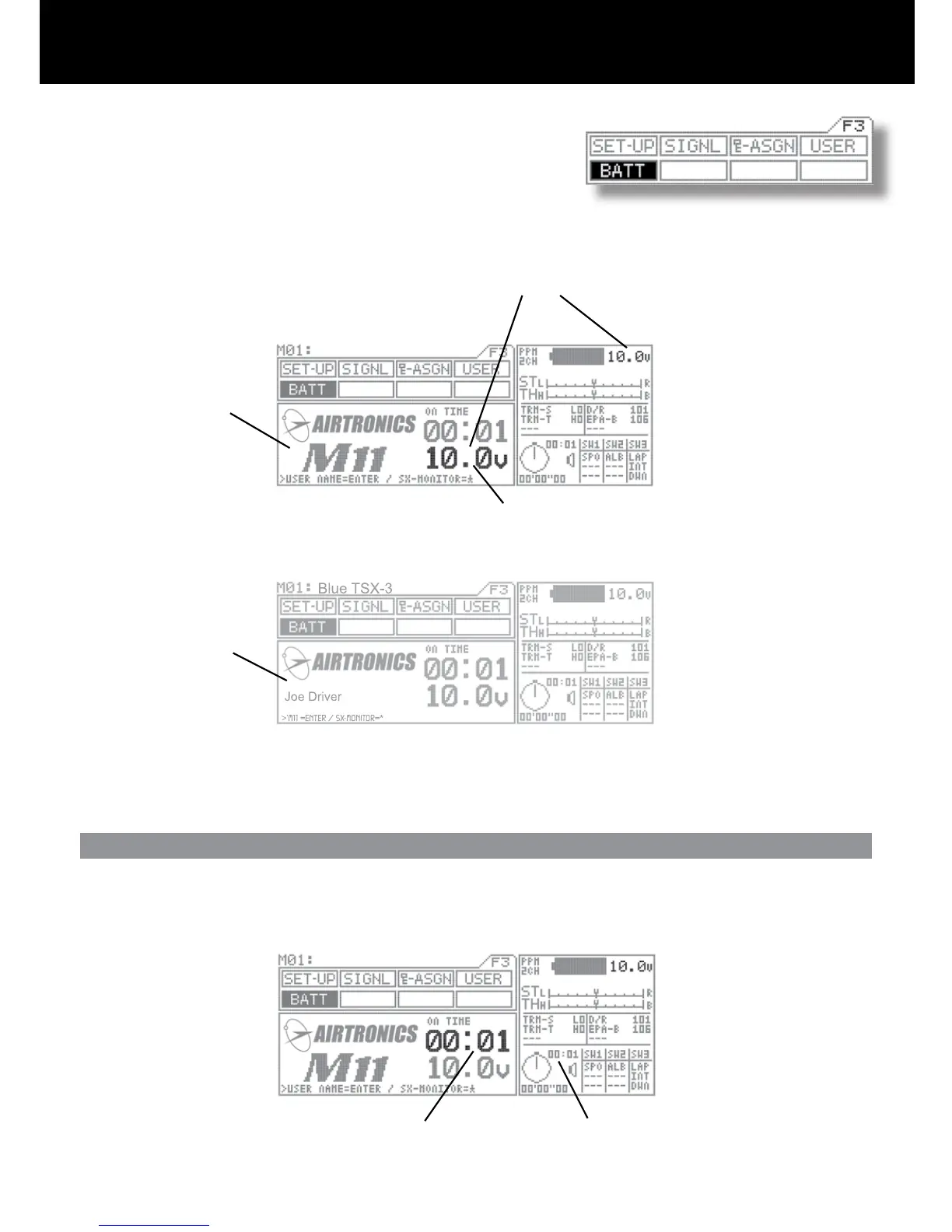
Battery voltage indicator
The transmitter battery voltage can be seen in two separate windows
and measures 0.01 of a volt.
1. BATT Menu
2. Information Menu
}
NOTE: This area of the
information screen is not
programmable and will stay
on all the time.
When the transmitter battery runs down to 9.1 volts, the transmitter will start beeping and vibrating if the vibration feature is on and
will continue every 30 seconds. When this happens, promptly stop operation and charge or replace the transmitter batteries.
Will start blinking if battery reaches 9.1 volts or below.
M11 Screen
User Name Screen
In the BATT menu, you can press the
ENTER key to switch between the user
and M11 screens.
Operating Timer
The operating timer is a up timer that records the time the transmitter has been on in hours and minutes. This timer can be reset
to 00:00 by pressing both the (INC/+) (DEC/-) keys at the same time. By resetting the Operating timer after you have charged or
replaced the transmitter battery will give you the amount of time the current battery has been in use.
Operation Timer in BATT screen Operation Timer on all the time.



 To Next Page