Page 35
N
H B
100%~0% 0%~100%
{
{
S-POS Range BRAKE-POINT Range
S-POS BRAKE-POINT
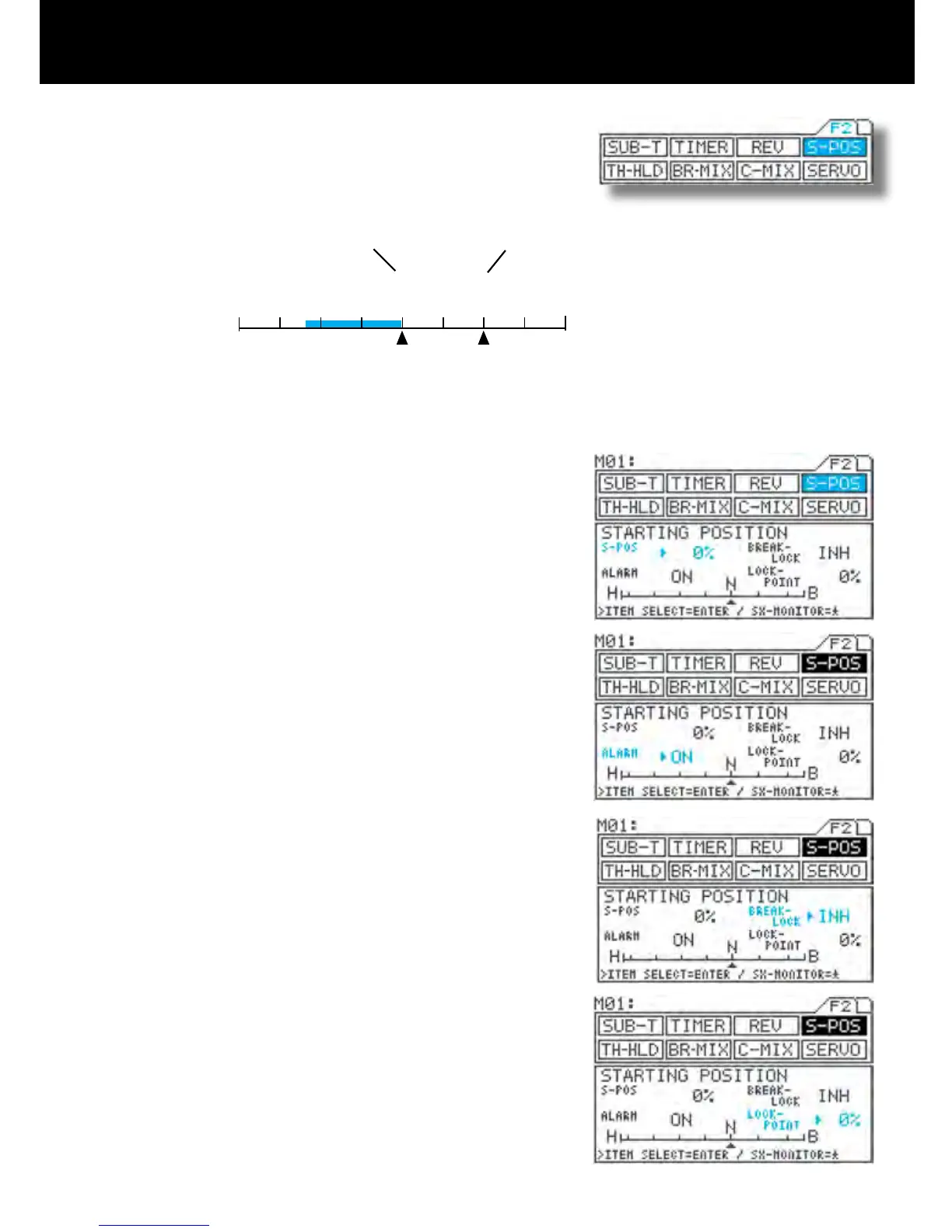
Start Position
Page F2 (S-POS)
Using the function select keys, move the cursor to S-POS.
S-POS level setting
Be sure that arrow appears to the right of S-POS, and then set the S-POS
value by pressing the Inc.+ or Dec.- key.
Turning the alarm ON/OFF
Press the ENTER key to move the arrow to the ALARM, and then set the
alarm by pressing the Inc.+ or Dec.- key.
Ordinarily, leave the alarm ON.
BRAKE-LOCK setting
Press the ENTER key to move the arrow to BREAK-LOCK, and then choose
the setting by pressing the Inc.+ or Dec.- key.
The BRAKE-LOCK setting is effective when channel 4 is selected, and the
S-POS switch is ON or ACT selected, the brake channel is xed at the LOCK-
POINT value regardless of trigger operation.
LOCK-POINT setting
Press the ENTER key to move the arrow key to LOCK-POINT, and then
choose the setting by pressing the Inc.+ or Dec.- key.
Setting range 0% to 100%
(Defualt setting 0%)
IMPORTANT
About the S-POS switch
The S-POS switch can be freely assigned to another switch using the key as-
sign function. Set the switch to the position that is most suitable for you.
With engine-powered models, by revving the idling a little, it makes easier
to start up the engine. When using a channel other than 2CH for braking, a
certain degree of braking can be applied independently of trigger operation,
making it possible to obtain safer engine starts. (This works when the S-POS
switch is ON. Trigger operation starts at the point determined by the S-POS
setting.
TIP When the S-POS switch is OFF, the S-POS position is at N (neutral).
1.
2.
3.
3.
4.



 To Next Page