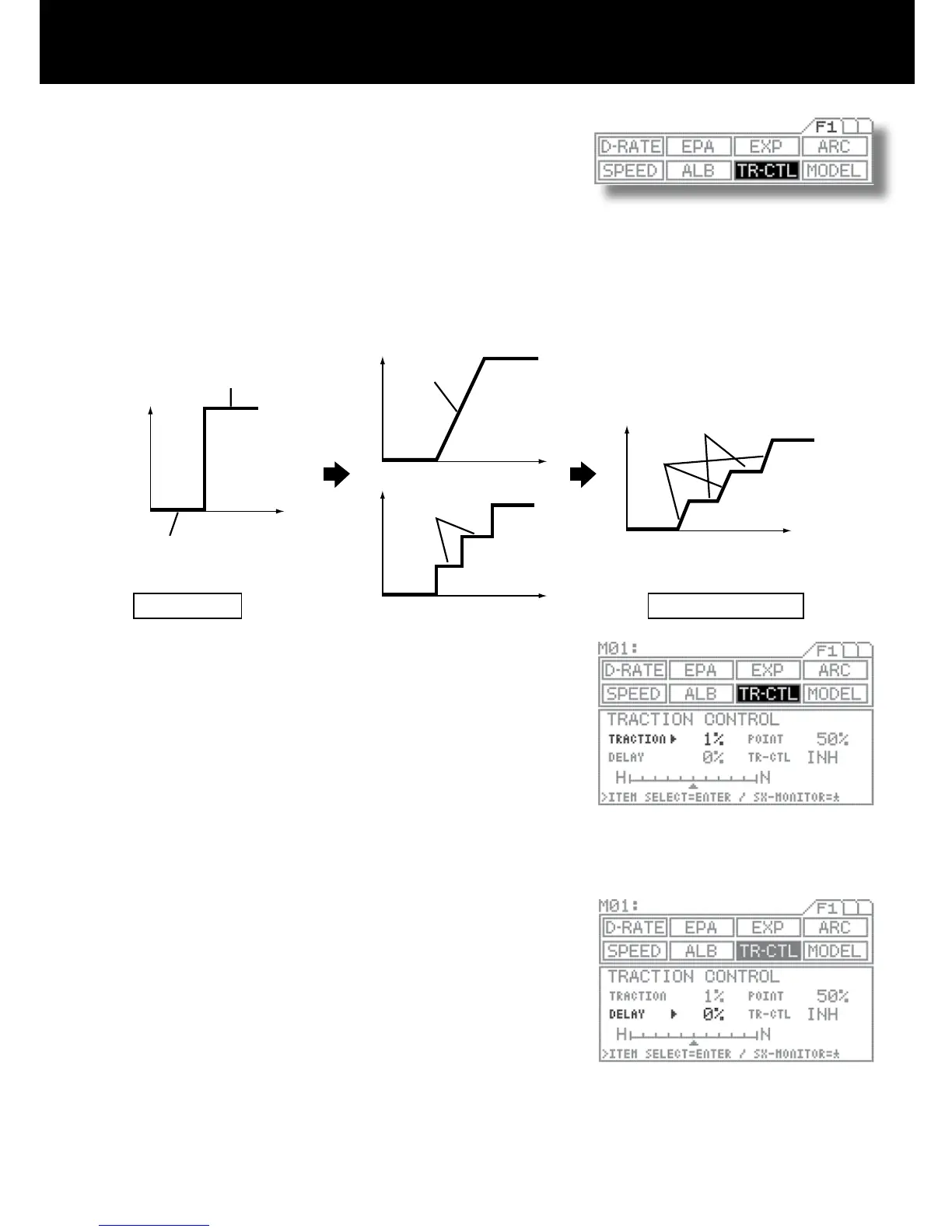
Using the function select keys, move the cursor to TR-CTL..
TRACTION SETTING
Be sure the arrow appears to the right of TRACTION, and then set the TRAC-
TION value by pressing the Inc.+ or Dec.- key.
Setting range 1% to 100% (Default setting 1%) (off)
Full throttle position
POINT position (Bar graph (allows verication of output)
DELAY SETTING
Move the arrow to the right of DELAY with the ENTER key, and then set the
DELAY value by pressing the Inc.+ or Dec.- key.
Setting range 0% to 100% (Default setting 0%)
Traction control helps assure faster, smoother starts even when the trigger is
applied abruptly by not having wheel spins.
Even the model vehicle is on the forward motion, it contributes the stability
during acceleration, providing smoother running.
Ideal smoothness can be further rened by adjusting for intermittent locking in addition to normal servo speed delay adjust-
ment. By making point settings and switch assignments (with the key assign function), traction control can be applied when-
ever necessary, at just the places if necessary.
* This function operates only when the throttle is moved from Neutral to the Hi direction.
1.
2.
3.



 To Next Page