Page 27
Model
Page F1 (MODEL)
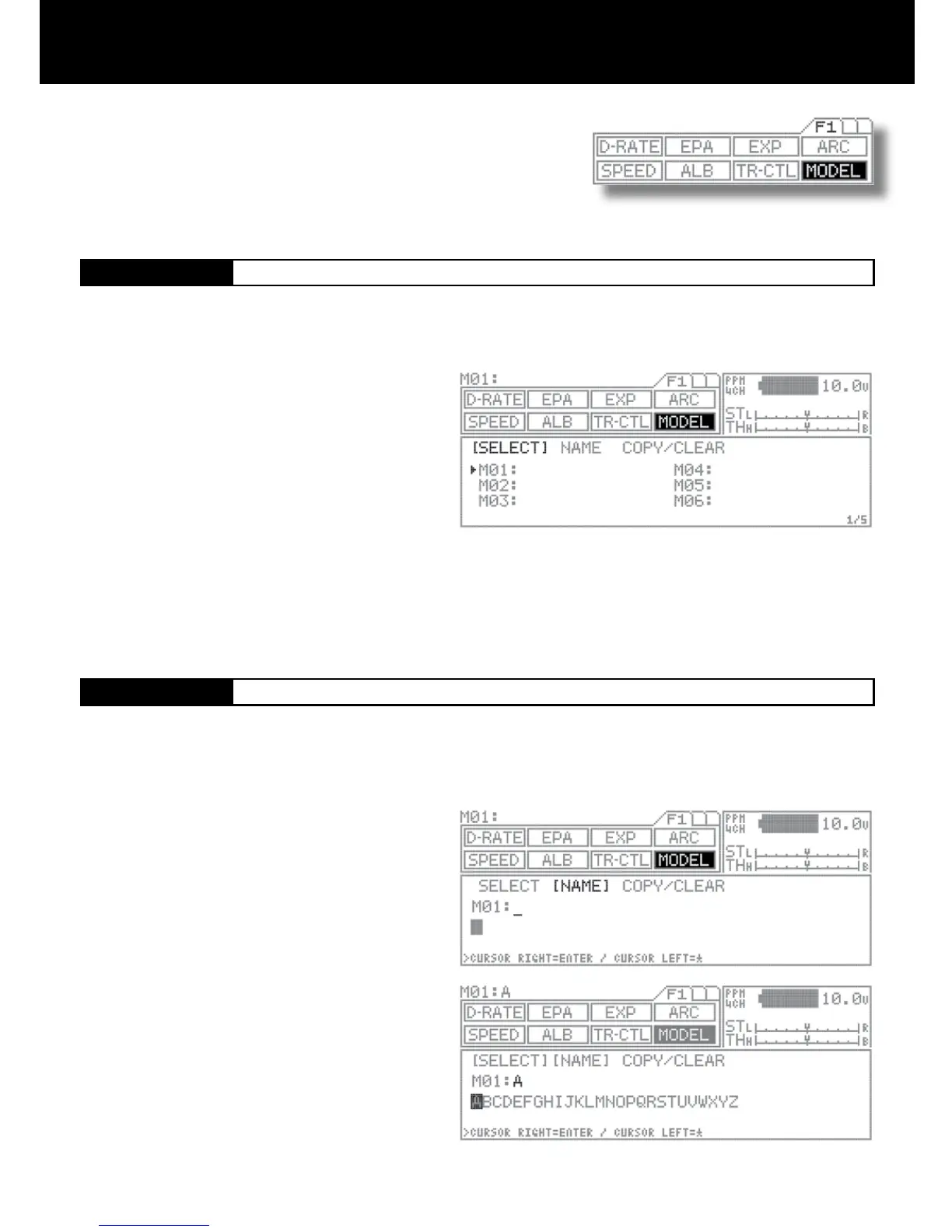
[SELECT]
Model Select
[NAME]
Model Name
Using the function select keys, move the cursor to
[NAME] in MODEL.
Using the asterisk key or the ENTER key, move the cur-
sor (“_”) to the point when you want to enter text.
Select a character by pressing the Inc.+ or Dec.- key.
Repeat steps 2) and 3) for each subsequent character.
Setting range A – Z, a – z, 0 – 9, symbols, space
NOTE
Group of characters can be ip through in sequence A-
>a->0->!->space-> by simultaneously pressing the Inc.+
and Dec.- keys.
When entering a character in a position occupied by a
space, group can be selected from the preceding char-
acter by rst pressing the Dec./- key. This is useful when
entering several characters from the same group.
This menu enables you to make settings related to model select (SELECT),
model name (NAME), and model copy/model clear (COPY/CLEAR) func-
tions.
Data for up to 30 models, M01 to M30, can be stored in the M11’s high
capacity, built-in EEPROM memory.
Using the function select keys, move the cursor to
[NAME] in MODEL.
Select the model to be recalled by pressing the Inc.+ or
Dec.- key.
Setting range M01 to M30
Data can be easily stored for any models M01 to M30.
Since the previous model memorys are stored automatically, there is no risk for accidental erasing.
1.
2.
NOTE
The model changes immediately upon selection.
Pages can be ip through in sequence such as M01->M07->M13->M19->M25->M1…by simultaneously pressing the Inc.+ and
Dec.- keys.
! CAUTION
Do not attempt to change the model when the model vehicle’s receiver is being turned on under the actual operational condition
resulting that Model vehicle may go runaway or the servo may be damaged being set with other servo setting.
Model names can be registered as consisting of up to 12 letters, numerals, or symbols.
1.
2.
3.
4.



 To Next Page