Page 13
Dual Rate Steering
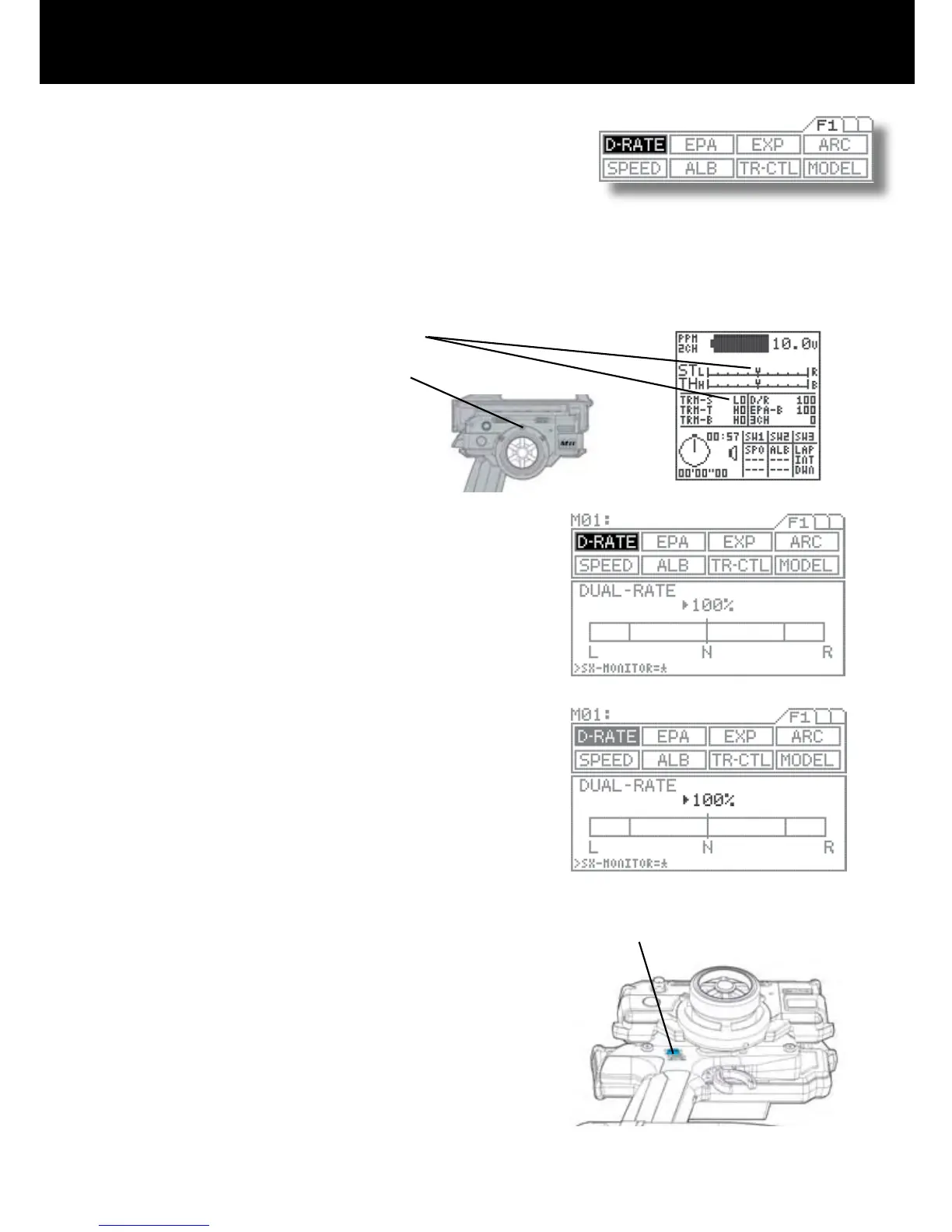
Page F1 (D-RATE)
Trm 4 (top)
Dual Rate is used to change the amount of servo movement compared to the amount of movement with the steering wheel. Increas-
ing the amount of dual rate will make the steering more sensitive or feel faster and decreasing the dual rate will make the steering
more insensitive or feel slower.
When setting up a new car or truck, follow the directions below to properly setup your steering dual rate.
Press the function select key to move the cursor to (D-RATE). As you
move the steering wheel from side to side, you can set the bar graph
move to the dual rate limit lines. Default setting is 100%.
Adjust the dual rate by pressing the INC+ or DEC- keys to increase
or decrease dual rate amount. At this time, set the dual rate to 125%.
This will increase the servo movement my 25% in both left and right
directions.
NOTE: Pressing both the INC and DEC keys together will set the dual
rate to the default setting of 100%.
After the dual rate has been set, adjust the independent left and right
end points using the EPA feature.
1. Set the digital steering trim to “0” by using (Trm 1). You can see when the trim
reaches center by viewing one or both screens.
Steering trim factory default location: (Trm 1)
2.
Attach the steering linkage to the servo arm as the car manufacturer
recommends. Be sure to have all steering linkage, trim and servo arm
as close to center as possible. Doing so will cut out a lot of steering
problems later.
Now move the steering wheel left and right to full. If your steering
binds at both ends, this means you have to much movement coming
from the servo. Use the dual rate to reduce or increase the amont of
steerings to reach the steering stops.
3.
4.



 To Next Page