Page 30
Timer
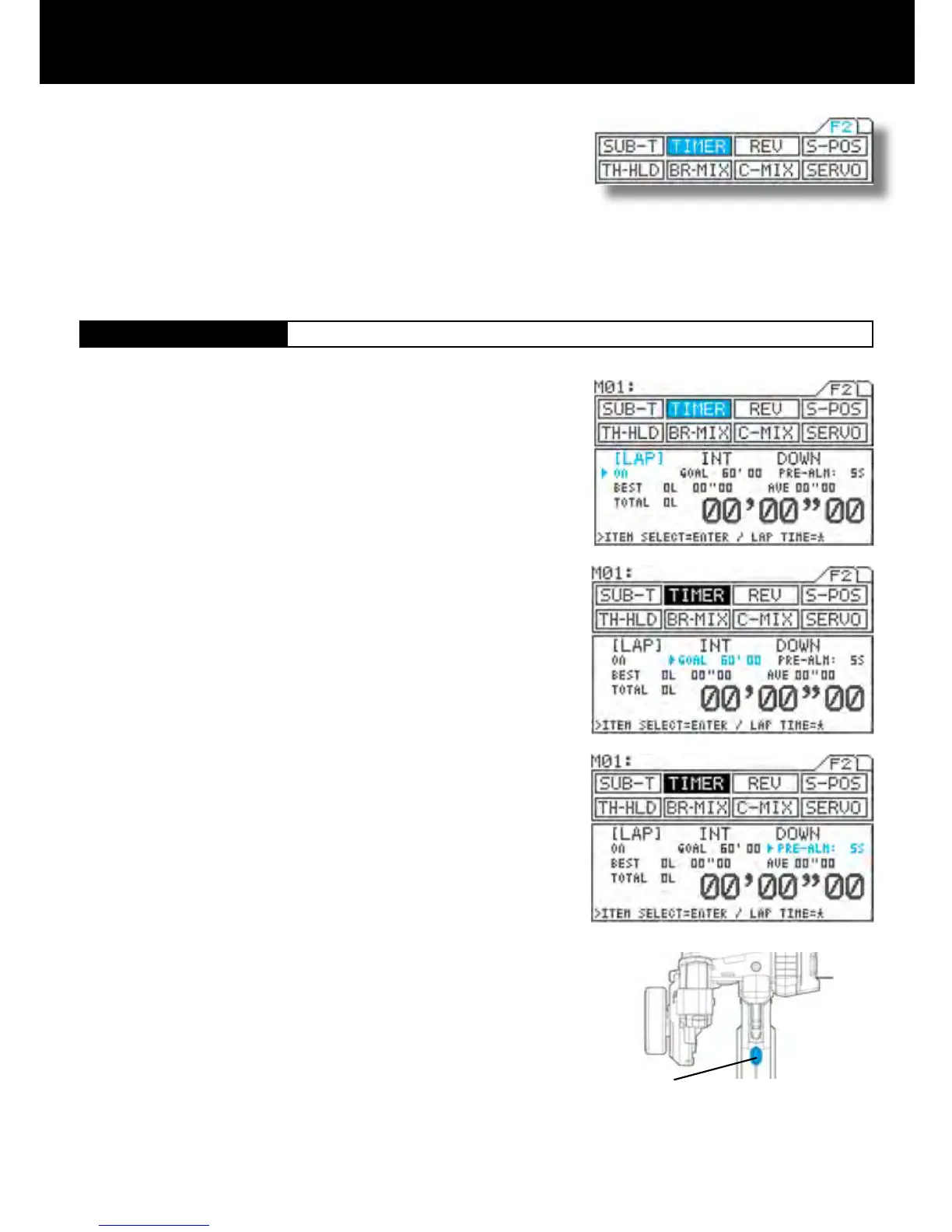
Page F2 (TIMER)
SW3
[LAP]
Lap Timer
Allows you to measure and record times for up to 99 laps (all models).
Features a pre-alarm (PRE-ALM) that lets you set a pre-goal alarm time.
Provides real-time display of the best lap (BEST), average lap (AVE), and
total (TOTAL) lap times.
Using the function select keys, move the cursor to [TH] in TIMER.
Turning the lap timer (ON/OFF)
Be sure that arrow appears below LAP, and then press Inc.+ or Dec.- to set
the timer ON or OFF.
Setting the goal time (GOAL)
Press the ENTER key to move the arrow to GOAL, and then set the goal time
by pressing the Inc.+ or Dec.- key.
Setting range 00’10 to 60’00 In 00’10 increments (Default setting 60’00)
Setting the pre-alarm (PRE-ALM)
Press the ENTER key to move the arrow to PRE-ALM, and then set the pre-
alarm by pressing the Inc.+ or Dec.- key.
The pre-alarm is an alarm that sounds a few seconds before the goal time.
Setting range OFF, 1s to 20s (Defailt setting 5s)
With the standard conguration, the lap timer switch is set to SW3. Pressing
SW3 starts measurement.
Lap time is measured each time you press SW3. Once you press the switch, it
is deactivated for 3 seconds.
IMPORTANT
About the timer switch
The timer switch can be freely assigned to another switch using the key as-
sign function. Set the switch to the position that is most suitable.
Three types of timers are provided for measuring lap, interval, and down (or
up) times, and these three timers can be used simultaneously.
A high degree of freedom and convenience is provided by the ability to use
the key assign switch to perform simultaneous or independent operation.
Separate tones can be assigned to each of the timers, making it easy to
distinguish between them during simultaneous operation.
The audible signal provided by the tone is complemented by a vibrator, which can be set to operate either in concert with
the tone, or simultaneously.
The operational status of the timers can also be checked from other menus (in the constant display area).
1.
2.
3.
4.
5.



 To Next Page