Page 31
ENDING MEASUREMENT
End measurement can be set in three different ways.
By pressing the switch after the goal time is reached.
By pressing the switch after the goal time is reached.
By pressing and holding the switch for 3 seconds.
VERIFYING MEASUREMENT RESULTS
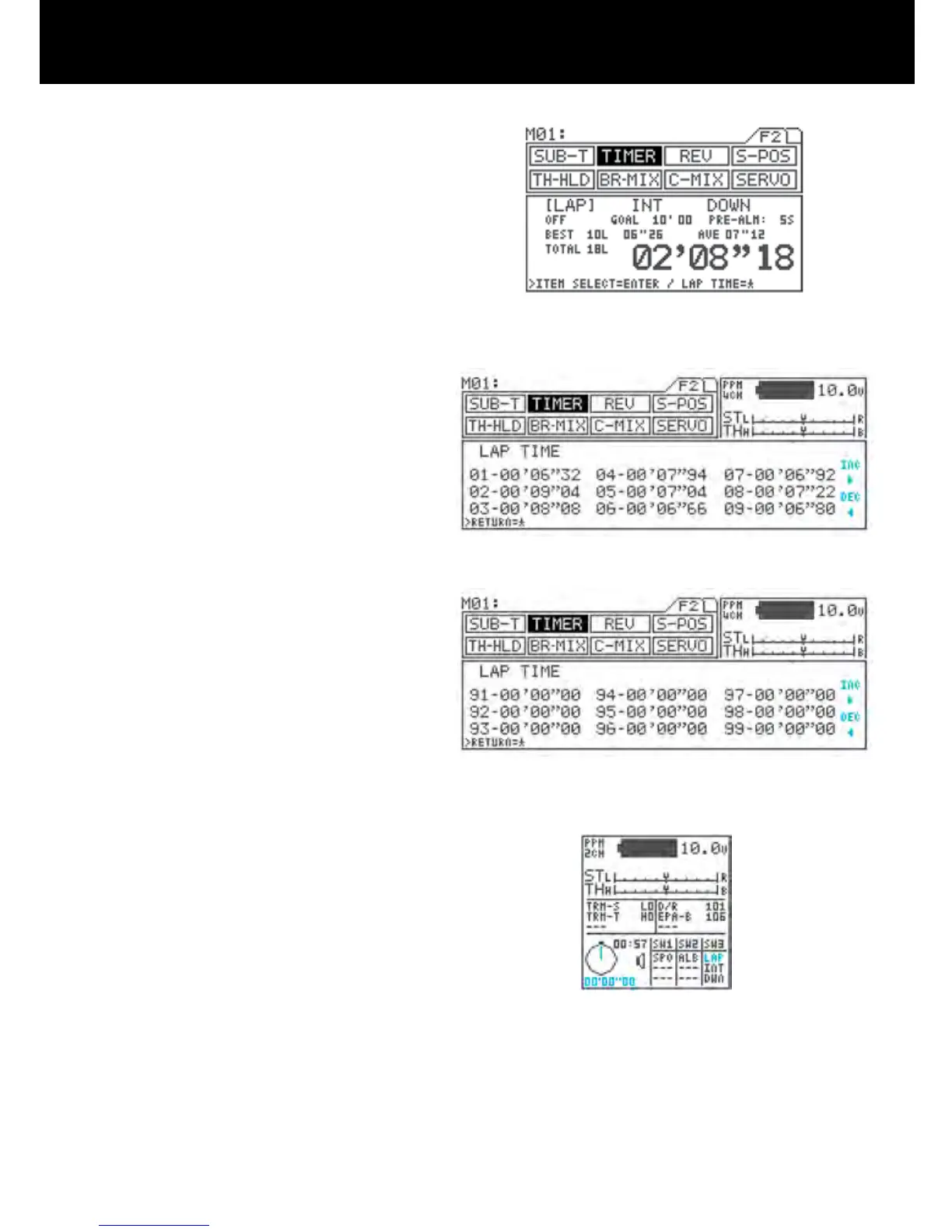
Measurement results can be checked using the
star key in the TIMER [LAP] menu while the timer is
stopped.
The display shows times for 9 laps at a time, Pages
can be ip by using the Inc.+ or Dec.- key.
Pressing Inc.+ and Dec.- simultaneously returns dis-
play to the rst 9 laps.
CONSTANT DISPLAY AREA
The timer status appears in the constant display area,
and can also be checked from other menus.
The timers appear in the timer display area in the order
FUNC1>FUNC2>FUNC3, as set with the key assign
switch. In the example at right, LAP appears as as-
signed to FUNC1.
! CAUTION
When measurement is started, the previous LAP
measurement is cleared. There is no function that is
provided for clearing the lap time.
When measurement ends, the timer’s ON/OFF status
changes to OFF. To re-start the timer, turn in ON as
described in step 2).
6.
7.
8.



 To Next Page