Page 32
[INT]
Interval Timer
SW3
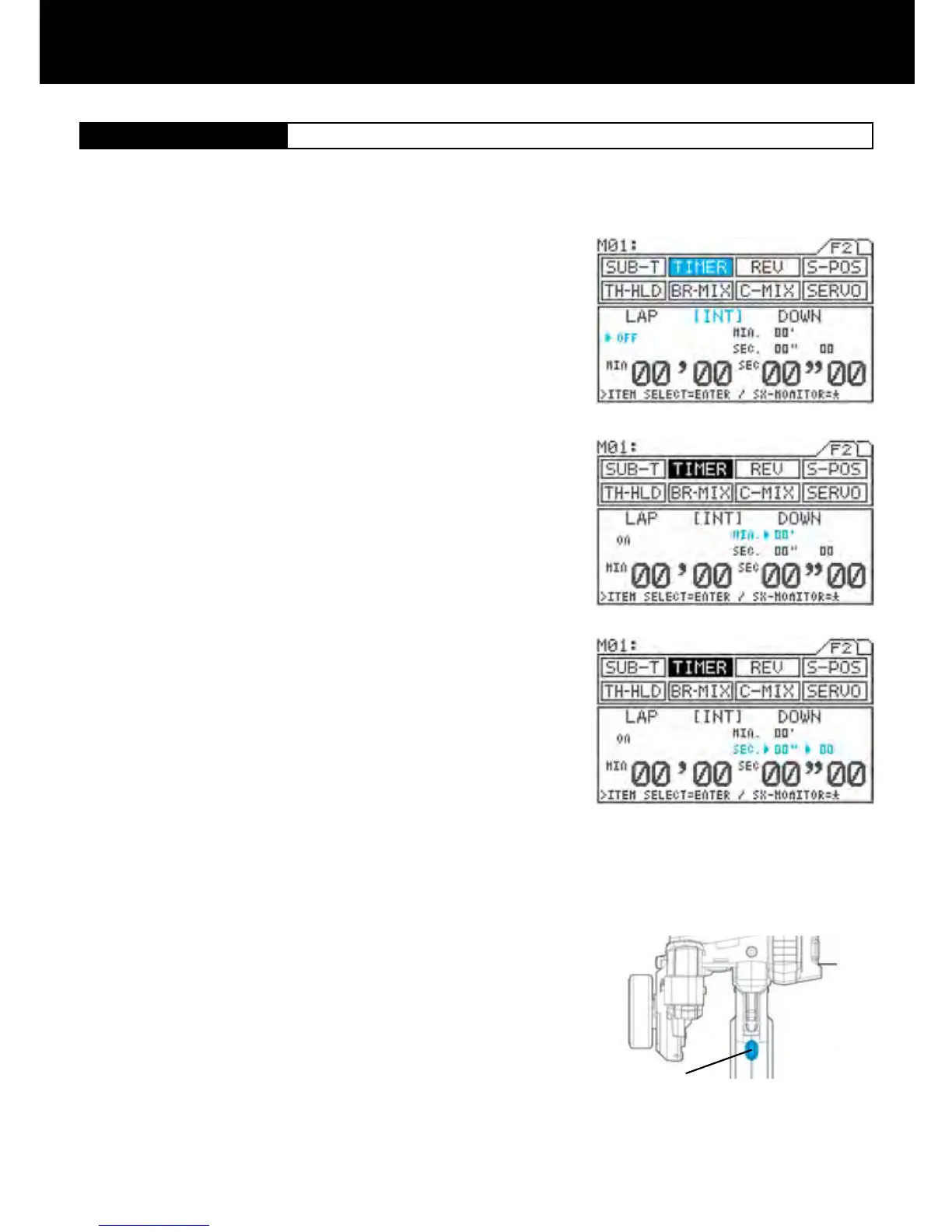
Using the function select keys, move the cursor to [INT] in TIMER.
Turning the interval timer ON/OFF
Make sure that the arrow appears below LAP, and then press Inc.+ or Dec.-
to set the timer ON or OFF.
Setting the interval minute timer (MIN)
Press the ENTER key to move the arrow to the right of MIN, and then set
the timer by pressing the Inc.+ or Dec.- key.
The interval minute timer will not function when it is set as 00’.
Setting range 00’ to 99’ 01’ increments (1-minute increments)
(Default setting 00’)
Setting the interval second timer (SEC)
Press the ENTER key to move the arrow to the right of SEC, and then set
the timer by pressing the Inc.+ or Dec.- key.
Setting range 00” to 59” 01” increments (1-second increments)
(Default setting 00’)
1/10-Seconds Setting
Press the ENTER key to move the arrow to the left of 00”, and then set the
timer by pressing the Inc.+ or Dec.- key.
Setting range 00 to 90 Increments of 10 (1/10-second increments)
(Default setting 00)
The interval second timer will not function when it is set as 00”00.
With the standard conguration, the lap timer switch is set to SW3. By
pressing the SW3 starts measurement.
Each time you press SW3, the interval timer is reset and measurement re-
starts from 0 minutes, 0 seconds.
The interval timer noties when a set interval elapses while you are driving, giving you an idea how close you are to
your target time. Interval timers are provided separately for minutes and seconds, and both can be used simultaneously.
Timer tone can be also set separately for each two timers.
1.
2.
3.
4.
4.
5.



 To Next Page