Page 33
[DOWN]
Down Timer
ENDING MEASUREMENT
End of measurement can be deactivated in two different ways.
From the menu, by simultaneously pressing the Inc.+ and Dec.- key.
By pressing and holding the switch for 3 seconds.
6.
IMPORTANT
When measurement ends, the timer’s ON/OFF status changes to OFF. To re-start the timer, turn in ON as described in step 2).
About the timer switch
The timer switch can be freely assigned to another switch using the key assign function. Set the switch to the position that is most
suitable.
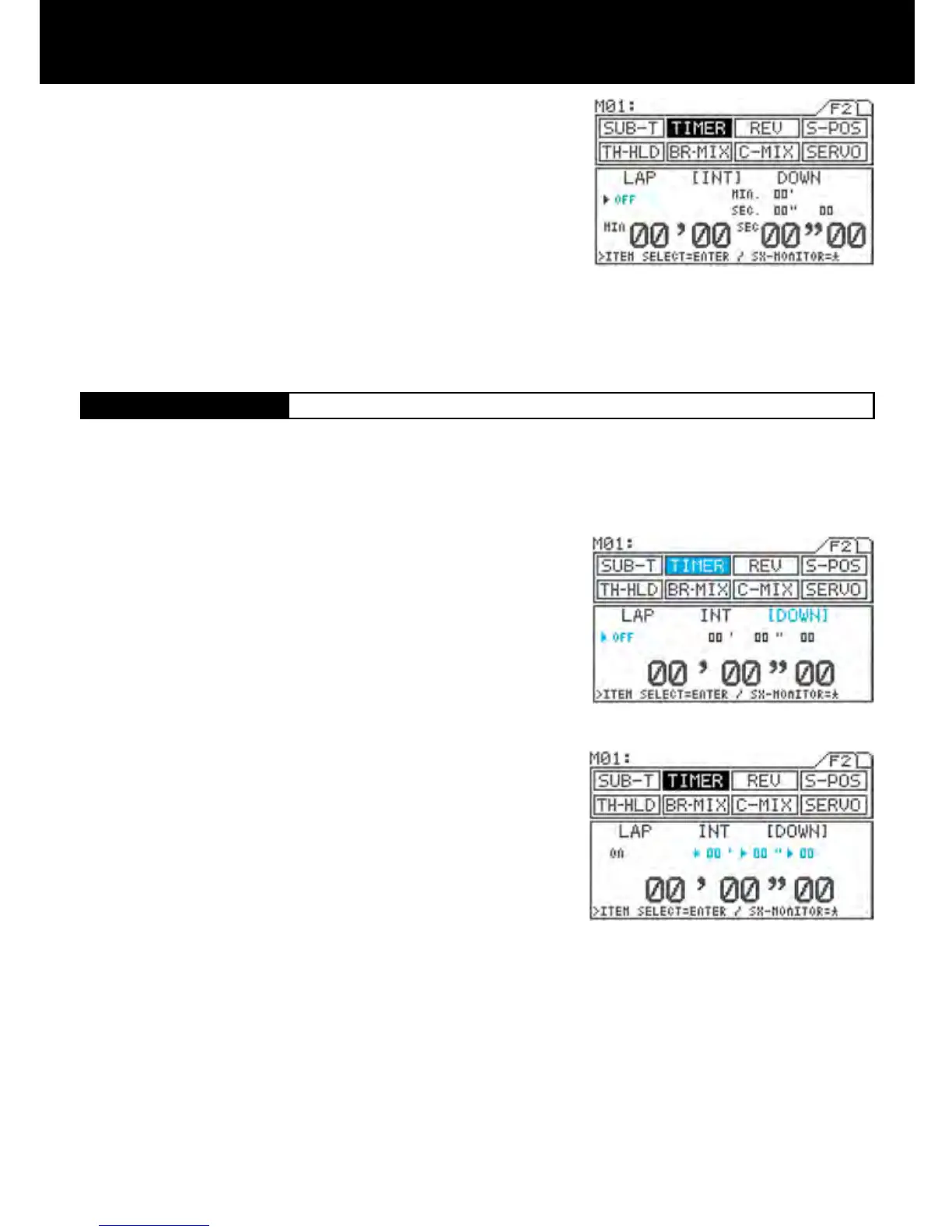
Using the function select keys, move the cursor to [DOWN] in TIMER.
Turning the down timer ON/OFF
Be sure that arrow appears below LAP, and then press Inc.+ or Dec.- to set
the timer ON.
Setting the down timer (minute)
Press the ENTER key to move the arrow to (minute), and then set the timer
by pressing the Inc.+ or Dec.- key.
Setting range 00’ to 99’ 01” increments (1-second increments)
(Default setting 00”)
Setting the down timer (second)
Press the ENTER key to move the arrow to (second), and then set the timer
by pressing the Inc.+ or Dec.- key.
Setting range 00” to 59” 01” increments (1-second increments)
(Default setting 00”)
Setting the down timer (1/10-second)
Press the ENTER key to move the arrow to (1/10-second), and then set the
timer by pressing the Inc.+ or Dec.- key.
Setting range 00 to 90 Increments of 10 (1/10-second increments)
(Default setting 00”)
The timer will not function when it is set at 00” 00.
This timer can notify the idea of model vehicle’s battery or fuel consumption (running time).
The timer accepts settings of up to 99’ 59” 90 in 1/10-second increments.
Once the down timer has run out, the up timer starts. This allows you to check the time elapsed since the timer ran out.
(This timer has an alarm that sounds every minute.)
1.
2.
3.
4.
5.
IMPORTANT
When measurement ends, the timer’s ON/OFF status changes to OFF. To re-start the timer, turn in ON as described in step 2).
About the timer switch
The timer switch can be freely assigned to another switch using the key assign function. Set the switch to the position that is
most suitable for you.



 To Next Page