Page 34
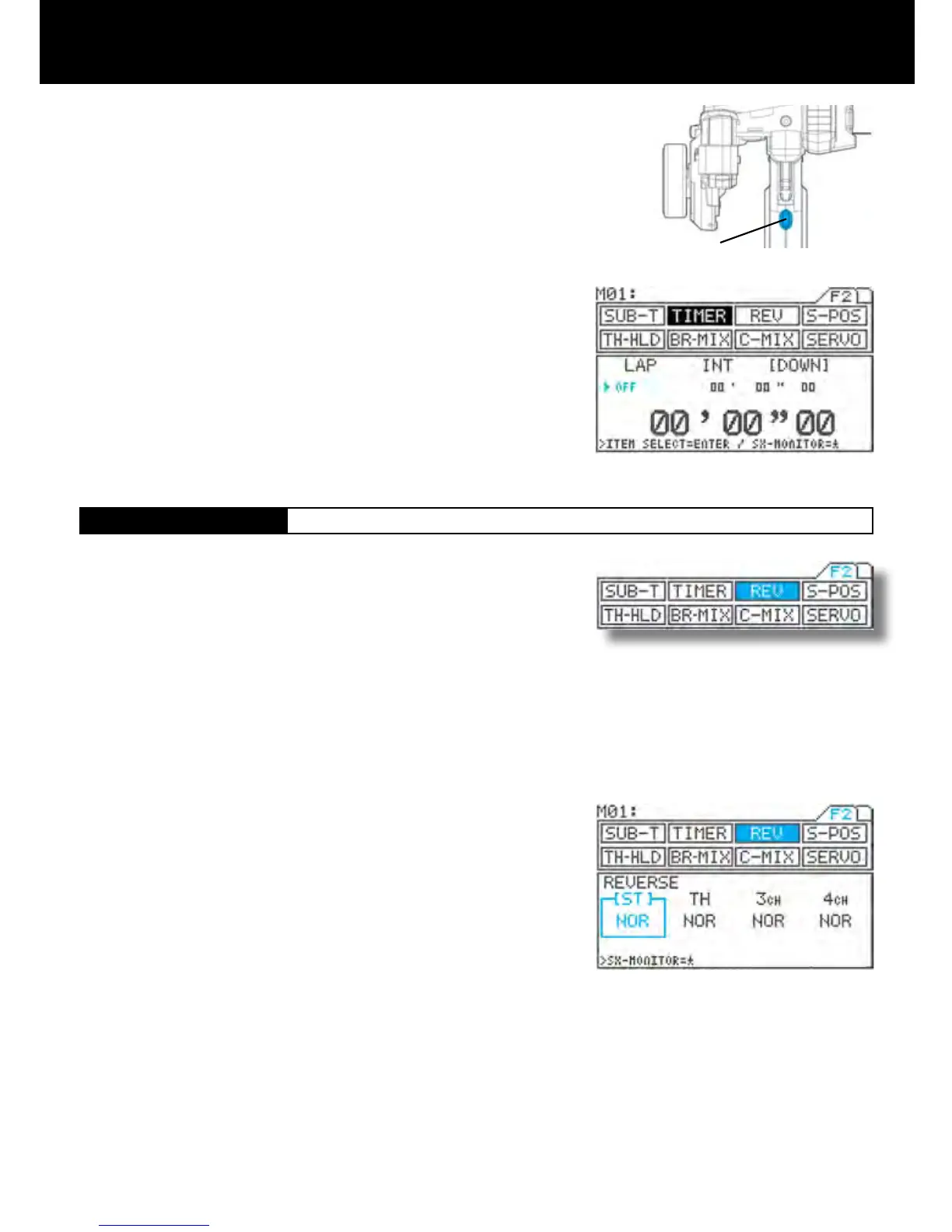
SW3
[REV]
Servo Reversing
Timer / Servo Reversing
Page F2 (REV)
With the standard conguration, the down timer switch is set to SW3. Pressing
SW3 starts measurement.
Each time you press SW3, the interval timer is restored to its preset value, and
the countdown re-starts from that setting.
ENDING MEASUREMENT
End of measurement can be deactivated in two different ways.
From the menu, by simultaneously pressing the Inc.+ and Dec.- key.
By pressing and holding the switch for 3 seconds.
IMPORTANT
*When measurement ends, the timer’s ON/OFF status changes to OFF. To
re-start the timer, turn in ON as described in step 2).
*About the timer switch
The timer switch can be freely assigned to another switch using the key assign
function. Set the switch to the position that is most suitable for you.
6.
This function is to switch the direction of servo operation, and is used in
situations when controls such as the steering wheel or throttle operate in the
opposite direction .
Servo reversed can be individually adjusted for each of the 4 channels.
Using the function select keys, move the cursor to [ST] in REV.
Set the direction of servo operation by pressing the Inc.+ or Dec.- key.
Setting range NOR/REV
Standard setting NOR
Make settings for the other channels in the same manner.
1.
2.
3.



 To Next Page