Page 29
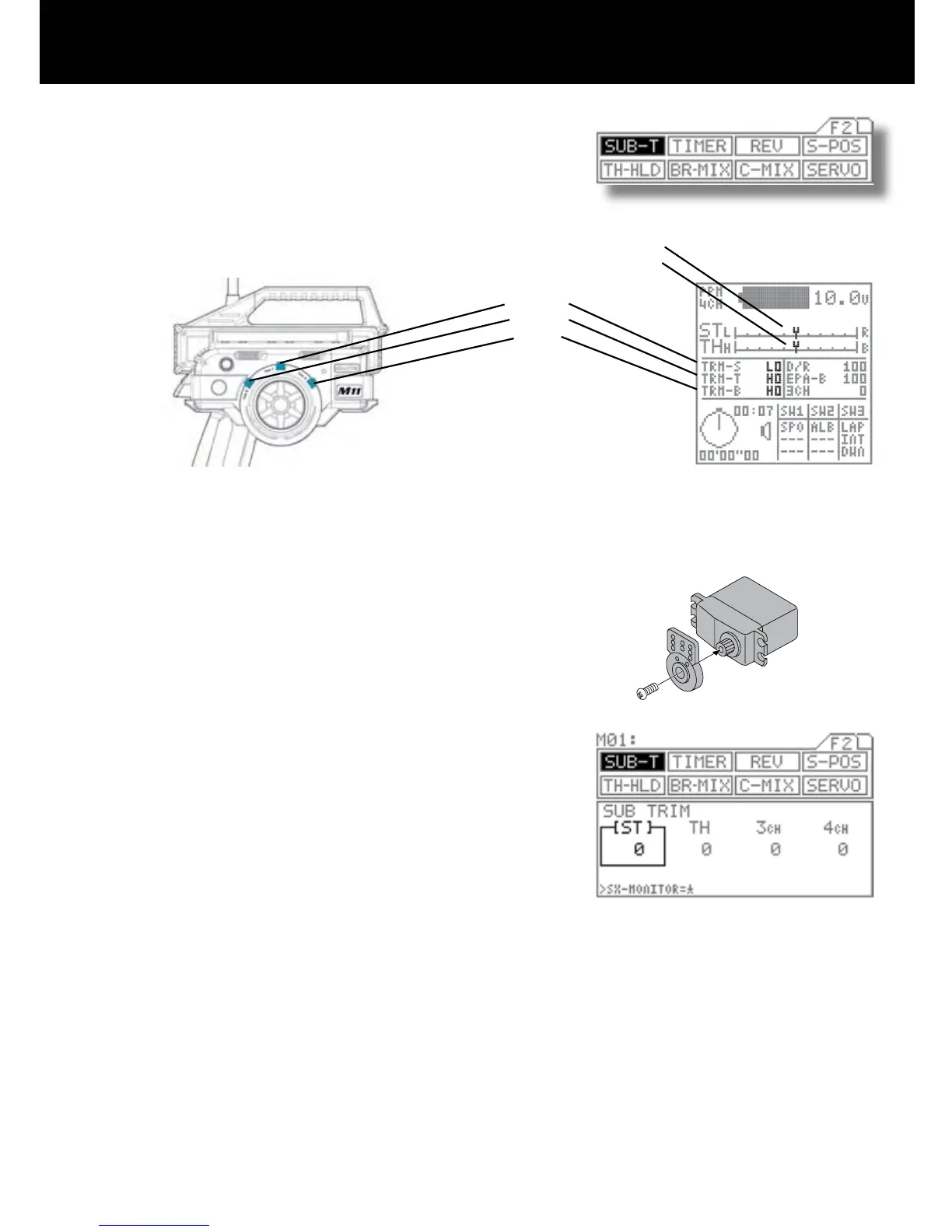
Sub-Trim
Page F2 (SUB-T)
Corrects trim neutral for steering and throttle, making it possible to use the main
trim from the center position. When adjusting linkages, this sub-trim allows to x
the position in accurate center position.
* This can also be used for brake sub-trim when using 4 channels. In this case,
channels 3 and 4 can be set independently.
Before adjusting linkage, be sure to set the main
trimmers to center position (0).
Attach the servo arm (servo saver arm) to the servo
unit in the position that is closest to neutral.
Using the function select keys, move the cursor to
[ST] in SUB-T.
Adjust the sub-trim to center the servo arm the the
servo.
Setting range 100L to 100R (Default setting 0)
Adjust the other sub-trim settings in the same man-
ner.
! CAUTION
Be sure that the servo is as nearly centered as possible before making this adjustment. If the sub-trim and main trim set-
tings are both offset to one side, an operational dead spot (a spot where the servo does not operate) may result.
Steering
Throttle
Brake
Steering
Throttle
(Factory Default Trim Locations)
(Set on 4 Channel)
1.
2.
3.
4.
5.



 To Next Page