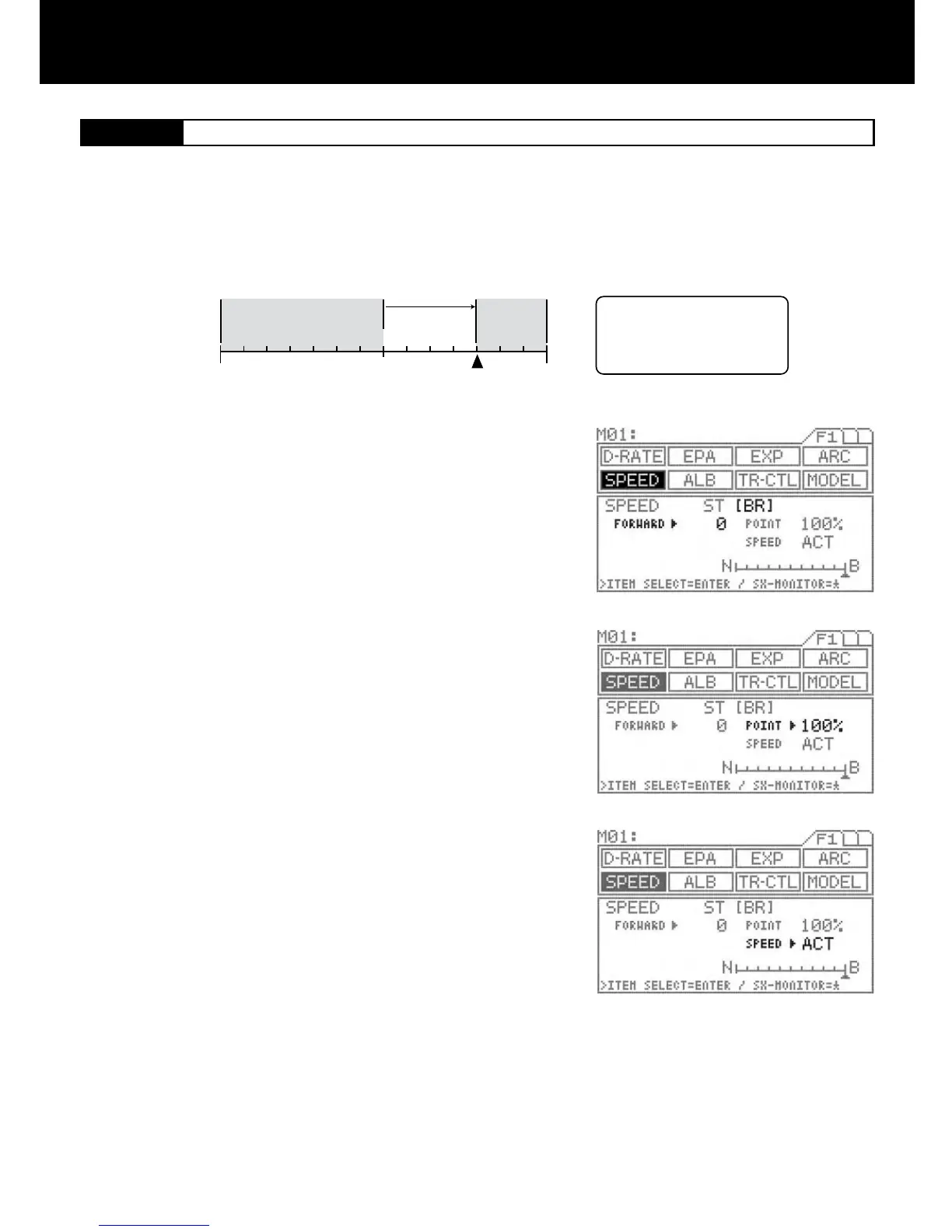
FORWARD
Neutral
N
POINT
(5% 100%)
Hi edge
B edge
The SPEED setting does not
affect throttle operation when
the throttle trigger is located
within the shaded areas outside
the POINT positions.
Using the function select keys, move the cursor to [BR] in SPEED.
FORWARD SETTING
Make sure the arrow appears to the right of FORWARD, and then set the
FORWARD value by pressing the Inc.+ or Dec.- key.
Setting range 0 to 100 (Default setting 0)
POINT SETTING
Move the arrow to the right of POINT with the ENTER key, and then set the
POINT value by pressing the Inc.+ or Dec.- key.
Setting range 5% to 100% (Default setting 100%)
INH/ACT SPEED
To activate the SPEED function, select ACT, and to deactivate, select INH.
Using the ENTER key, move the arrow to the right of SPEED.
Select INH or ACT by pressing the Inc.+ or Dec.- key.
This function slows down the throttle servo during throttle operation. This setting affects only the FORWARD side of the brake.
The SPEED setting does not affect throttle operation when the throttle trigger positioning is located within the shaded areas outside
the POINT. (Only affect from the neutral to the point set at.)
1.
2.
3.
4.
NOTE
It is advisable to use both Throttle’s Speed & Exponential functions together which enable to achieve best combination of the steer-
ing operation for the model vehicle.
IMPORTANT
About the INH/ACT setting for SPEED
The INH/ACT setting of SPEED in the menu can be also switch to any desired key switch by using the key assign function. By using
this function, switching the SPEED “ON” or “OFF” can be selected during the operation.



 To Next Page