Page 43
Set-up
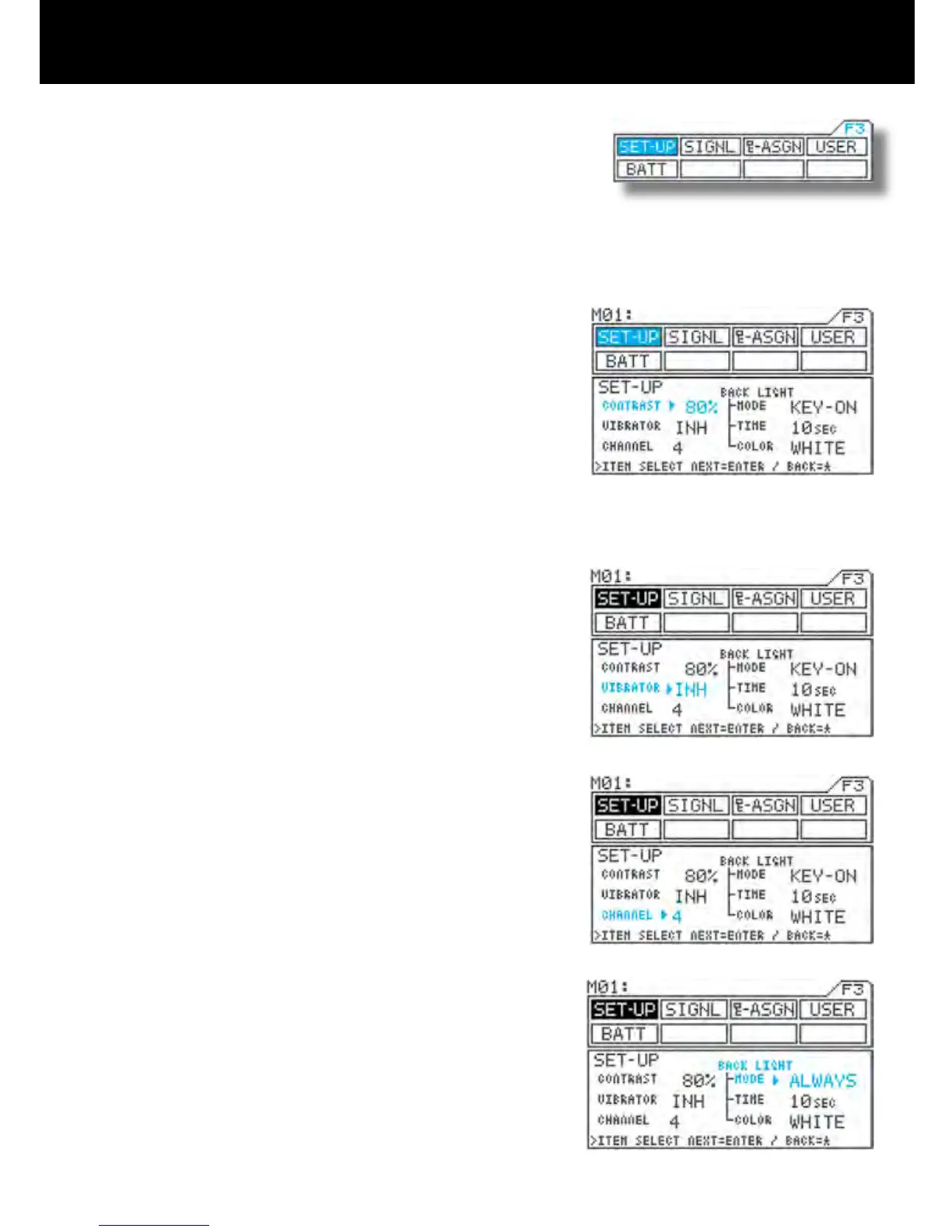
Page F3 (SET-UP)
* This section explains how to adjust the LCD contrast (darkness and light-
ness), turn the vibrator ON/OFF, and select between 2CH/4CH, backlight
ON/OFF/Auto OFF, backlight color set as blue or white.
1) Using the function select keys, move the cursor to
SET-UP.
2) CONTRAST setting
Move u to the right of CONTRAST with the ENTER
key or H key, and then adjust LCD contrast (dark-
ness) by pressing the Inc.+ or Dec.- key.
* Setting range 0% to 100%
* Standard setting 80%
3) Setting INH/ACT for VIBRATOR
Move u to the right of VIBRATOR with the ENTER
key or H key, and then select INH or ACT for the
vibrator by pressing the Inc.+ or Dec.- key.
* When ACT is selected, the vibrator buzzes at the
same time as timer alarm or the battery alarm
emit. It also buzzes when the Main power is turned
on.
4) Making the CHANNEL setting
Move u to the right of CHANNEL with the ENTER
key or H key, and make the channel selection by
pressing the Inc.+ or Dec.- key.
* 2CH ch1 Steering (ST)
ch2 Throttle (TH)
* 4CH ch1 Steering (ST)
ch2 Throttle (TH)
ch3 AUX or brakes (BR)
ch4 Brakes (BR)
5) Making the BACK LIGHT setting
<MODE>
Move u to the right of MODE with the ENTER key
or H key, and then select the mode by pressing the
Inc.+ or Dec.- key.
* KEY-ON-ON The backlight goes OFF when
the time set for TIME elapses
without any menu key opera-
tion.
* ALWAYS The backlight remains con
-
stantly ON.
* OFF The backlight remains con
-
stantly OFF.



 To Next Page