Page 5
Trim Position
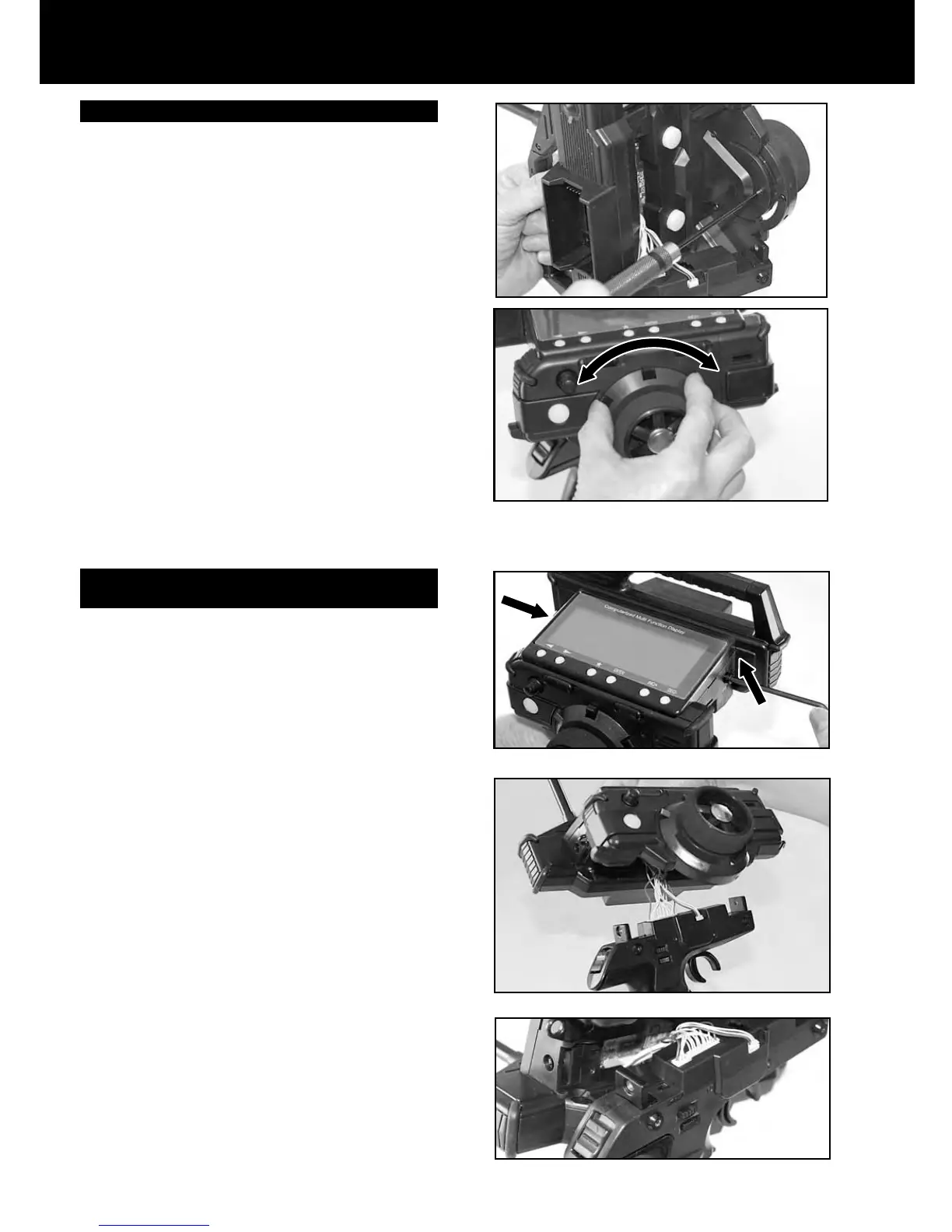
Trim position may be adjusted (5 positions) by rotating the
trimmer unit.
1. Remove the 4mm hex socket head cap screws on each
side of the transmitter by using 3mm hex wrench.
2. Detach the grip downward from the upper transmitter
unit. Be careful to avoid damaging the lead wires that
are connected on both units.
3. Remove the three hex socket head cap screws (M2.6)
from the backside of the trimmer unit (i.e. behind the
steering wheel as shown on the photo.)
4. Rotate the trimmer unit to the desired position. Trim
position may be selected from ve (5) positions. Set the
trimmer unit at optimum trim position. After selecting the
position, retighten the hex socket head cap screws
(M2.6).
5. After resetting the trimmer position, attach the upper
transmitter unit back into place. Tighten using a 3mm
hex wrench and two (2) 4mm hex socket head cap
screws per side.
Switching Right Driving position to Left Driving
Position (Dominant hand)
In order to change to a left handed driving position, rotate
the grip as follows:
1. Remove the 4mm hex socket head cap screws on each
side of the transmitter using a 3mm hex wrench.
2. Detach the grip downward from the upper transmitter
unit. Be careful to avoid damaging the lead wires that
are connected on both units.
3. Set the Left/Right selector switch to L. (As shown on the
photo)
4. Rotate the grip by 180 degrees.
5. After rotating the grip, align the upper transmitter unit into
place. Tighten using a 3mm hex wrench and two (2)
4mm
hex socket head cap screws per side.



 To Next Page