HP106 Service Manual
Page 10 of 12
5) Set the audio generator's output level at approximate 300mVrms at TPA of the Test adapter.
6) Operate the transmitter, using TA-S1, and adjust RV201(MOD.ADJ) for ±4.0 KHz deviation.
3.3.c CTCSS/DCS adjustment
7) To adjust CTCSS and DCS Deviation, perform step1 though 6 above. Then set the FM liner detector audio bandwidth of
0.25 Hz or less to15,000 Hz or more. Turn the de-emphasis function off.
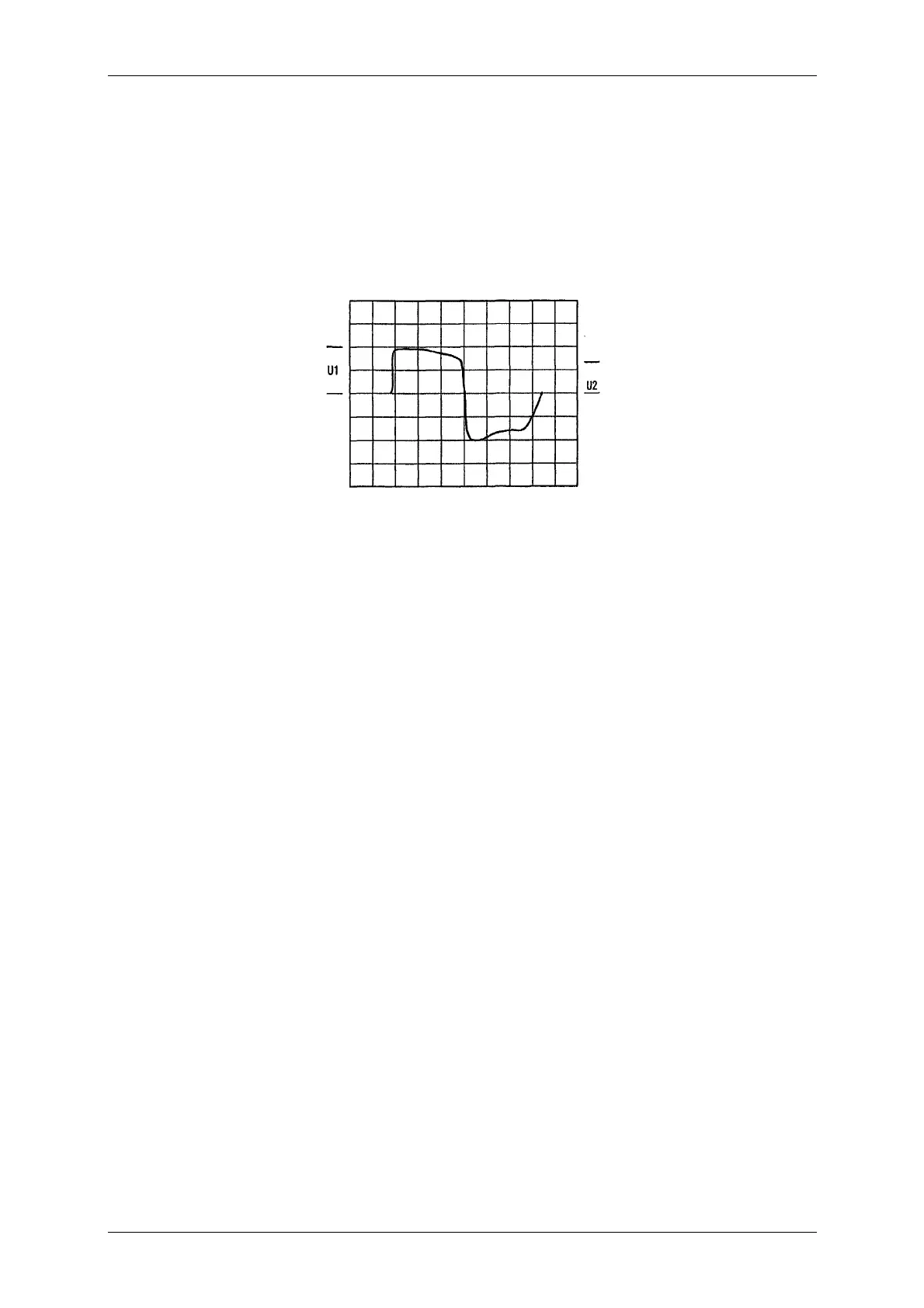
8) Place the Radio on channel 4 (163.050MHz. TX; 627 DCS CODE). Set the audio generator output to 0V operate the
transmitter, using TA-S1 and adjust the DCS balance control RV203 to U1-U2 is minimum on the Oscilloscope.
9) Place the Radio on channel 3 (163.050MHz, TX; 100Hz Tone). Operate the transmitter using TA-S1, and adjust RV202 to
±800Hz deviation on Modulation Analyzer.
3.3.d Selcal adjustment
10) Set up a selcall sequence which includes, at least, an hi-pitched tone and a tone length of 1 second minimum (in order to
allow a convenient deviation check)
11) Send the selcal by keeping pressed the MON or FUNC keys and adjust RV1 in order to obtain the following minimum
/maximum deviation according to the channel bandwidth:
For 12.5 KHz channel bandwidth - min ±1.5 KHz / max ±2.5 KHz
For 25 KHz channel bandwidth - min ±2.5 KHz / max ±3 KHz
3.4 Receiver Alignment
1) Connect the Radio in accordance with Figure 1.
2) Place the Radio on the channel 2 (163.050MHz, RX; 163.025MHz, TX).
3) Adjust the Squelch Control RV204 until the BUSY LED (Green) turns ON.
4) Apply the RF generator signal with 1 KHz tone at 3 KHz deviation so that the tone can be heard in the speaker.
5) Adjust the volume control for the rated audio.
6) Set the RF signal generator's level obtain a 9dB SINAD reading.
7) Adjust RV204 (Squelch control) counter clockwise slowly just until the BUSY LED goes out.
8) Adjust RV204 clockwise slowly just until the BUSY LED goes ON.
9) Place the radio on the channel 5 (163.050MHz, RX; 163.025MHz, TX).
10) Adjust the squelch control RV205 until the BUSY LED (Green) turns ON.
11) Apply the RF generator signal with 1 KHz tone at 1.5 KHz deviation so that the tone can be heard in the speaker.
12) Ad just the volume control for the rated audio.
13) Set the RF signal generator's level obtain 9dB SINAD reading.
14) Adjust RV205 counter clockwise slowly just the BUSY LED goes on.
15) Ad just RV205 clockwise slowly just until the BUSY LED goes on.



 To Next Page