HP106/HP406 Programmer software guide
Ver. 1.0 Page 21
6.3 Power-ON Selcal auto sending
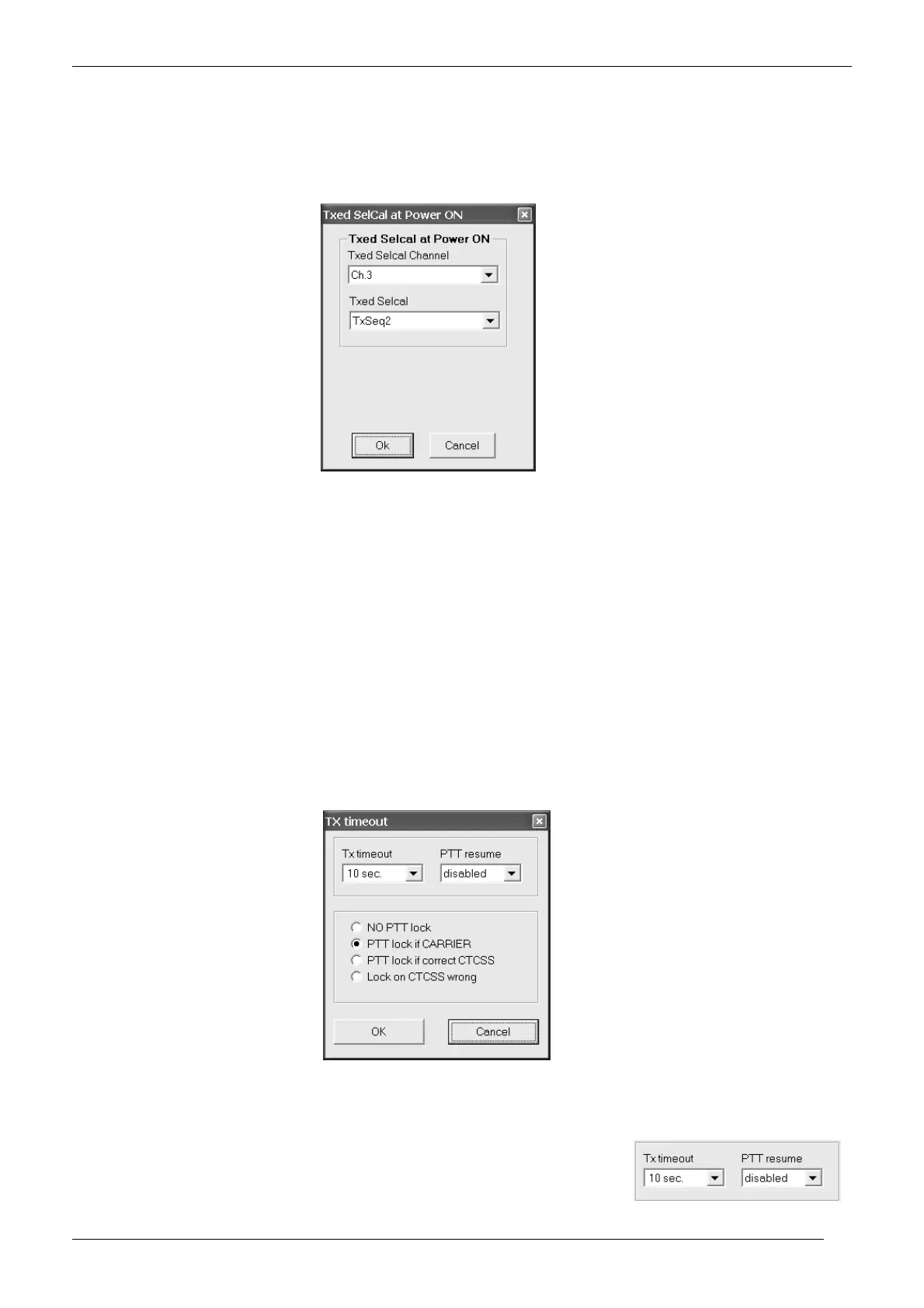
You can define a selective call to be automatically transmitted every time the radio is switched on and which channel the
radio should send it.
1) From the Global Data window - Set-Up area - click the Txed Selcal at Power-ON button: the Txed Selcal at Power-ON window will
open.
2) Click the Txed Selcal channel drag down button and select the required channel. You can also select Selected by knob if you want to
send the Selcal in the channel currently selected by the channel knob
3) Click the Txed selcal drag down button and select the required selcal you need to automatically send every time the radio is switched
on.
4) Click the OK button to confirm or Cancel to exit without changing the previous settings
If you don’t want to automatically send a selective call every time the radio is switched on, at step 3 leave Txed selcal on <none>
6.4 Transmission timeout / PTT lock (Tx Timeout / PTT Lock button)
This window allows you to reduce the risks of accidental /excessive transmissions on the operating channel, even by non
expert users:
TX timeout - defines the maximum transmission time available for the end user for every message. If he/she continuously presses the
PTT and reaches a certain preset time, the TX will be momentarily disabled and an error beep is emitted. The TX is automatically
restored when the end user releases the PTT or, if needed, after a certain time with the PTT released (PTT resume time).
PTT lock – locks the transmission if the channel shown some activities. You can configure this setting in order to lock the PTT in several
activity conditions: just if a carrier is detected or if a correct/wrong CTCSS is detected. When the preset activity is detected, the TX will
be momentarily disabled and an error beep is emitted.
To access this settings, From the Global Data window - Set-Up area - click the Tx Timeout / PTT Lock button: the Tx
timeout window will open.
6.4.a Setting the Transmission timeout
1) Click the Tx timeout drag down button and select the maximum transmission time available for the user.
2) Obviously, as soon as you will select a Tx timeout value different than disabled, you will also
automatically activate the PTT resume drag down button. Leave it to disabled if you want to
restore the transmission just after the PTT has been released or set the time which the user
has to wait with the PTT released.



 To Next Page