Accessories
8AL90399ENAD ed01 110/141
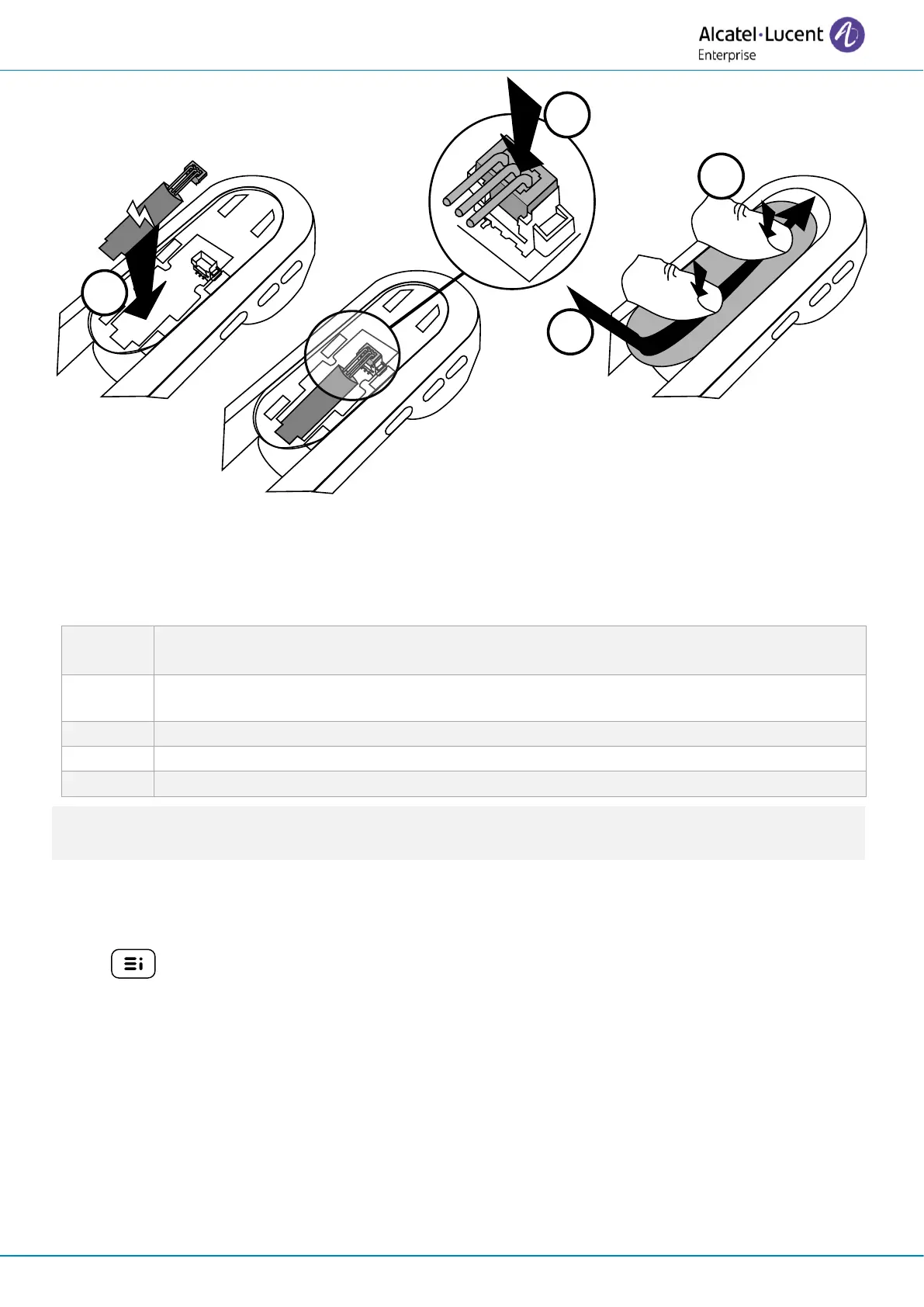
To replace the battery, with the handset turned off:
A spare battery can be ordered from your business partner: ALE-161 WB Cordless Handset Battery
Pack.
5.2.5 Enable Bluetooth®
You must enable Bluetooth® if it is not already activated.
•
→
Bluetooth
• Enable: Activate Bluetooth® (check the box).
• Enter password if requested by the system and confirm.
• The phone restarts.
5.2.6 Pairing and connecting the handset
If the desk phone is locked for pairing with a new connected Bluetooth device, this feature may not
be available.
Before the Bluetooth® handset can be used, it must be correctly paired to the terminal. Pairing
will create a wireless link between the Bluetooth® wireless handset and the desk phone.














 To Next Page