FORM DOC 011 A
MU 7033 EN M
FLEXICOMPT AUTONOME+
Page 34/42
This document is available on www.alma-alma.fr
8.3.6 Wiring and operational check of the DG in the UNI-2
Make sure there’s no battery
Plug on the UNI-2 the 6 wires of the 2Dla01-spacer according to Picture A
Put the batteries (respect polarization)
Press the micro BP Metro to switch the UNI-2 in METROLOGICAL mode
Enter the menu SensorsON
Make sure both sensors are dry before validation
Exit the METROLOGICAL mode by pressing the micro BP Metro.
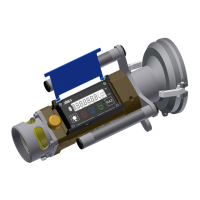
8.3.7 Assembling the UNI-2 on the FLEXICOMPT AUTONOME+
Check the O-ring is properly positioned in its groove, grease it if necessary
(translucent grease for food contact)
Put the UNI-2 (with the silica gel dehydrating packet) on the FLEXICOMPT
AUTONOME+ body
Make sure there’s no wire between the UNI-2 box and the FLEXICOMPT
AUTONOME+ body
Screw the 4 CHC screws of the UNI-2 equipped with SCHNORR washers.
Screws must be lubricated with Molybdenum grease
Seal* both screws of the UNI-2 (if required)
*All these operations must be carried out by approved persons and under the
control of the competent authorities. See the certificate of the measuring
system and the regulations in force.
8.4 CTD+
Remove the battery in a non-explosive area. The CTD+ must not be plugged.
The level of the CTD+ battery is indicated in the parameters file (file P0000123). It can
be read out, even if the battery is worn, by following the procedure of transfer of the data
on a PC described in the Operating guide GU 7110.
8.4.1 Removing the top cover (on the cable plug side)
Unplug the cable if necessary
Unscrew and remove the 4 screws from the top cover
Remove the holder and the cover
Remove the sheet on the battery
If necessary slightly unscrew the screws of the base plate to make the removal of
the sheet easier


 To Next Page
 Loading...