FORM DOC 011 A
MU 7033 EN M
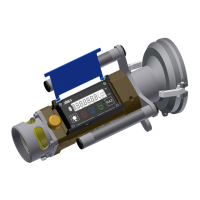
FLEXICOMPT AUTONOME+
Page 19/42
This document is available on www.alma-alma.fr
IP : xxx.xxx.xxx.xxx
Connect > Host : xxxxxx RSSI : xxx Dbm
Pass: xxx.xxx.xxx.xxx
Mask: xxx.xxx.xxx.xxx
WiFi
State
Modbus
DNS:xxx.xxx.xxx.xxx
Modbus ID
Modbus Port
001
00502
Network Name
Password
abcdef
xxxxxx
Hosts
N° 1
N°3
State
:
Connect:
Status of the Wi-Fi connection
IP
: IP address of the UNI-2
Mask
: Subnet mask (IP mask for the internal IP address allocation)
Pass
: Gateway (IP Address for the internet access of the Ethernet interface)
DNS
:IP Address to access a DNS server
Hosts
: You can set three access points
The Wi-Fi network name and password cannot exceed 10 characters. The
allowed special characters are + and -
Network name
: Wi-Fi network name
Password
: Wi-Fi network password
Modbus
:
ID
: UNI-2 Modbus identifier between 0 and 255
Port
: TCP/IP access port for Modbus protocol
6.5.3 Sub-menu CTD+
CTD+
Nb. of days
007
Nb. of days
: Set the number of days N for the transfer of the measurement results on
the CTD+. If N=007, the measurement results of the last 7 days will be transferred
6.6 List of alarms
Should a fault occur, the FLEXICOMPT AUTONOME+ displays
Alarm: name of the default
at the bottom of the screen. The volume remains visible. The operator acknowledges the
fault by pressing VALID (even when pouring). Apart from battery related faults, persistent
faults cannot be acknowledged. Once the fault is acknowledged, the selected value is
displayed alternately with "-------" to indicate that the measured values are no longer
guaranteed.


 To Next Page
 Loading...