3
Altai A8n (ac) Series Super WiFi Base Station
Configuration Guide
Altai Technologies Ltd. All rights reserved
2.2. Connect to Your Altai Access Point
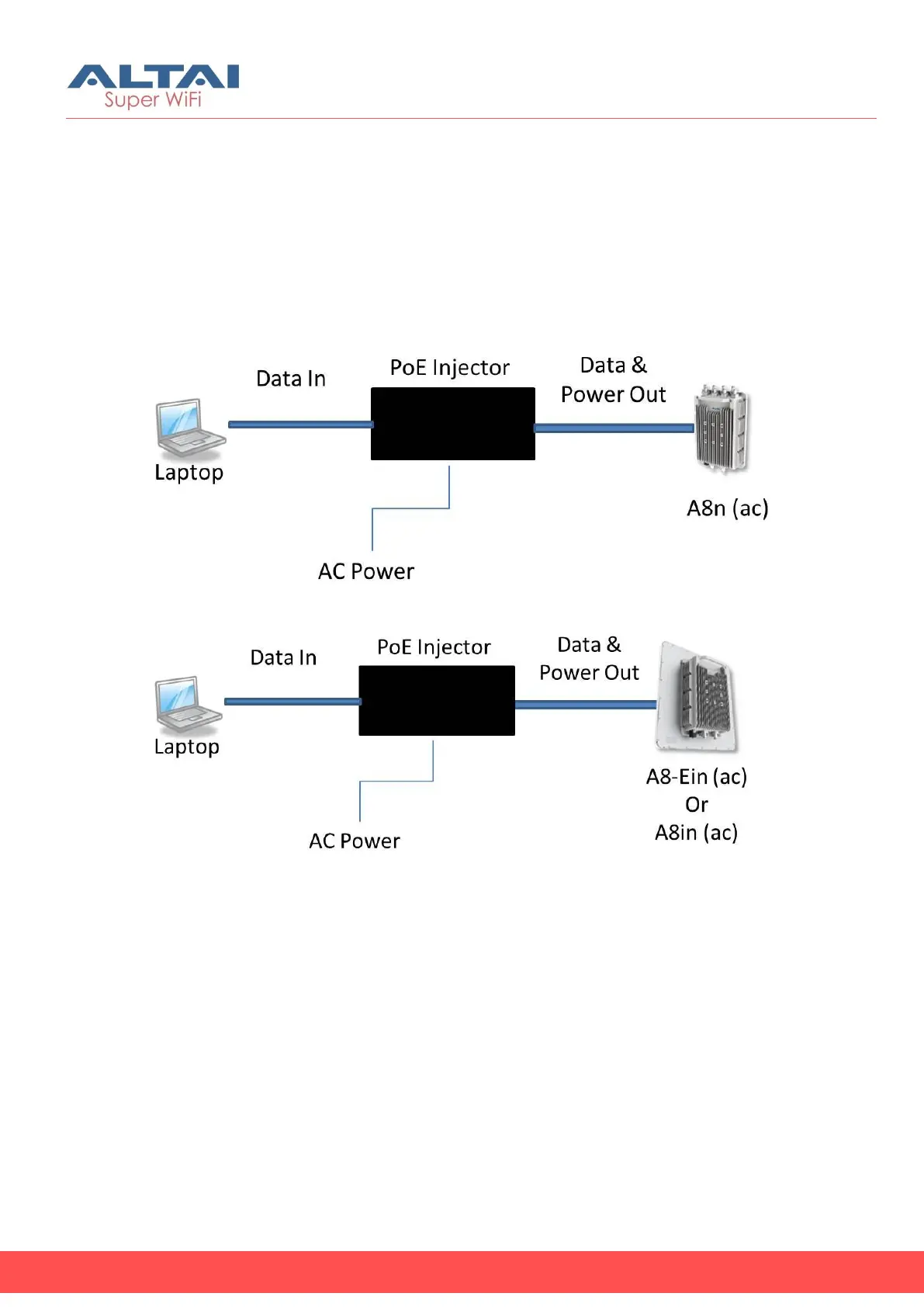
1. Connect your laptop to Data In port on the PoE Injector provided in
the Altai’s package using Ethernet cable
2. Connect the Ethernet port of AP to Data & Power Out port on the
PoE Injector provided in the Altai’s package using Ethernet cable.
3. Connect the power cord to the power port on the PoE Injector.
Connect the other end of the power cord to a power outlet.
Figure 1 – A8n (ac) Connection Diagram
Figure 2 – A8n-Ein (ac)/ A8in (ac) Connection Diagram
4. Verify the AP’s Power LED is steady green after a minute



 To Next Page