16
Altai A8n (ac) Series Super WiFi Base Station
Configuration Guide
Altai Technologies Ltd. All rights reserved
4.1.3. Configure Radio Interface as Access Point
(AP)
Radio 0 – 2.4GHz Radio
Radio General Configuration
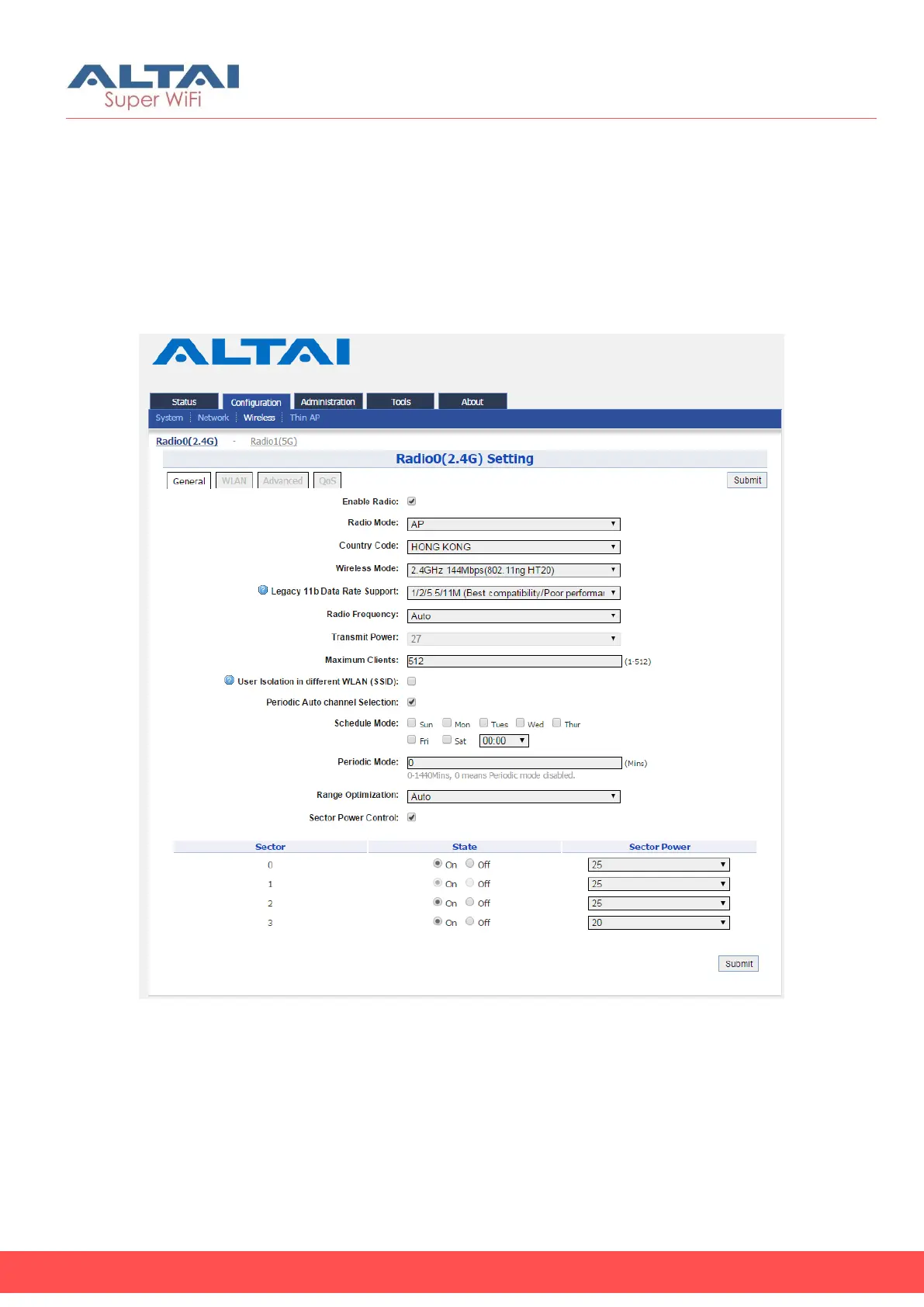
Figure 17 – Radio0 (2.4G) General Settings of AP
1. Go to Configuration > Wireless > Radio0(2.4G) > General;
2. Select Enable Radio checkbox to enable radio interface
3. Select AP in Radio Mode
4. Change the following settings:
Country Code – Select an option that matches your device’s
installation location; Hong Kong is the default setting.



 To Next Page