44
Altai A8n (ac) Series Super WiFi Base Station
Configuration Guide
Altai Technologies Ltd. All rights reserved
4.2. Advance Configurations
4.2.1. Assign a unique identification on AP for
network management
If your network contains many AP, consider assigning a unique system
info setting for each of them to facilitate network management.
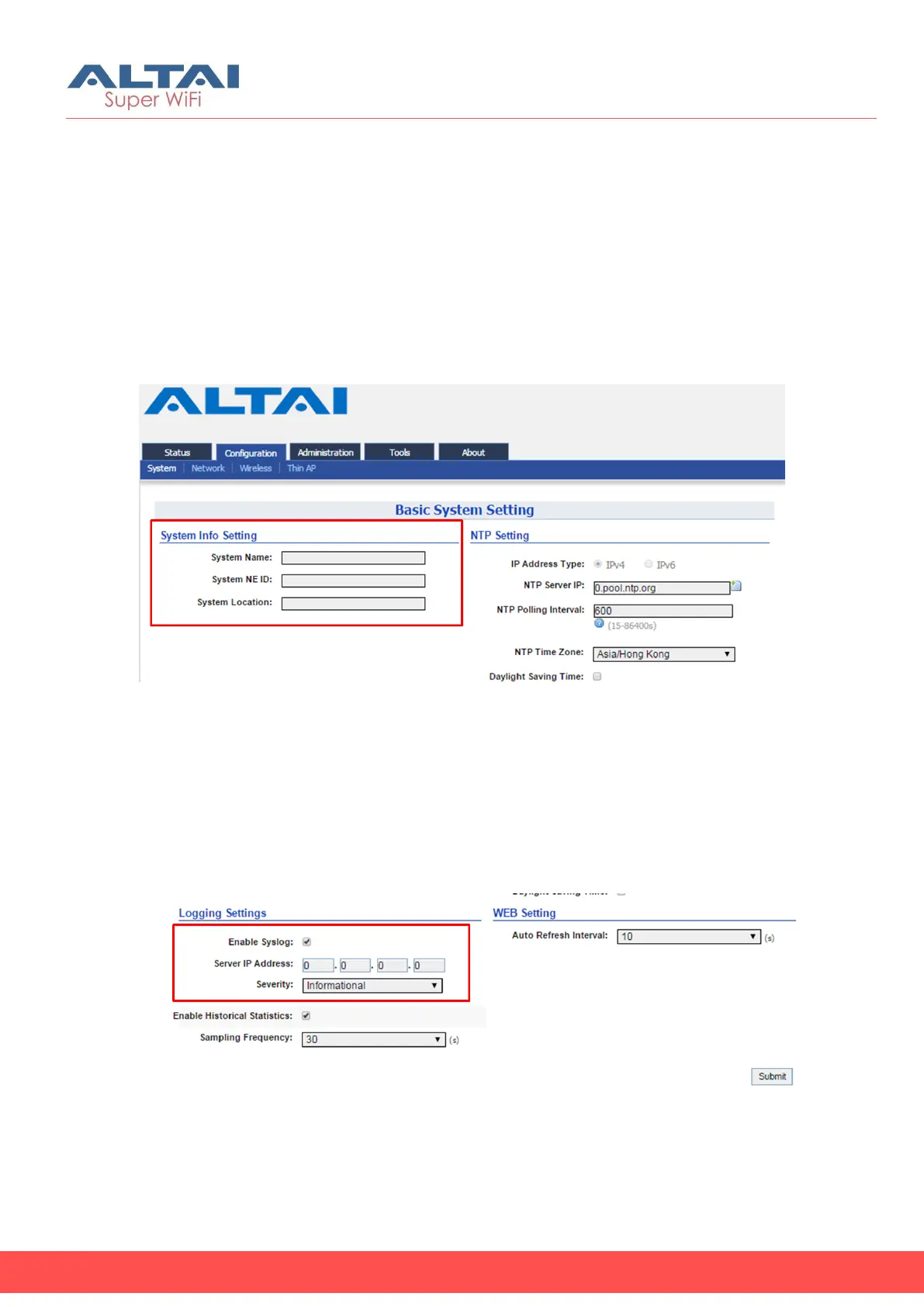
Figure 42 – Unique Identification on AP for Network Management
1. Click Configuration > System
2. Type in a string up to 255 characters in System Name
3. Type in a string up to 64 characters in System NE ID
4. Type in a string up to 255 characters in System Location
5. Click Submit
6. Click Save & Apply
4.2.2. Configure syslog settings
Figure 43 – Syslog Setting
1. Click Configuration > System
2. Change the following settings:



 To Next Page