84
Altai A8n (ac) Series Super WiFi Base Station
Configuration Guide
Altai Technologies Ltd. All rights reserved
Sector X AP List Tab– displays information scanned WLAN in sector 0 – 4.
X is the sector number. Information includes SSID, BSSID, authentication
Mode, cipher, channel, rate in kbps, and received SNR (dB)
7.1.1. Perform channel scan on 2.4G radio
1. Go to Tools > Channel Scan > Radio 0 (2.4G)
2. [Optional] Provide channel scan interval from 100ms to 1000ms in
Duration
3. Click Start Scan
4. Wait until Scan Status is changed from In Process to Success; it will
take for 20 seconds approximately
Note:
- Wi-Fi service will be interrupted during channel scan
7.1.2. Perform channel scan on 5G radio
1. Go to Tools > Channel Scan > Radio 1 (5G)
2. [Optional] Provide channel scan interval from 100ms to 1000ms in
Duration
3. Click Start Scan
4. Wait until Scan Status is changed from In Process to Success; it will
take for 20 seconds approximately
Note:
- Wi-Fi service will be interrupted during channel scan
7.2. iPerf
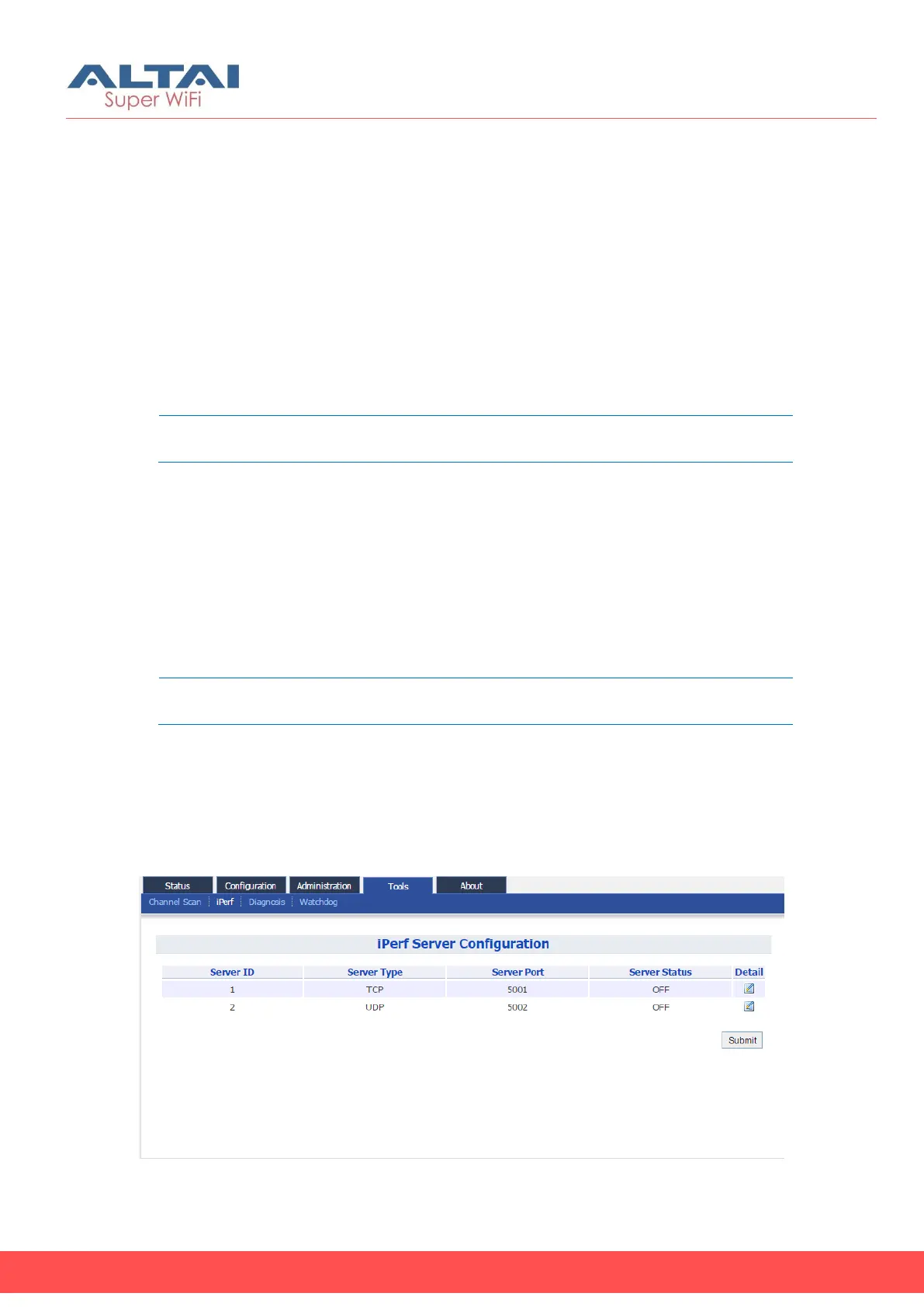
A8n (ac) Series products embed iPerf server tool. Network Administrator
/ Engineer can test the throughput performance via Ethernet, Radio0,
or Radio1 with this built-in tool.
Figure 92 – iPerf Server Configuration



 To Next Page