75
Altai A8n (ac) Series Super WiFi Base Station
Configuration Guide
Altai Technologies Ltd. All rights reserved
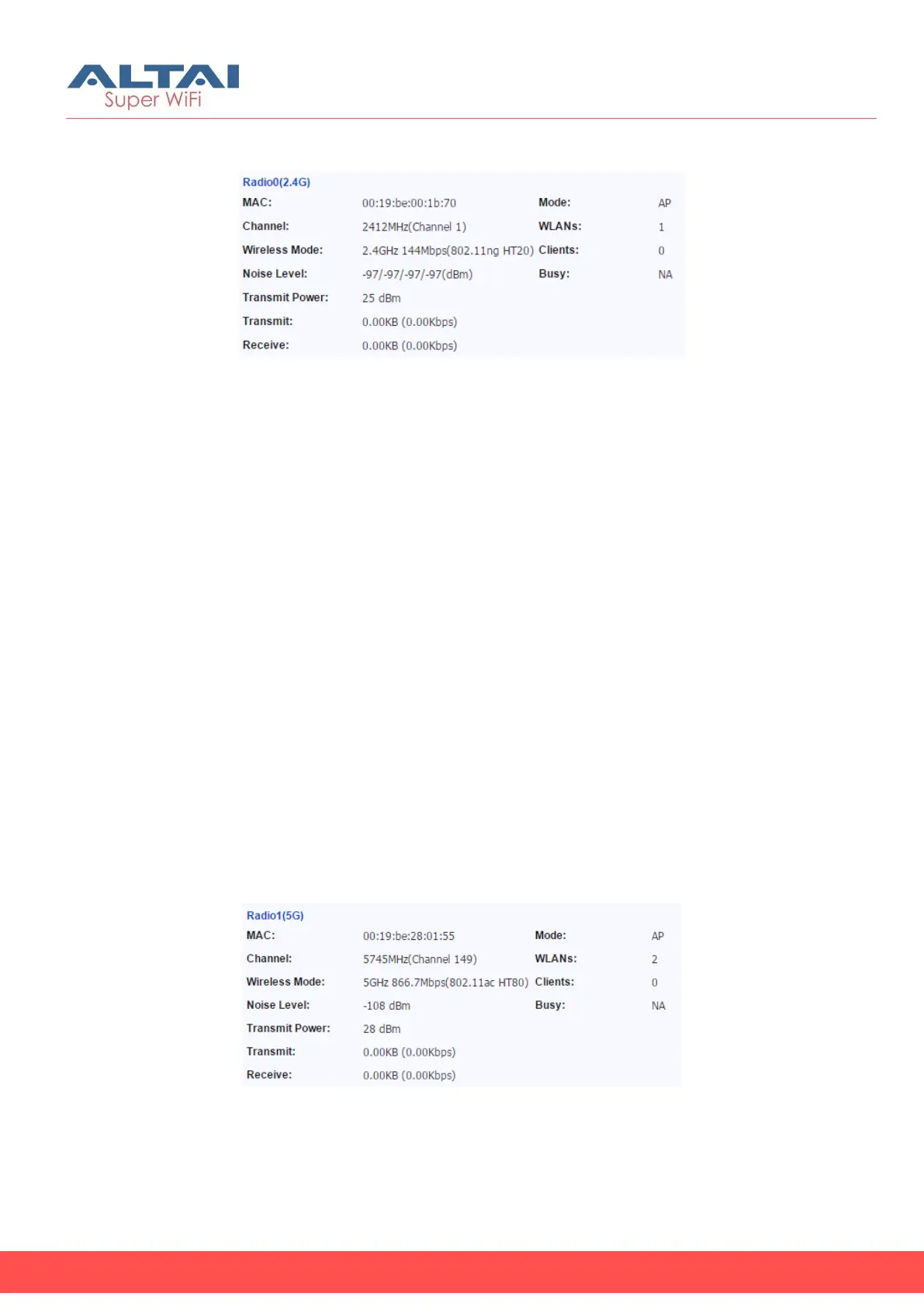
Radio0 (2.4G)
Figure 83 – Radio 0 Status
MAC – MAC address of Radio 0 interface
Channel – indicate operating frequency (channel) of Radio 0
Wireless Mode – indicate 802.11 standards that Radio 0 operates
Noise Level – indicate the noise level in terms of dBm of operating
channel
Transmission Power – indicate the total transmission power of Radio 0
Transmit – indicate the traffic and instant throughput of transmission on
Radio 0
Receive – indicate the traffic and instant throughput of receive
operation on Radio 0
Mode – indicate operating mode of Radio 1
WLANs - indicate the number of operating WLAN on Radio 0 (AP mode
and Repeater Mode only)
Clients - indicate the number of clients that Radio 0 servers currently
(AP mode and Repeater mode only)
Connection – indicate connection status between Radio 0 and remote
AP (Station mode only)
AP SSID – indicate the SSID that station associates with (Station mode
only)
AP SNR – indicate received SNR from remote AP (Station mode only)
Busy – indicate busy of operating channel
Radio1 (5G)
Figure 84 – Radio 1 Status
MAC – MAC address of Radio 1 interface
Channel – indicate operating frequency (channel) of Radio 1
Wireless Mode – indicate 802.11 standards that Radio 1 operates


 To Next Page