46
Altai A8n (ac) Series Super WiFi Base Station
Configuration Guide
Altai Technologies Ltd. All rights reserved
Sampling Frequency - Set the sampling time of statistics:
30 seconds per sample (Default Setting)
3. Click Submit
4. Click Save & Apply
4.2.4. Configure refresh interval of on-screen
information on Web UI
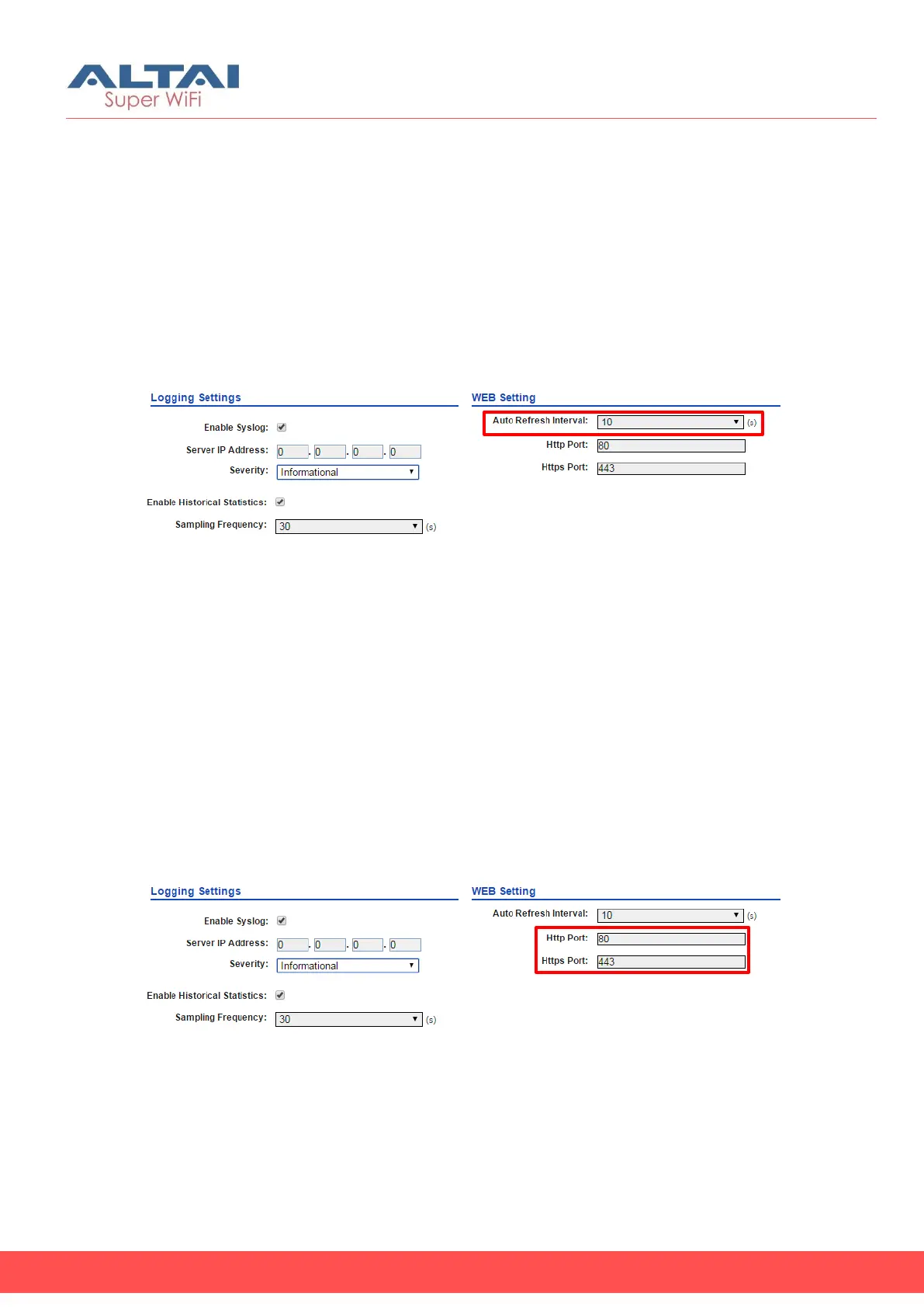
Figure 45 – Auto Refresh Interval Setting
1. Click Configuration > System
2. Change the following setting:
Auto Refresh Interval - specify the interval in second that Web UI
refreshes itself automatically:
Refresh every 10 seconds (Default Setting)
3. Click Submit
4. Click Save & Apply
4.2.5. Configure http and https port number
1. Click Configuration > System
2. Change the following setting:
Http Port – specify the http port number. Default is port 80.
Https Port – specify the https port number. Default is port 443.
3. Click Submit
4. Click Save & Apply



 To Next Page