36
Altai A8n (ac) Series Super WiFi Base Station
Configuration Guide
Altai Technologies Ltd. All rights reserved
Station Configuration
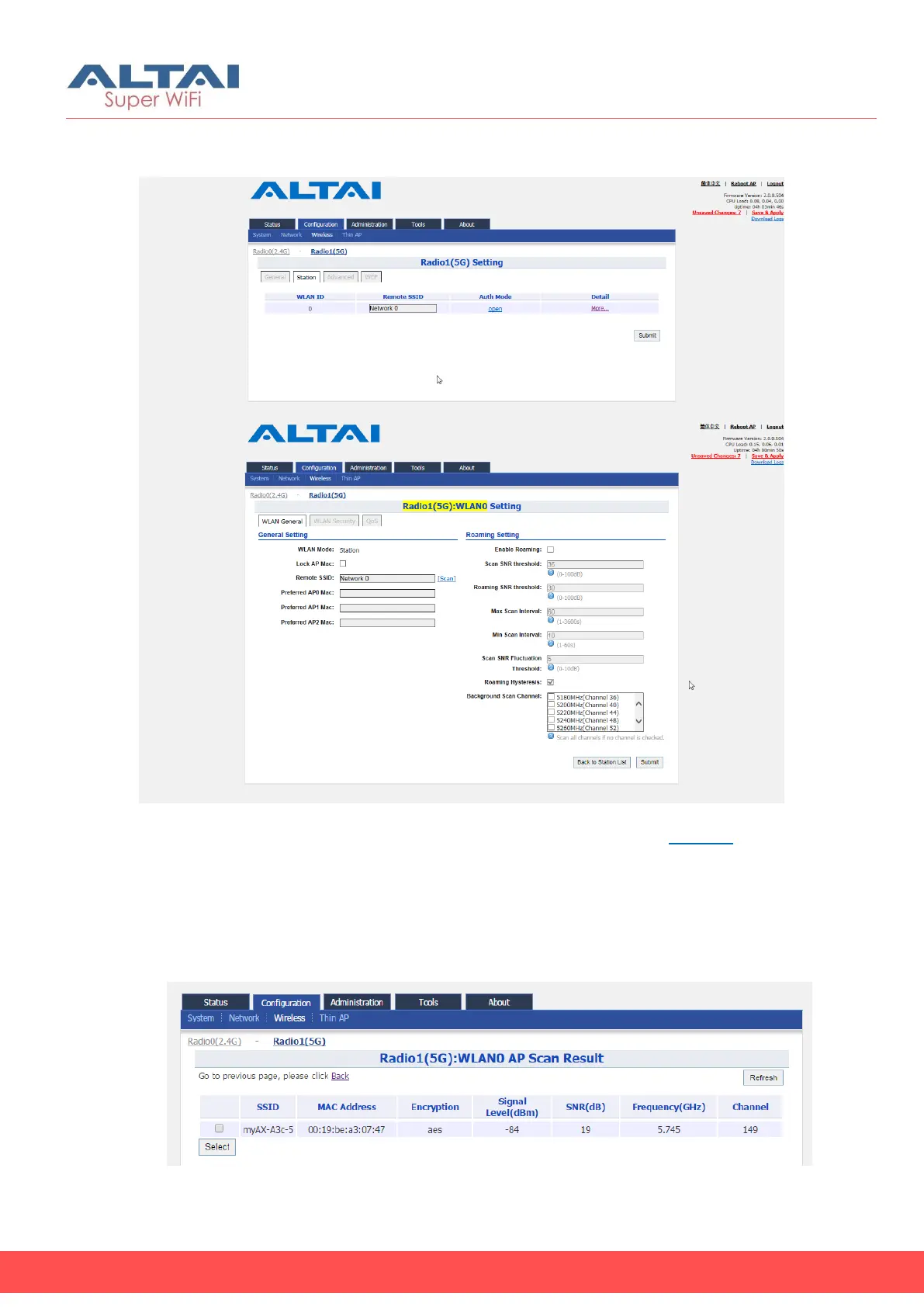
Figure 33 - Station Setting
1. Go to Configuration > Wireless > Radio1(5G) > Station > More…
2. Change the following settings:
Lock AP Mac [Optional] – Select to force station that associate the
AP with MAC address in Remote AP MAC only
Remote SSID – Enter the SSID that station is going to associate. You
may use [Scan] to look for the surrounding SSID.
Figure 34 – SSID scan result - Station



 To Next Page