45
Altai A8n (ac) Series Super WiFi Base Station
Configuration Guide
Altai Technologies Ltd. All rights reserved
Enable Syslog – Select the checkbox to enable system logging
function
Server IP Address – Type in IP address of the remote syslog server
that AP sends system logs instantaneously. 0.0.0.0 denote that AP
saves the syslog in its local memory
Severity – Set severity level of log that AP stores / sends to remote
syslog server:
A "panic" condition usually affecting multiple
apps/servers/sites. At this level it would usually notify all
tech staff on call.
Should be corrected immediately, therefore notify staff
who can fix the problem. An example would be the loss
of a primary ISP connection.
Should be corrected immediately, but indicates failure in
a secondary system, an example is a loss of a backup
ISP connection.
Non-urgent failures, these should be relayed to
developers or admins; each item must be resolved within
a given time.
Warning messages, not an error, but indicate that an
error will occur if action is not taken, e.g. file system 85%
full - each item must be resolved within a given time.
Events that are unusual but not error conditions - might
be summarized in an email to developers or admins to
spot potential problems - no immediate action required.
Normal operational messages - may be harvested for
reporting, measuring throughput, etc. - no action
required. (Default Setting)
Info useful to developers for debugging the application,
not useful during operations.
3. Click Submit
4. Click Save & Apply
4.2.3. Configure historical statistics settings
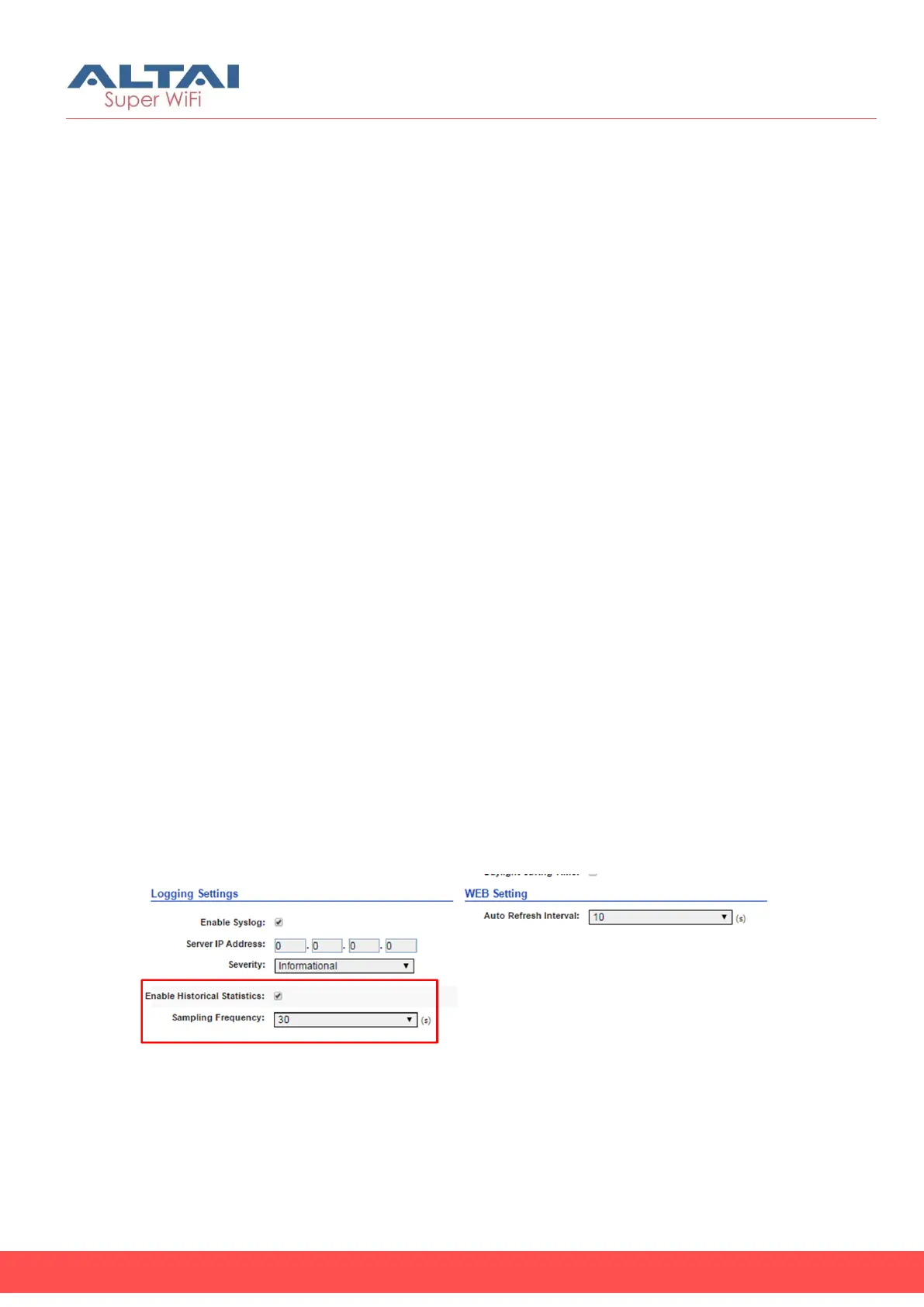
Figure 44 – Historical Statistic Setting
1. Click Configuration > System
2. Change the following settings:
Enable Historical Statistics - Select the checkbox to enable AP
statistics function



 To Next Page