79
Altai A8n (ac) Series Super WiFi Base Station
Configuration Guide
Altai Technologies Ltd. All rights reserved
6.4. Status > Radio1(5G)
6.4.1. Status > Radio1(5G) > Status
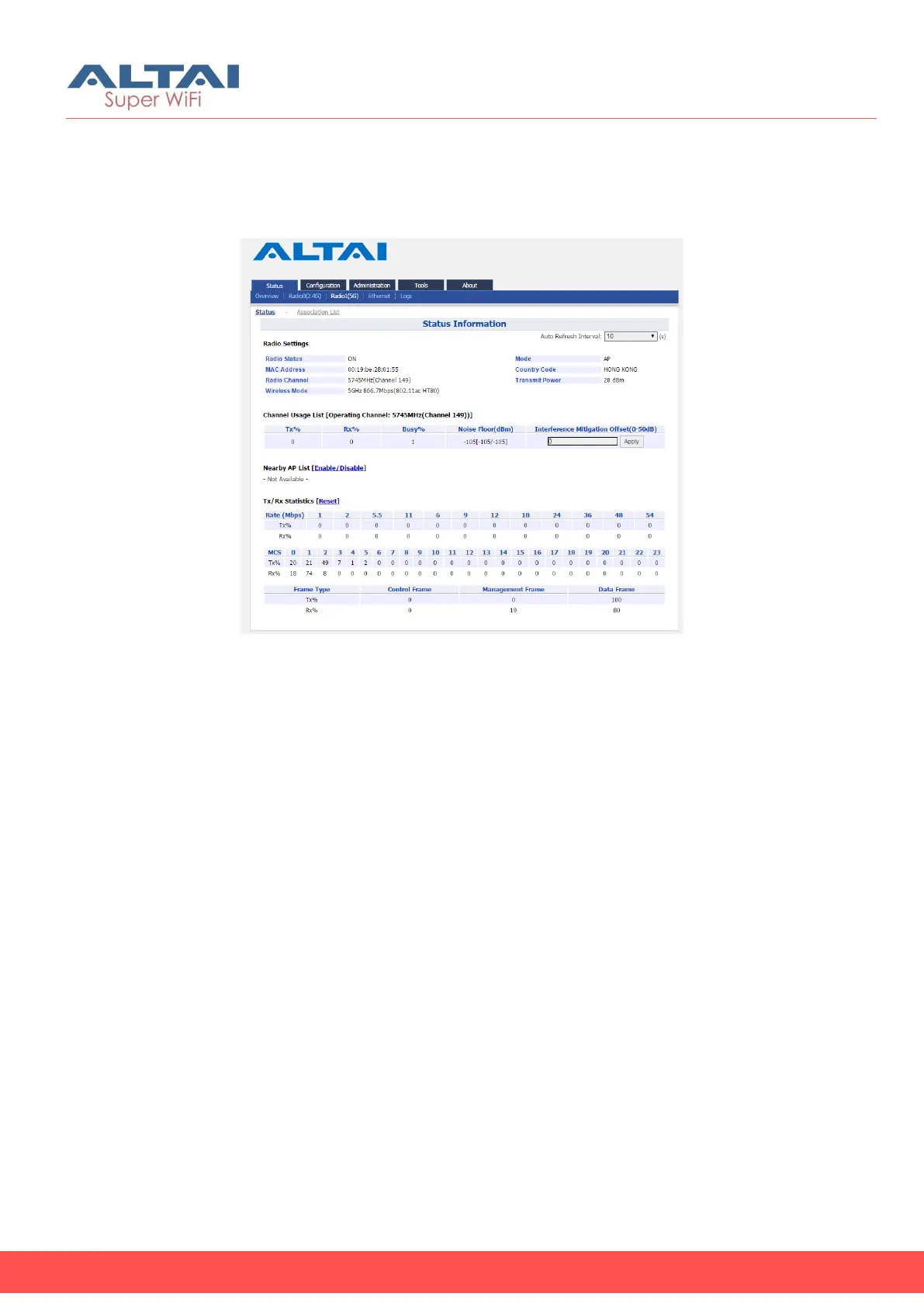
Figure 87 – Radio 1 Status Information
Radio Settings
Radio Status – indicate the current status of Radio 1 interface
MAC – MAC address of Radio 1 interface
Radio Channel - indicate operating frequency (channel) of Radio 1
Wireless Mode – indicate 802.11 standards that Radio 1 operates
Mode – indicate operating mode of Radio 1
Country Code – indicate country code setting of Radio 1
Transmission Power – indicate the total transmission power of Radio 1
Channel Usage List
Tx(%) – average transmit frames percentage of operating channel
Rx(%) – average receive frames percentage of operating channel
Busy (%) – average busy state percentage of operating channel
Noise Floor (dBm) – indicate noise floor of operating channel and noise
floor of chain 0, chain 1, and chain 2 on the control channel; if
operating with 40MHz bandwidth, it shows the noise floor of chain 0,
chain 1, and chain 2 on the extension channel as well.
Interference Mitigation Offset (0-50dB) – signal offset option that will
mask all noise / valid signal below 0-50 dB; 0 denotes disabled



 To Next Page