12
Altai A8n (ac) Series Super WiFi Base Station
Configuration Guide
Altai Technologies Ltd. All rights reserved
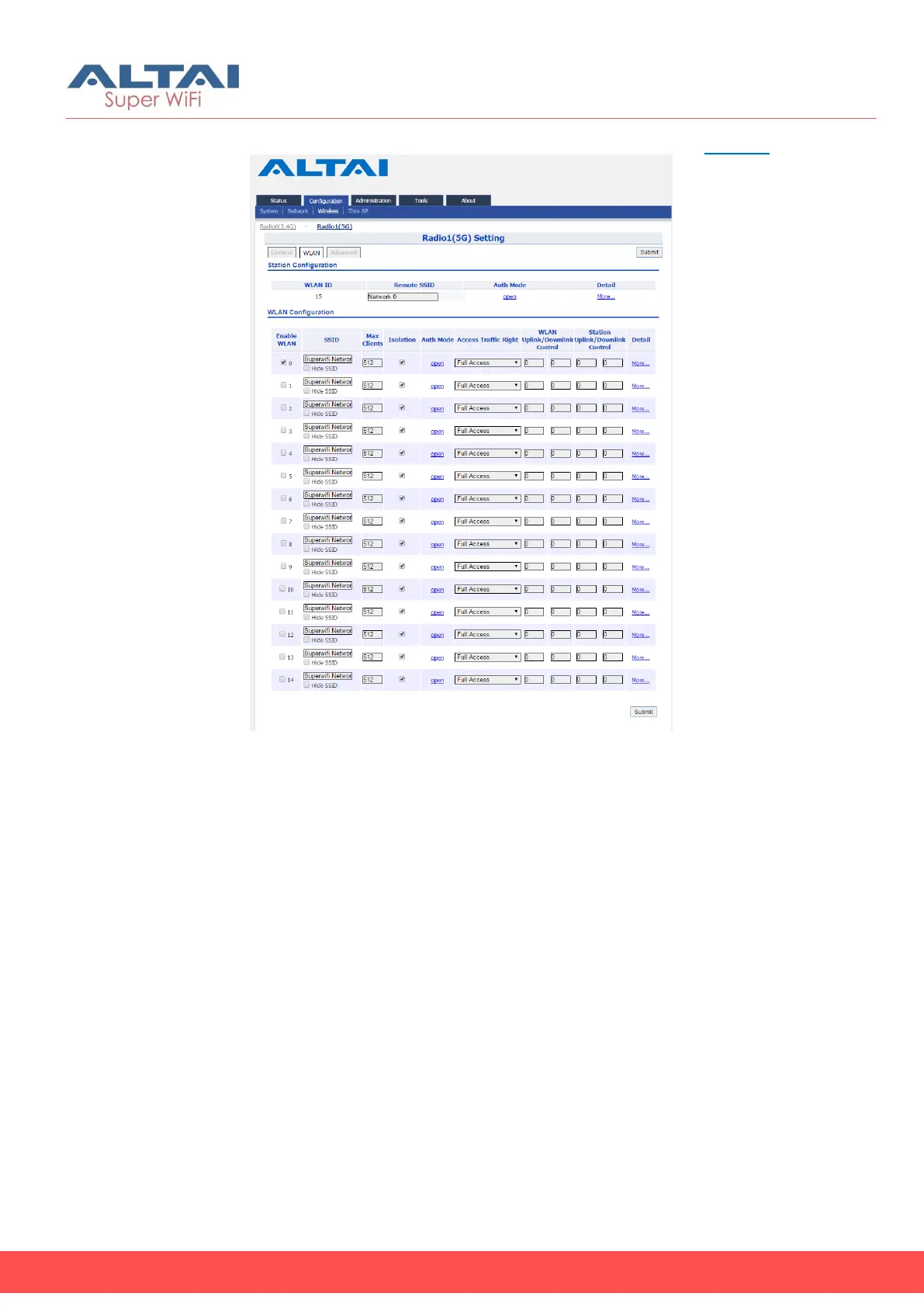
10. Go to Configuration > Wireless > Radio1(5G) > WLAN 0-15 > More…
Figure 14 – 2.4G Radio WLAN List
11. Scan and select the suitable SSID from remote AP that your device
associate with on WLAN 15
12. Setup suitable settings of WLAN Security that matches the remote
AP
13. Click Submit
14. Provide unique SSID on each operating WLAN
15. Setup suitable settings of WLAN Security on each operating WLAN
16. Click Submit
17. Save and apply the settings



 To Next Page