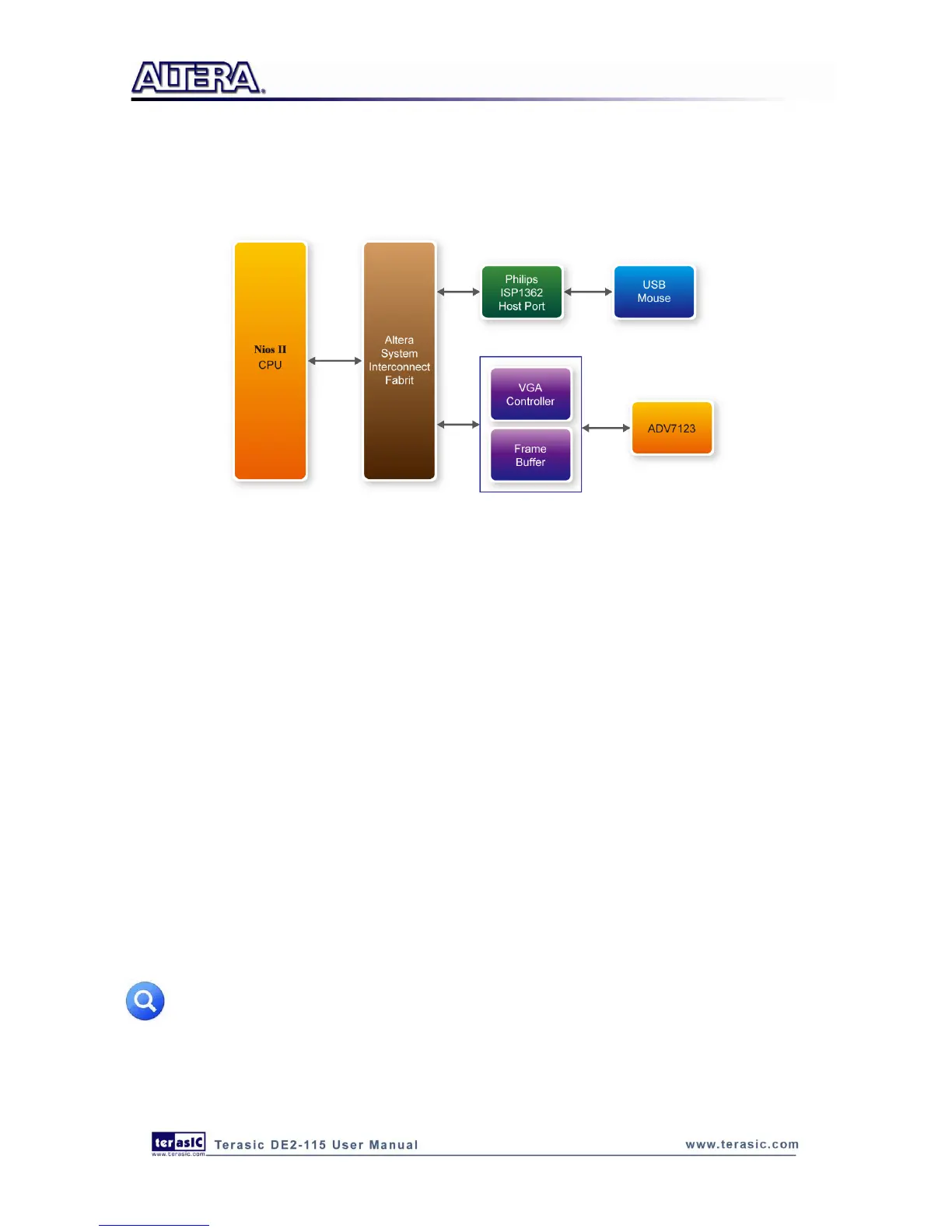
mouse connected to DE2-115 board. When the mouse moves, the Nios II processor is able to keep
track of the movement and record it in a frame buffer memory. The VGA Controller will overlap the
data stored in the frame buffer with a default image pattern and display the overlapped image on the
VGA display.
Figure 6-3 Block diagram of the USB paintbrush demonstration
Demonstration Setup, File Locations, and Instructions
Project directory: DE2_115_NIOS_HOST_MOUSE_VGA
Bit stream used: DE2_115_NIOS_HOST_MOUSE_VGA.sof
Nios II Workspace: DE2_115_NIOS_HOST_MOUSE_VGA\Software
Connect a USB Mouse to the USB Host Connector (type A) of the DE2-115 board
Connect the VGA output of the DE2-115 board to a VGA monitor (both LCD and CRT type of
monitors should work)
Load the bit stream into FPGA(note*)
Run the Nios II and choose DE2_115_NIOS_HOST_MOUSE_VGA\Software as the workspace.
Click on the Run button(note*)
You should now be able to observe a blue background with an Altera logo on the VGA display
Move the USB mouse and observe the corresponding movements of the cursor on the screen
Left-click mouse to draw white dots/lines and right-click the mouse to erase white dots/lines on
the screen.
Note: execute
DE2_115_NIOS_HOST_MOUSE_VGA\demo_batch\nios_host_mouse_vga.bat will
download .sof and .elf files.



 To Next Page