System Configuration
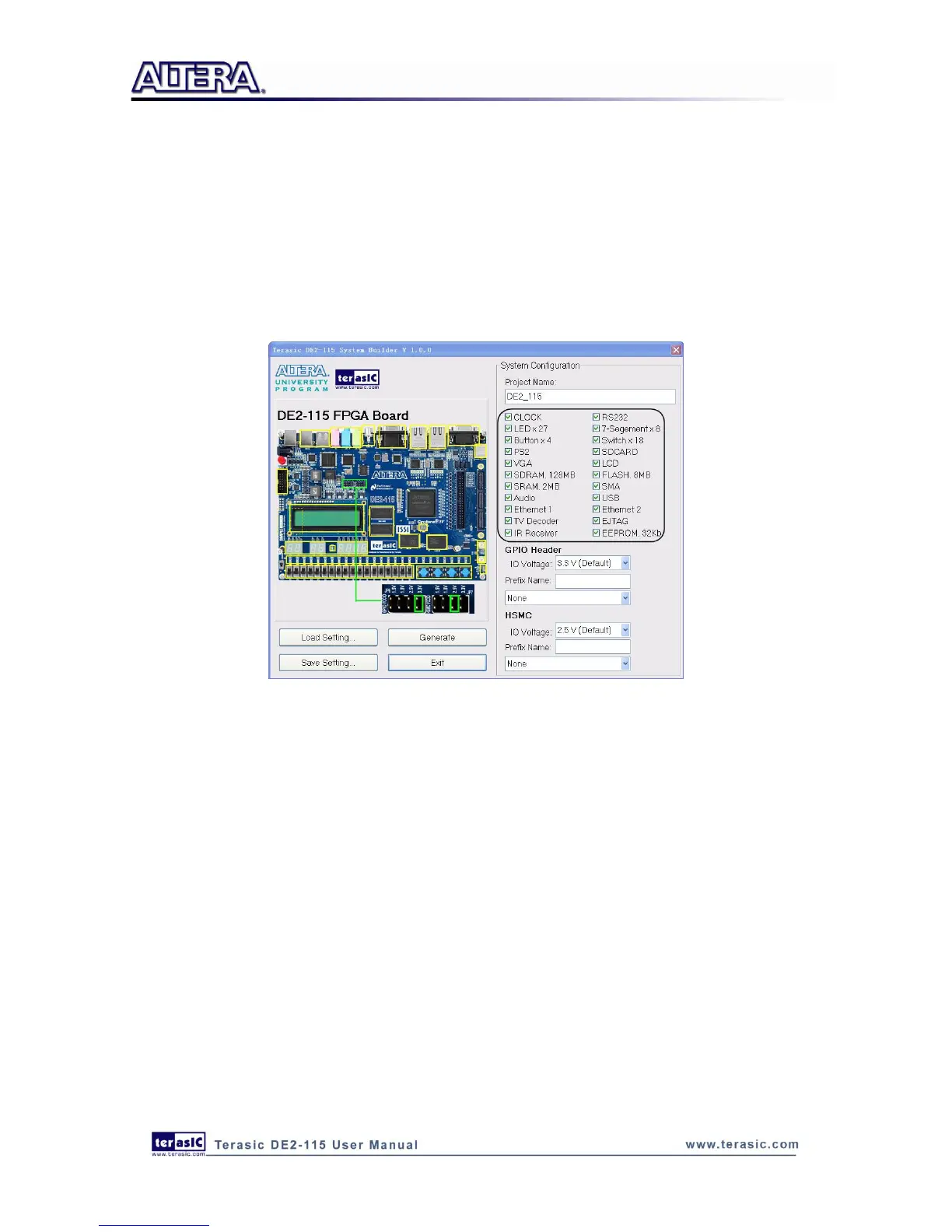
Under System Configuration users are given the flexibility of enabling their choice of included
components on the DE2-115 as shown in Figure 5-4. Each component of the DE2-115 is listed
where users can enable or disable a component according to their design by simply marking a check
or removing the check in the field provided. If the component is enabled, the DE2-115 System
Builder will automatically generate the associated pin assignments including the pin name, pin
location, pin direction, and I/O standard.
Figure 5-4 System Configuration Group
GPIO Expansion
Users can connect GPIO expansion card onto GPIO header located on the DE2-115 board as shown
in Figure 5-5. Select the appropriate daughter card you wish to include in your design from the
drop-down menu. The system builder will automatically generate the associated pin assignments
including the pin name, pin location, pin direction, and IO standard.
If a customized daughter board is used, users can select “GPIO Default” followed by changing the
pin name, pin direction, and IO standard according to the specification of the customized daughter
board.



 To Next Page