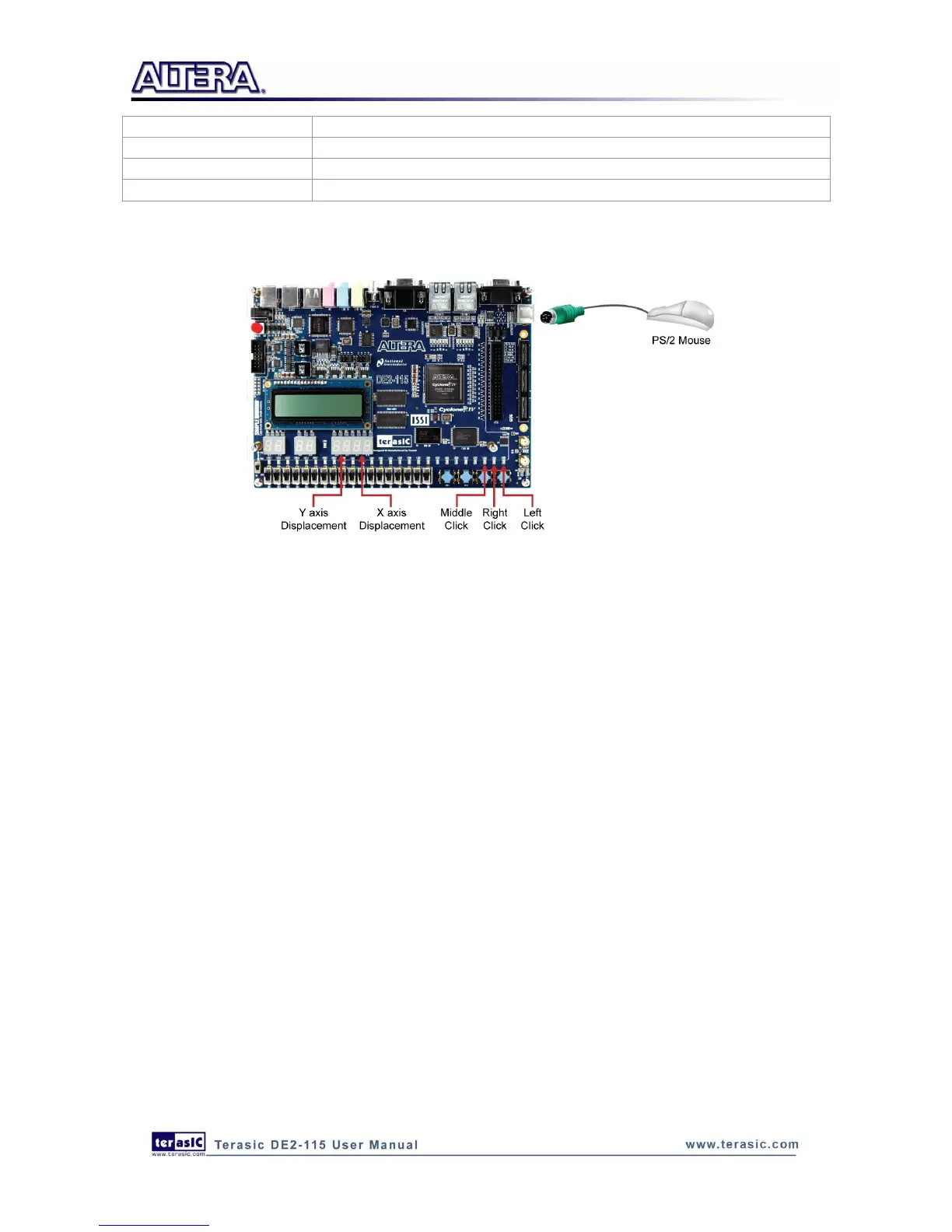
Figure 6-17 illustrates the setup of this demonstration.
Figure 6-17 The setup of the PS/2 Mouse demonstration
6
6
.
.
9
9
I
I
R
R
R
R
e
e
c
c
e
e
i
i
v
v
e
e
r
r
D
D
e
e
m
m
o
o
n
n
s
s
t
t
r
r
a
a
t
t
i
i
o
o
n
n
In this demonstration, the key-related information that the user has pressed on the remote
controller(Figure 6-18,Table 6-3) will be displayed on the DE2-115 board. Users only need to
point the remote controller to the IR receiver on DE2-115 board and press the key. After the signal
being decoded and processed through FPGA, the related information will be displayed on the
7-segment displays in hexadecimal format, which contains Custom Code, Key Code and Inversed
Key Code. The Custom Code and Key Code are used to identify a remote controller and key on the
remote controller, respectively.
Next we will introduce how this information being decoded and then displayed in this demo.
When a key on the remote controller is pressed, the remote controller will emit a standard frame,
shown in Figure 6-19. The beginning of the frame is the lead code represents the start bit, and then
is the key-related information, and the last 1 bit end code represents the end of the frame.



 To Next Page