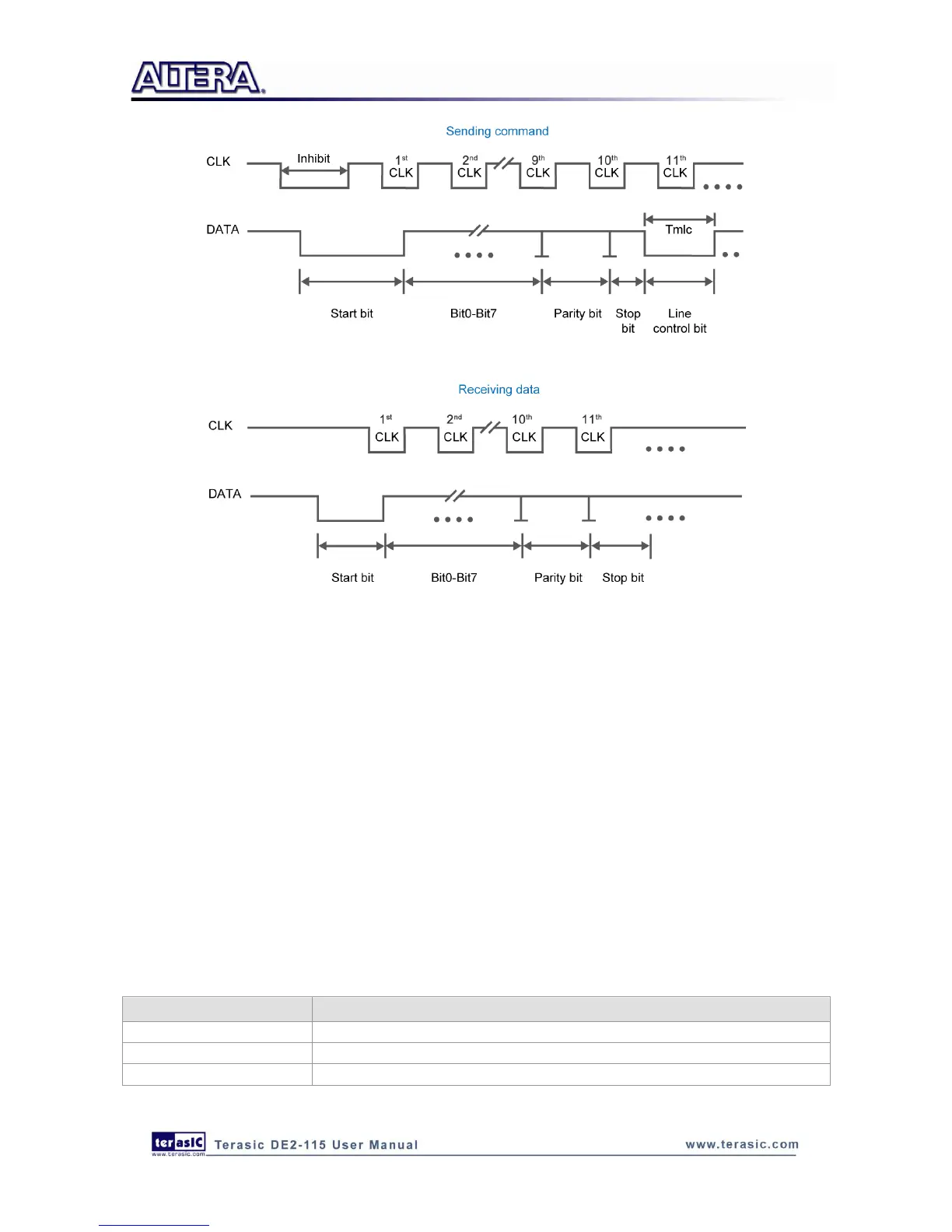
Figure 6-16 Waveforms on two lines while communication taking place
Demonstration Setup, File Locations, and Instructions
Project directory: DE2_115_PS2_DEMO
Bit stream used : DE2_115_PS2_DEMO.sof
Load the bit stream into FPGA by executing
DE2_115_PS2_DEMO\demo_batch\DE2_115_PS2_DEMO.bat
Plug in the PS/2 mouse
Press KEY[0] for enabling data transfer
Press KEY[1] to clear the display data cache
You should see digital changes on 7-segment display when the PS/2 mouse moves, and the
LEDG[2:0] will blink respectively when the left-button, right-button or middle-button is pressed.
Table 6-2 gives the detailed information.
Table 6-2 Detailed information of the indicators



 To Next Page