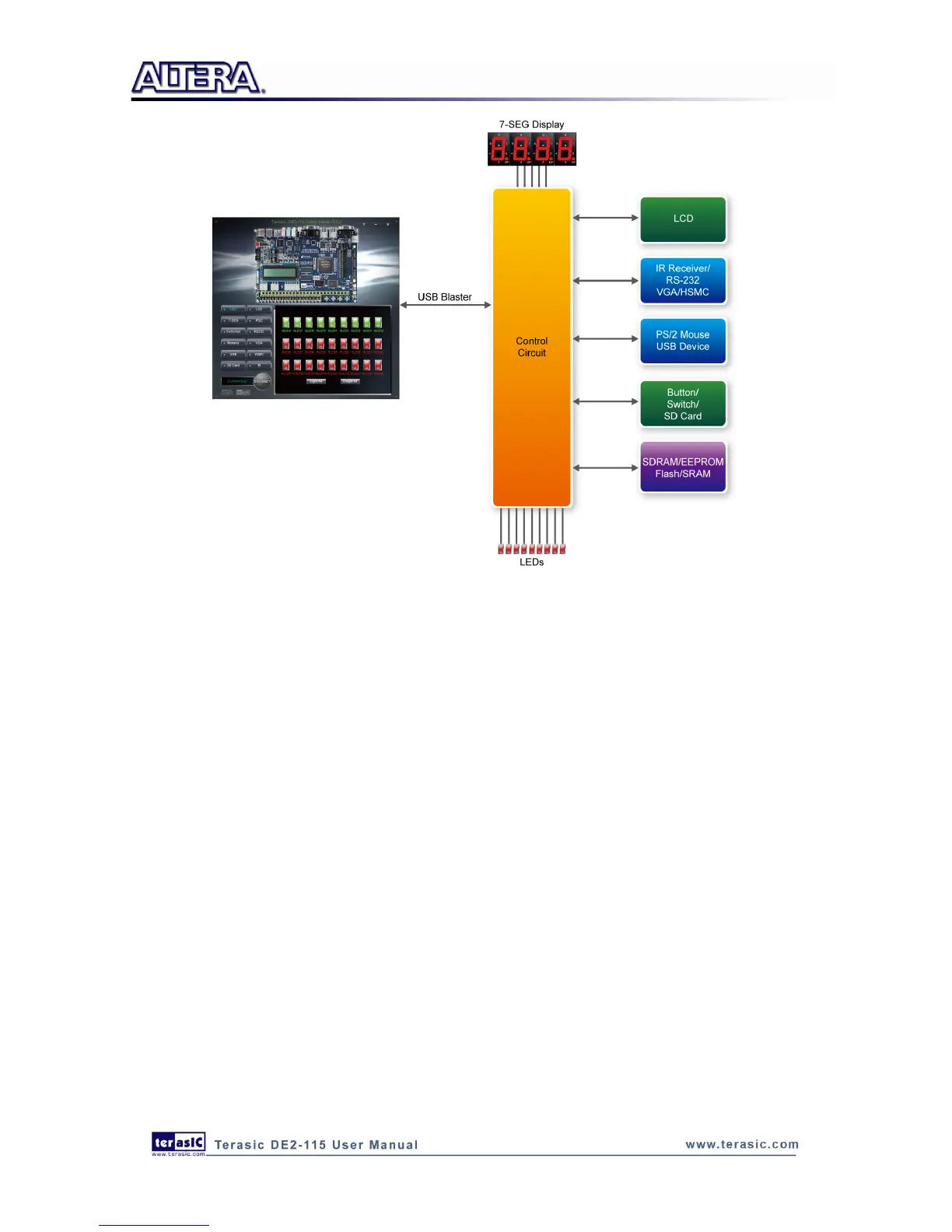
Figure 3-2 The DE2-115 Control Panel concept
The DE2-115 Control Panel can be used to light up LEDs, change the values displayed on
7-segment and LCD displays, monitor buttons/switches status, read/write the SDRAM, SRAM,
EEPROM and Flash Memory, monitor the status of an USB device, communicate with the PS/2
mouse, output VGA color pattern to VGA monitor, verify functionality of HSMC connector I/Os,
communicate with PC via RS-232 interface and read SD Card specification information. The
feature of reading/writing a word or an entire file from/to the Flash Memory allows the user to
develop multimedia applications (Flash Audio Player, Flash Picture Viewer) without worrying about
how to build a Memory Programmer.
3
3
.
.
2
2
C
C
o
o
n
n
t
t
r
r
o
o
l
l
l
l
i
i
n
n
g
g
t
t
h
h
e
e
L
L
E
E
D
D
s
s
,
,
7
7
-
-
s
s
e
e
g
g
m
m
e
e
n
n
t
t
D
D
i
i
s
s
p
p
l
l
a
a
y
y
s
s
a
a
n
n
d
d
L
L
C
C
D
D
D
D
i
i
s
s
p
p
l
l
a
a
y
y
A simple function of the Control Panel is to allow setting the values displayed on LEDs, 7-segment
displays, and the LCD character display.
Choosing the LED tab leads to the window in Figure 3-3. Here, you can directly turn the LEDs on
or off individually or by clicking “Light All” or “Unlight All”.



 To Next Page