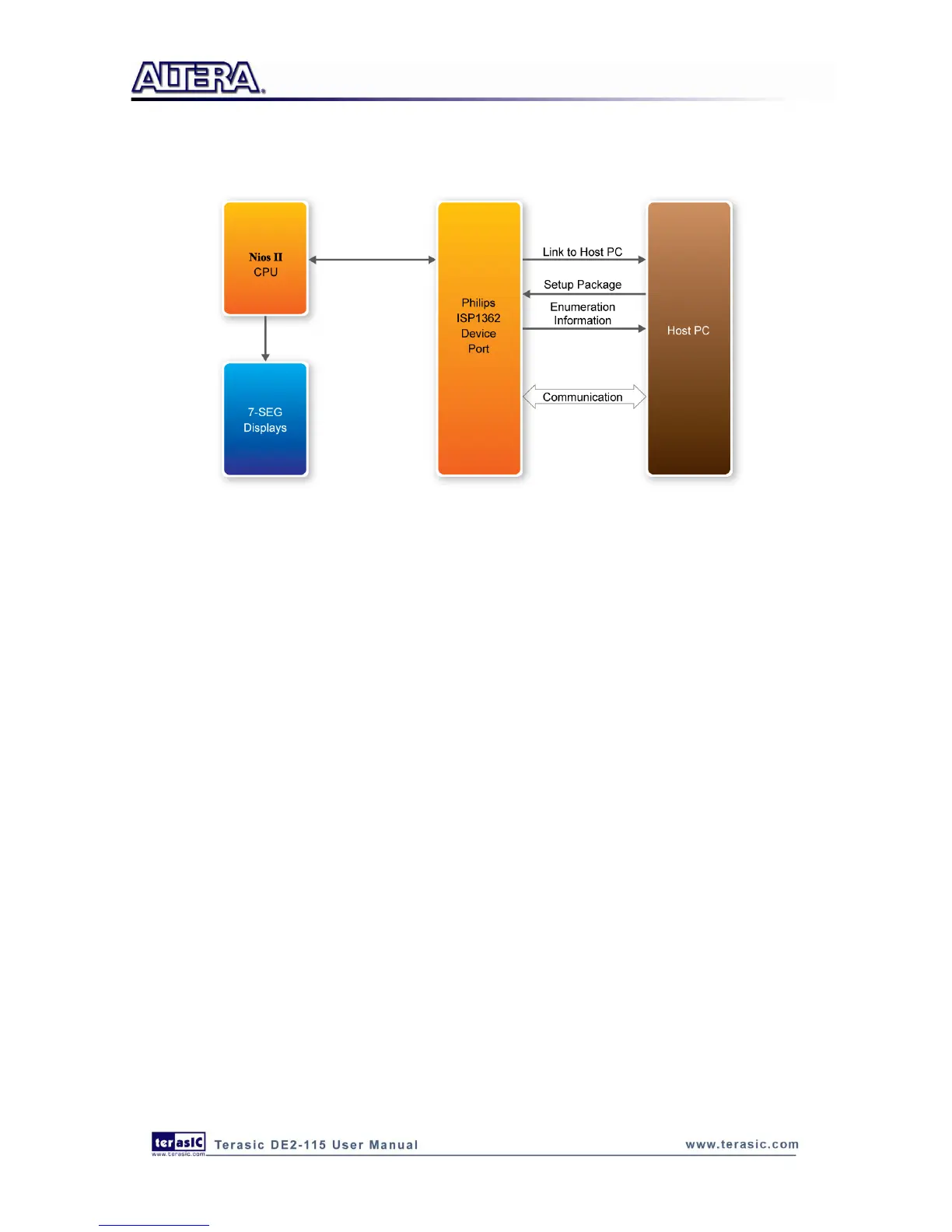
sends a different USB packet to the board, which causes the Nios II processor to clear the hardware
counter to zero.
Figure 6-5 Block diagram of the USB device demonstration
Demonstration Setup, File Locations, and Instructions
Project directory: DE2_115_NIOS_DEVICE_LED
Bit stream used: DE2_115_NIOS_DEVICE_LED.sof
Nios II Workspace: DE2_115_NIOS_DEVICE_LED\Software
Borland C++ Software Driver: DE2_115_NIOS_DEVICE_LED\SW
Connect the USB Device connector of the DE2-115 board to the host computer using a USB
cable (type AB).
Load the bit stream into FPGA(note*)
Run Nios II IDE with DE2_115_NIOS_DEVICE_LED\Software as the workspace. Click on
Run(note*)
A new USB hardware device will be detected. Specify the location of the driver as
DE2_115_NIOS_DEVICE_LED\D12test.inf (Philips PDIUSBD12 SMART Evaluation Board).
Ignore any warning messages produced during installation
The host computer should report that a Philips PDIUSBD12 SMART Evaluation Board is now
installed
Execute the software: DE2_115_NIOS_DEVICE_LED\SW\ISP1362DcUsb.exe on the host
computer. Then, experiment with the software by clicking on the ADD and Clear buttons



 To Next Page