malletKAT User Manual (ver.07-17-18)
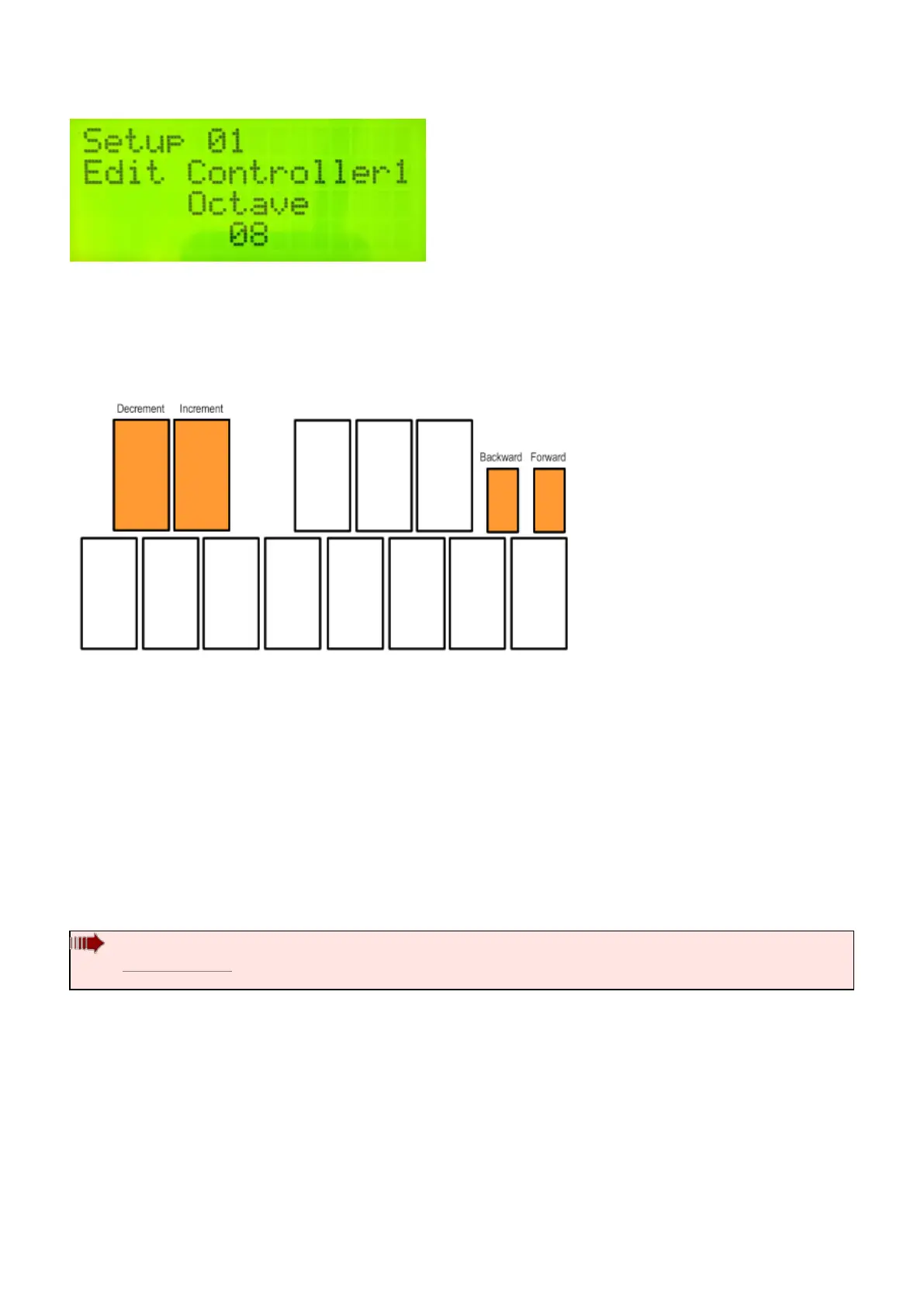
Any editable parameters will be blinking. Use the Increment and Decrement pads to raise and lower the values. If
there is more than one parameter on a given screen, use the small Forward/Backward pads to switch between
them.
As an example, if you wanted to change the octave (shift the accessible octave range of the instrument) you
would step on the edit footswitch and while held down, tap on the E pad (on the highest octave). Then you would
tap on the D# (increment pad) to raise the octave. Do all of this while the edit footswitch is held down.
Some of these “white key” function keys are layered, meaning that if you strike that pad more than once,
additional parameters will appear.
All of these settings are discussed in the section Editing Functions – Pad
Shortcuts(https://alternatemode.com/online-docs/malletkat/#editing-functions-pad-shortcuts)
malletKAT Express
Since the Express is only two octaves, the lowest (3rd) octave function pads require the Edit Footswitch and Sustain
1 pedal at the same time (See Section 4.1.1(https://alternatemode.com/online-docs/malletkat/#malletkat-express-accessing-
editing-functions)
)
The complete set of editable parameters for the malletKAT are accessed using the
lowest “D” and “E” pads – which correspond to the Global Auxiliary, and Kit Setup
(Auxiliary) editing areas. These are discussed in the Full malletKAT Programming Guide
(https://alternatemode.com/online-docs/malletkat/#full-malletkat-programming-guide)
22 / 109



 To Next Page