malletKAT User Manual (ver.07-17-18)
)
OCTAVE PAD TRAINING (GROUP TRAINING)
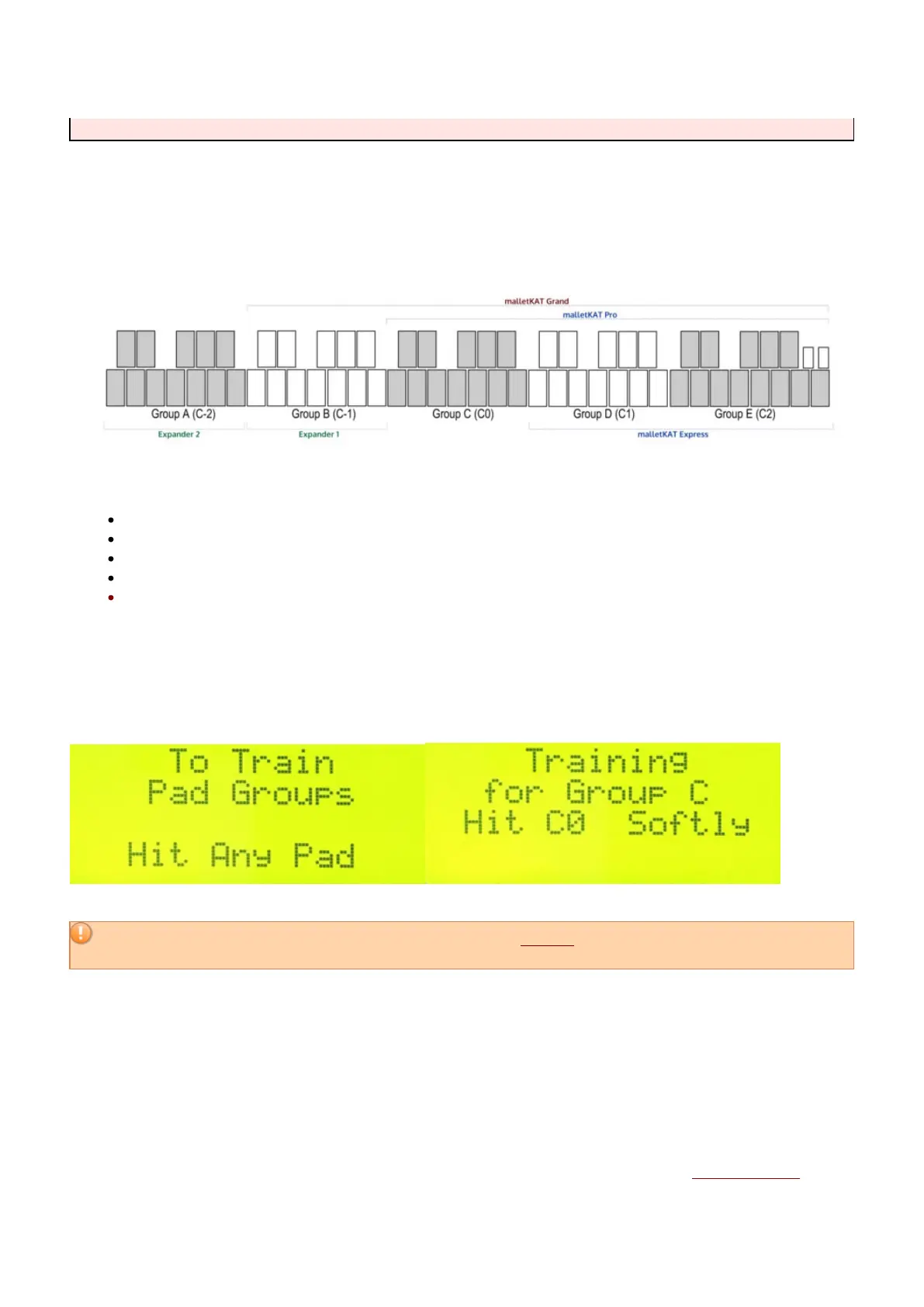
The sensors for the malletKAT are divided into octaves. For training purposes, each octave is assigned a GROUP
letter. Since a malletKAT can be expanded to five octaves, there are five total groups, assigned as follows:
It is easiest to think of this going from right to left. Therefore:
The MASTER OCTAVE (the one with the LCD screen) is always Group E (C2).
Any Octave Expanders attached will be attached on the left end, and will be Groups A & B
A four octave malletKAT Grand will have Groups B, C, D, & E
A three octave malletKAT Pro will have a Groups C, D & E.
*The malletKAT EXPRESS does not have C0 (Group C), since it can only be expanded to four
octaves.
On Global Screen #79, the malletKAT asks you to hit any pad to train octave groups. After striking any pad in the
octave you wish to train, a Group Letter appears along with the appropriate C-natural (or F#) pad to train.
For best results, before registering a soft hit, you should release the Edit footswitch.
If you choose to
abort training, tap the Edit footswitch BEFORE finishing this process…
If you want to train a different Group, tap on the Forward/Backward pads until the Group letter that you want to
train appears.
The malletKAT will ask you to play a soft hit and then a hard hit on the C-natural (or F#) of the octave that you
chose. After the malletKAT finishes calculating the results, it automatically moves to the next Group and asks you
to hit the next C for training. This process will continue repeatedly until you release the Footswitch to stop the
training process.
The malletKAT will ask to train ALL five octaves even if you do not have them attached. Skip that Group if you
27 / 109



 To Next Page