malletKAT User Manual (ver.07-17-18)
If the thresholds don’t appear to be to far off from one another, then simply try training the individual pad. Use
your ears and best judgement when making adjustments.
If you are still not satisfied with the pad’s response, then it is time to order a replacement pad from Alternate
Mode. Feel free to contact us for support if you have any questions.
To Check or Adjust the Threshold of Individual Pads
If you are sure that a pad is not is either NOT as sensitive or TOO sensitive compared to the others, start
by checking it’s threshold settings.
Global Auxiliary Shortcut #05
malletKAT Express
Auxiliary Editing Screens require pressing the Edit Footswitch and Sustain 1 pedal at the same time (See Section
4.1.1(https://alternatemode.com/online-docs/malletkat/#malletkat-express-accessing-editing-functions)
)
INDIVIDUAL PAD THRESHOLD ADJUSTMENT
In the Global Auxiliary screen, select 0,5 from the “black key” number pads or tap the Forward pad five times.
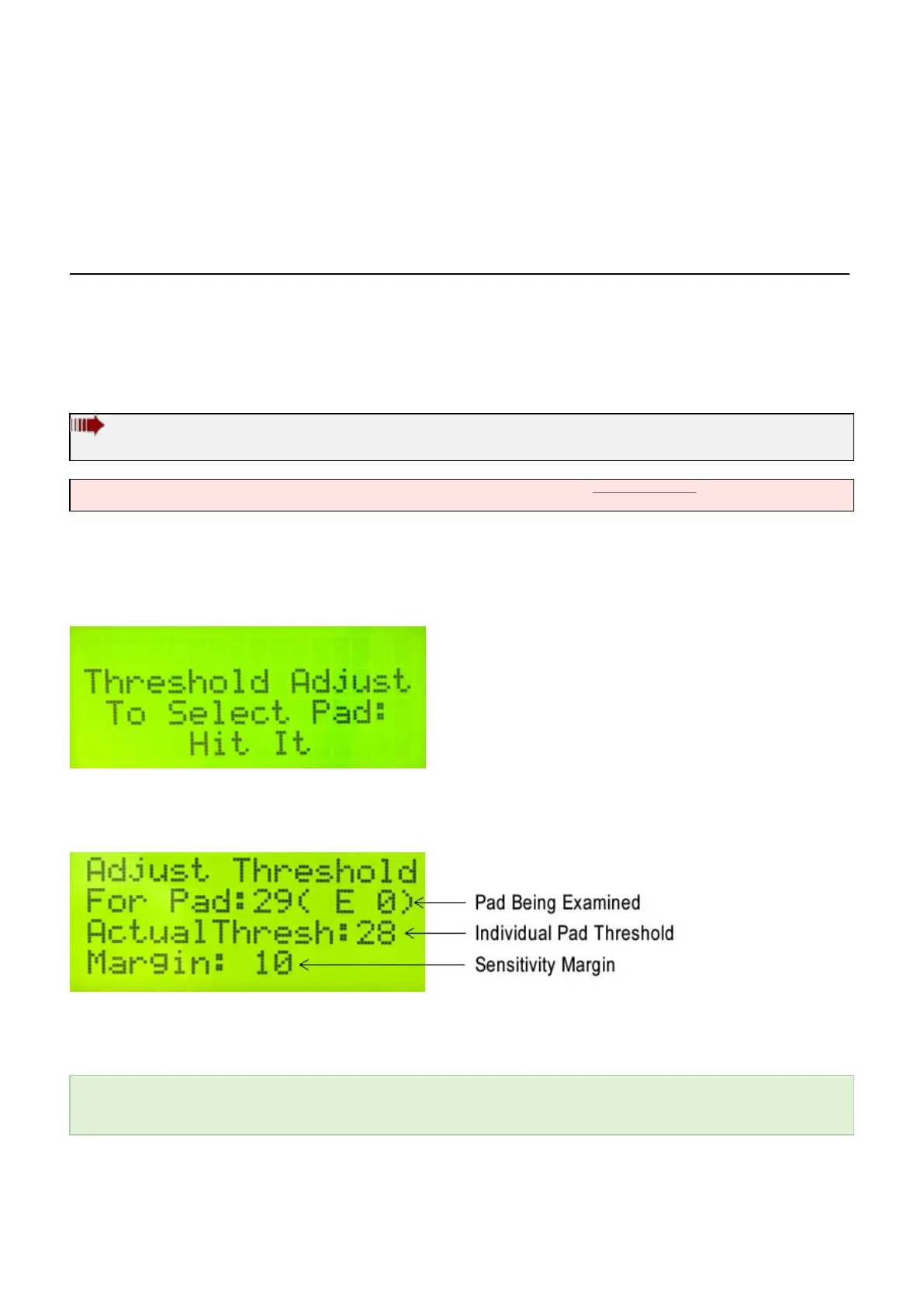
You can now tap any pad to see it’s current threshold numbers. You can also tap different pads to compare
values…
The individual pad threshold is a numerical reading from the sensor. The threshold can be changed by raising or
lowering the sensitivity margin using the Forward/Backward function pads.
When the malletKAT is reinitialized, a sensitivity margin of “10” is automatically placed under every pad. This
allows individual pad threshold adjustments in either direction. When you globally adjust the instrument
thresholds, you are changing this margin number.
32 / 109



 To Next Page