malletKAT User Manual (ver.07-17-18)
Set up Controller One first.
Controller One is the top layer for a User Kit – it is always used.
Find and Set the Sound Patch to be Used By the Sound Source
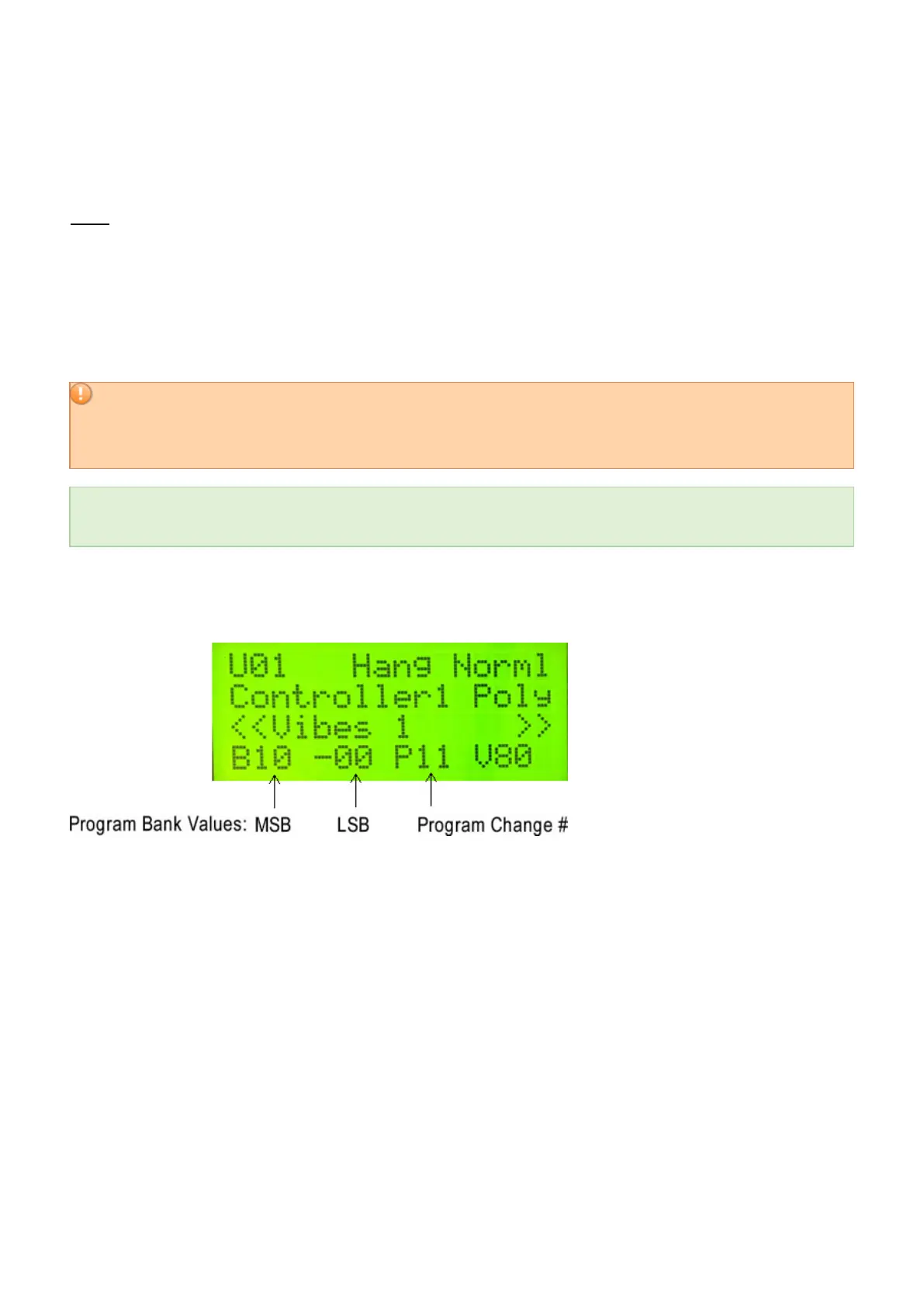
Selecting a patch from an external synth requires three pieces of information: A Bank Change (MSB & LSB), and
a Program Change Number. This includes using sounds that you want to use from the malletKAT internal sound
card, if you have one. To learn more about MIDI Program Changes – particularly, where it find a synthesizers’
MSB, LSB, and Program numbers, refer to the section Understanding External Synthesizer Program
Changes(https://alternatemode.com/online-docs/malletkat/#understanding-external-synthesizers)
.
If you are NOT using sound sources that use or accept patches Program Changes (e.g. Using your
malletKAT with some iOS/Android or Computer apps), then you can continue this section from Set the MIDI
Channel. You can still take advantage of the powerful and creative features of the malletKAT with any MIDI
program that accepts multiple MIDI channels.
If you are using a Kurzweil Internal Sound card, or Alternate Mode’s GIGKAT – the full program list can be
found here:
https://www.alternatemode.com/downloads/malletkat_ks/malletKAT_7_KS_Sound_List.pdf
The MSB/LSB/Program numbers currently being used by a User Kit appear on the bottom line of the User Kit
screen. Remember – Controller 1 is the primary layer!
Set the MSB and LSB:
Press the Edit footswitch and the Kit Auxiliary pad (E natural). Scroll three times on the Forward pad (or Shortcut
#03). Set the MSB and LSB numbers to the correct bank numbers.
Set the Program Change Number:
If you are in the correct MSB/LSB bank, you can quickly set the correct Program number using the Program
shortcut pad (top C natural), and then use the INCREMENT/DECREMENT Pads to select the Program Number.
This Program screen also has a valuable piece of information on the third line: This is telling you where program
change data is to be routed- internally or via MIDI OUT. If you are planning to send MIDI program changes to
external devices, please read the section MIDI IN and MIDI Routing(https://alternatemode.com/online-
docs/malletkat/#midi-in-and-midi-routing)
.
50 / 109



 To Next Page