American-Lincoln 1-15
MPV 60
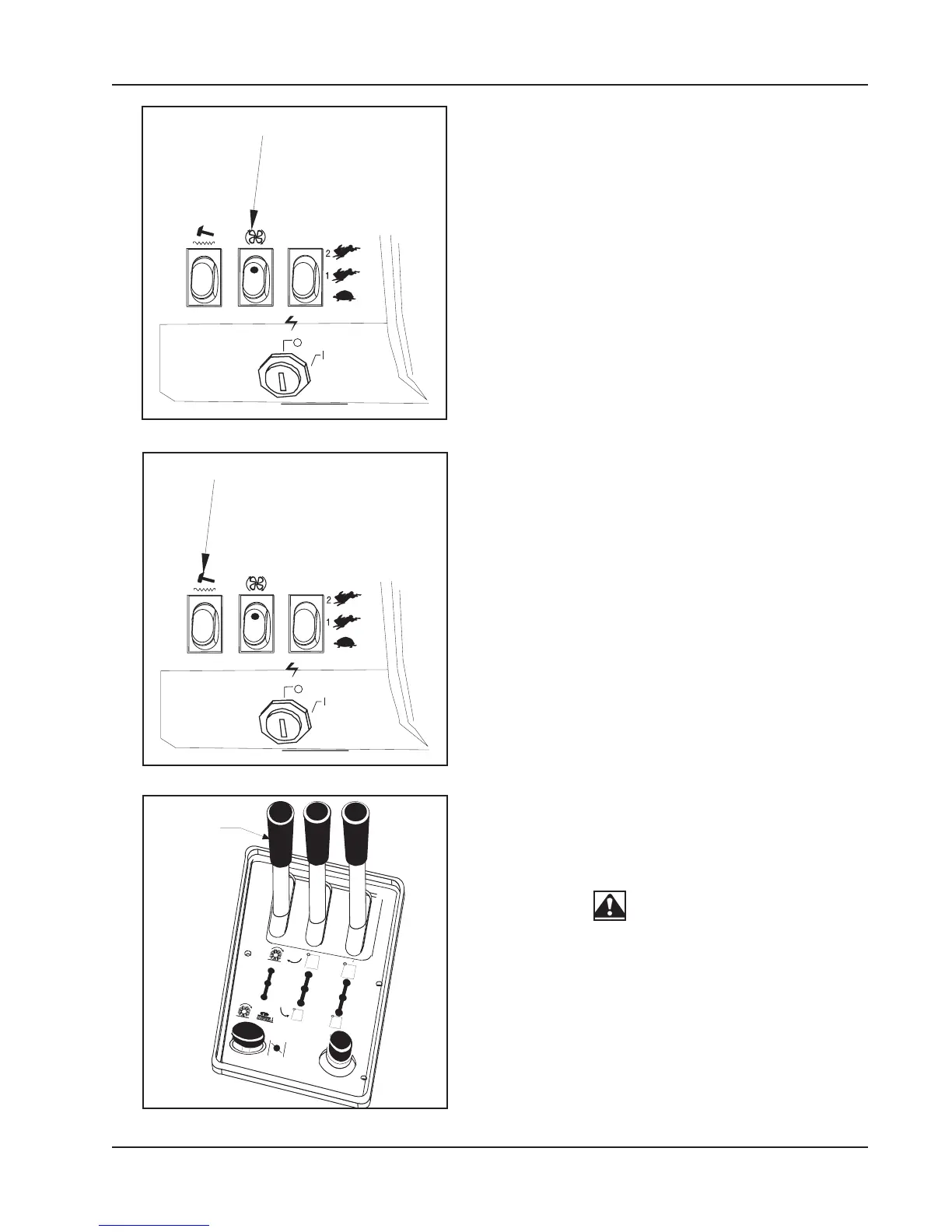
DUST CONTROL SWITCH (figure 13)
The dust control is a two position switch that is located on
the instrument panel next to the engine speed switch. The
switch controls the vacuum fan in the dust control system.
To turn on the dust control system for “NORMAL” Sweep-
ing, press on the top portion of the switch.
To Turn off the dust control system for sweeping in wet
conditions, press on the lower portion of the switch. This
will prevent the filter from being damaged by water pickup
while sweeping.
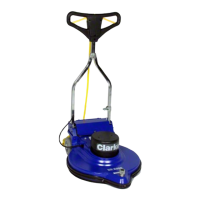
FILTER SHAKER SWITCH (figure 14)
The filter shaker switch is located on the instrument panel
below the fuel gauge. This is a momentary switch that will
activate the filter shaker motors for 20 to 30 seconds to
clear the dust control filter. The impeller fan will stop when
the filter shaker has been activated. The filter shaker will
only operate with the hopper in the “DOWN” position.
Use the filter shaker to clear the filter when the dust control
light on the warning bank illuminates and just before
dumping the hopper.
To activate the filter shaker press the upper portion of the
filter shaker switch momentarily and release. The filter
shaker will operate for 20 to 30 seconds.
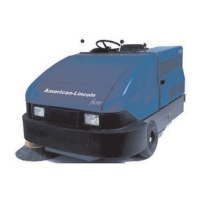
BROOMS CONTROL LEVER (figure 15)
The brooms control lever is located on the operator’s
compartment center console. The lever is a three position
hydraulic valve that controls hydraulic power to the main
broom and side broom.
WARNING
To prevent injury, Do not turn on the brooms with the hopper
raised.
To turn on the main broom only, move the LEFT HAND lever
to the forward position.
To turn on the main broom and the side broom, move the
LEFT HAND lever fully backwards.
To turn off the brooms and provide hydraulic power to the
hopper lift system place the lever in the center position.
SWEEPER CONTROLS/INSTRUMENTS
CONTROL
SHAKER
C1424/9702
CONTROL
LEVER
C-1425 FIGURE 13
C-1426 FIGURE 14
C-1424A FIGURE 15


 To Next Page