Fitting instruction
Amaco BAG0028.0 04.06
15
5 Fitting instruction
5.1 Inserting batteries
The scope of delivery of the computer includes
two 1.5 Volt M ignon AAA batteries. The battery
compartment is located at the back of the com-
puter.
How to insert batteries:
1. Slide open the battery compartment.
2. Drop batteries between the clamps.
Please e nsure correct polin g (+/-)!
3. Close battery compartment.
5.2 Fitting the calculator
1. Fix the mounting bracket (Fig. 7) of the
calculator inside the tractor cab.
Protect calculator from heavy sunshine
and frost.
2. Slide the calculator onto the mounting
bracket.
3. Finally, after all parts have been fitted and
the seed drill has also been mounted to the
tractor, plug the plug of the sensor into the
calculator socket and secure by firmly
tighten the plug nut.
Fig. 7
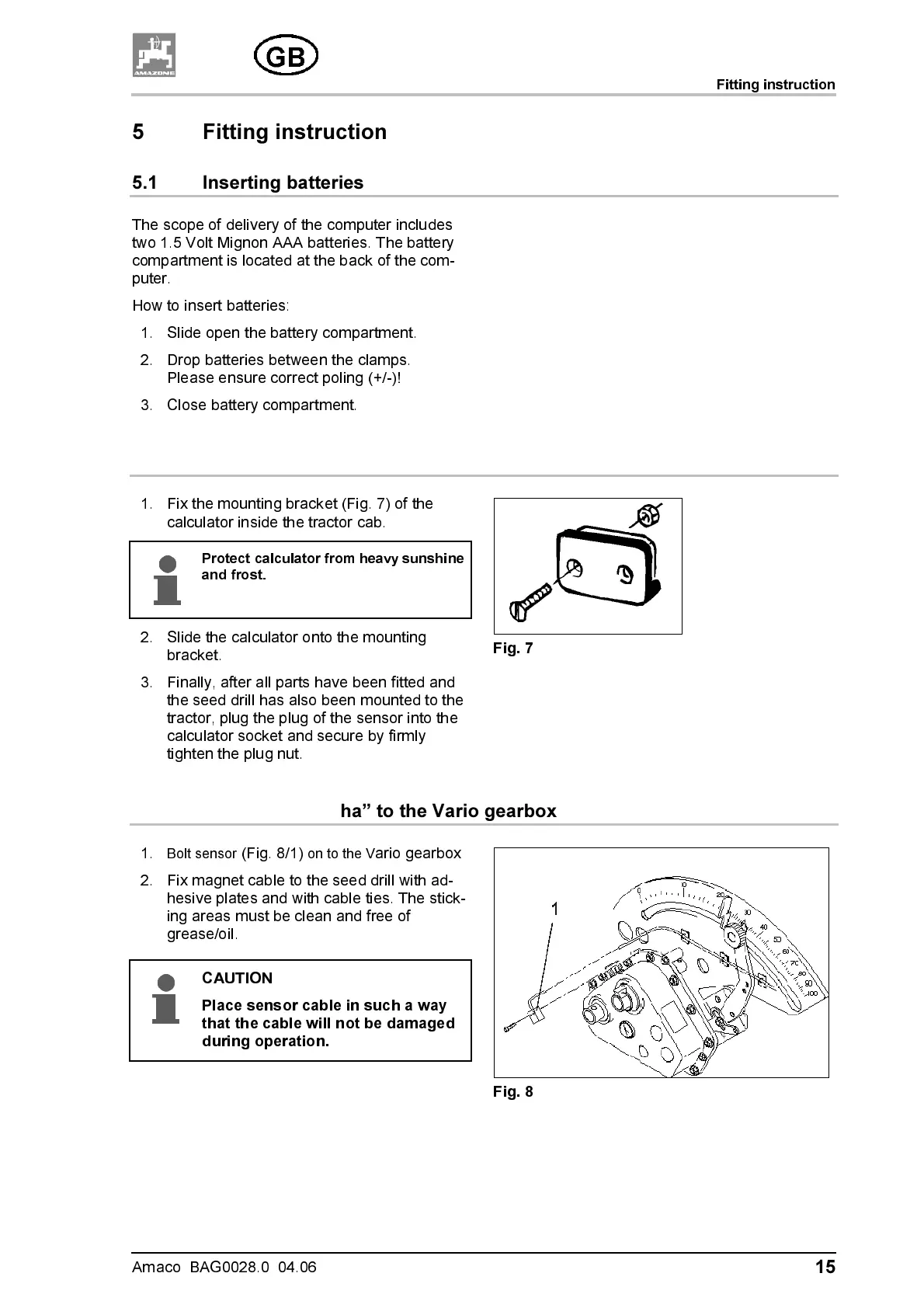
5.3 Fitting sensor ”ha” to the Vario gearbox
1.
Bolt sensor
(Fig. 8/1)
on to the V
ario gearbox
2. Fix magnet cable to the seed drill with ad-
hesive plates and with cable ties. The stick-
ing areas must be clean and free of
grease/oil.
CAUTION
Place sensor cable in such a way
that the cable will not be damaged
during operation.
Fig. 8



 To Next Page