Faults
26
Amaco BAG0028.0 04.06
8 Faults
8.1 Checking the functions
If the calculator does not operate properly, it should b e checked
whethe r
•
the battery voltage is too low
•
the calculator or
•
the sensors are defect.
8.2 Checking the battery voltage
In case the ba ttery-voltage is too low this is displayed by the calcula-
tor by briefly showing the symbol [-
bl
-] on the display .
The battery voltage can also be checked as follows:
1. Switch off calculator (see on page 24)
2. Switch on calculator (see on page 2 4 )
if the display shows [-
bl
-] volta g e is too lo w.
1. Switch off the calculator and insert new batteries (see on page
15).
8.3 Checking the functions of the calculator
1. Unscrew sensor cable
ha
from the com-
puter.
2. Program code
F.1
and briefly press key
.
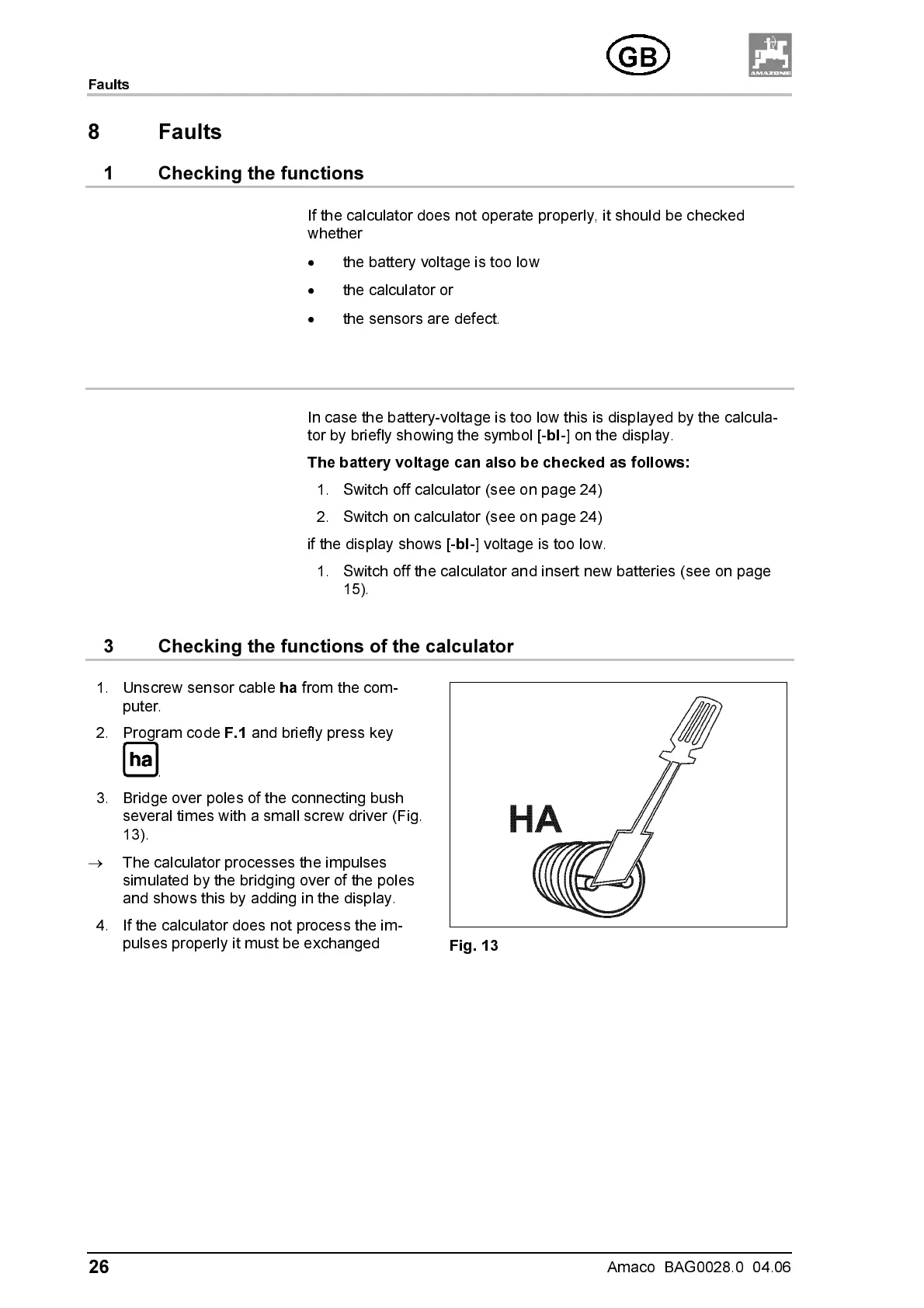
3. Bridge over poles of the connecting bush
several times with a small screw driver (Fig.
13).
→
The calculator processes the impulses
simulated by the bridging over of the poles
and show s this by adding in the displa y.
4. If the calculator does not process the im-
pulses properly it must be exchanged
Fig. 13



 To Next Page