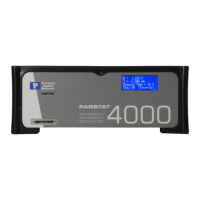
PARSTAT MC Hardware Manual
Safety Instructions and Symbols ................................................................................................................... 4
Cleaning Instructions ..................................................................................................................................... 4
1. INTRODUCTION .................................................................................................................................. 5
1.1. General .......................................................................................................................................... 5
1.2. Hardware Circuitry ........................................................................................................................ 5
1.2.1. Potentiostatic mode ............................................................................................................... 6
1.2.2. Galvanostatic mode .............................................................................................................. 7
1.3. Software ........................................................................................................................................ 7
1.4. Polarity Convention ....................................................................................................................... 7
1.5. Inspecting Your New Instrument ................................................................................................... 7
1.6. Maintenance, Service, and Support .............................................................................................. 8
1.7. About this manual ......................................................................................................................... 8
2. SAFETY AND COMPONENT PLACEMENT ....................................................................................... 9
2.1. Safety Considerations ................................................................................................................... 9
2.1.1. Line Voltage Settings and Fuses .......................................................................................... 9
2.1.2. Defects and Abnormal Stresses ............................................................................................ 9
2.1.3. Component Placement .......................................................................................................... 9
2.2. Ventilation .................................................................................................................................... 10
2.2.1. Transient Sensitivity ............................................................................................................ 10
2.3. Lifting ........................................................................................................................................... 11
3. PARSTAT MC (PMC) INSTALLATION .............................................................................................. 12
3.1. Enabling the USB port on your PC.............................................................................................. 12
3.2. High Data Acquisition Rates and Number of Channels .............................................................. 12
3.2.1. USB performance ................................................................................................................ 12
3.2.2. Processor speed ................................................................................................................. 12
3.2.3. Read/Write speed of the hard drive .................................................................................... 12
3.3. Connectors and Indicators .......................................................................................................... 13
3.3.1. Rear Panel .......................................................................................................................... 13
3.3.2. Front Panel .......................................................................................................................... 13
3.4. Connecting to the PC and Cell .................................................................................................... 14
3.4.1. Connecting to the PC .......................................................................................................... 14
3.4.2. Connecting the Cell ............................................................................................................. 15
3.5. Floating Operation ....................................................................................................................... 17
3.5.1. Setting Operation Modes of Float and Normal .................................................................... 17
4. REPLACING MODULES OF THE PARSTAT MC CHASSIS ............................................................ 20
4.1. Introduction .................................................................................................................................. 20
4.1.1. Safety Information ............................................................................................................... 21
4.1.2. The Power Supply Module .................................................................................................. 21








 To Next Page