PARSTAT MC Hardware Manual
PARSTAT MC Hardware Manual 44
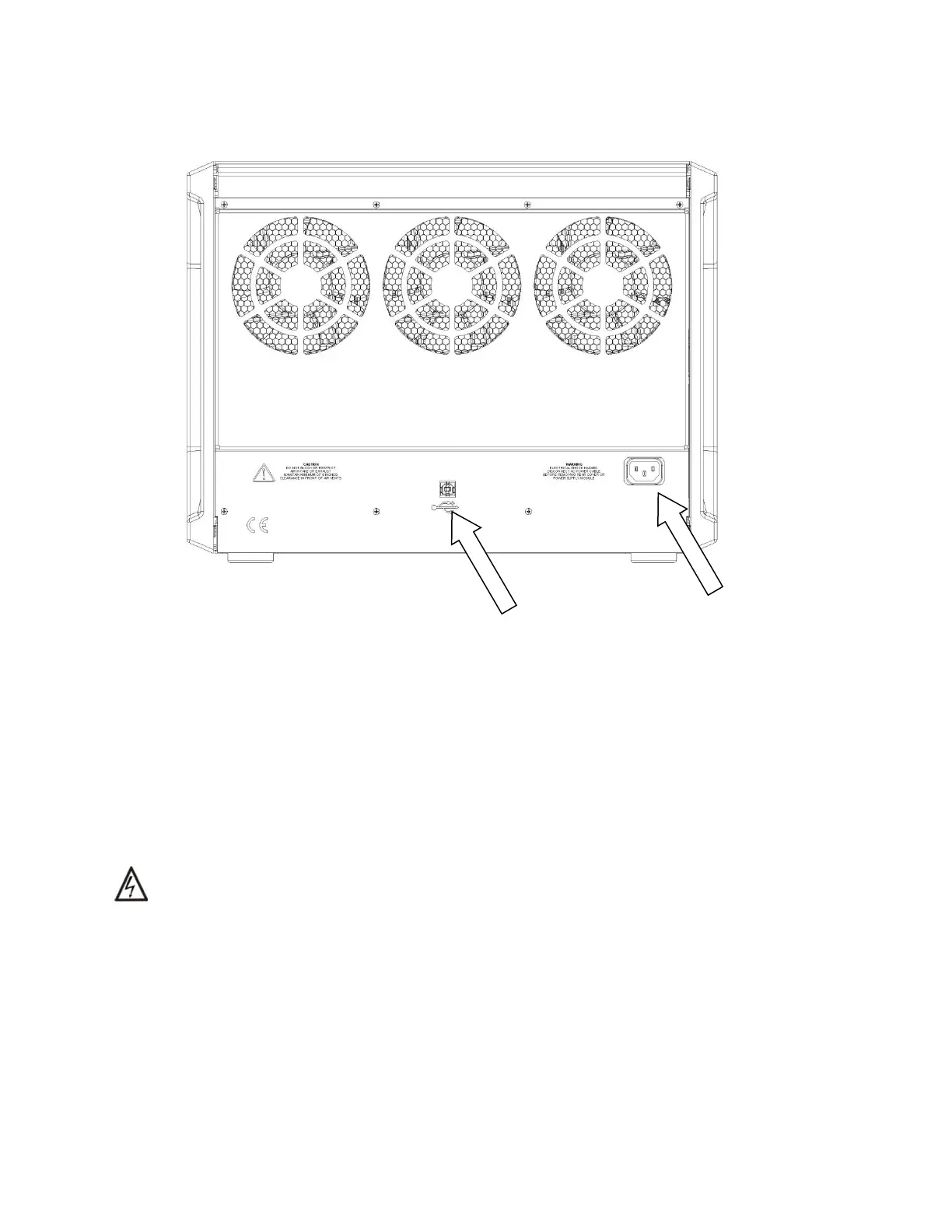
Figure 38. PMC CHS08A Rear Panel with USB and AC Power Identified.
Now the AC mains cable and USB cable may be connected and the instrument may be powered ON.
4.6. Replacing the Backplane Module
To replace the backplane module, first toggle the main power switch down (O) to the OFF position. THEN
DISCONNECT THE AC MAINS POWER CABLE FROM THE BACK OF THE INSTRUMENT.
WARNING Do NOT remove the power supply module or the rear cover from the PMC chassis
without first disconnecting the AC mains power cable from the instrument.
Remove the power supply module and all potentiostat modules from the chassis. For instructions on
removing these modules, please refer to the appropriate sections in this manual.





 To Next Page