Programming
24
Mi Series Audio Controllers
observation. You may need to modify your programming technique on a remote-by-remote
basis. Some remotes may need to be closer to or further away from the receiver. Some may
program better with quick key presses and some with long key presses. Some may require a
change in distance and angle between the remote and the Mi Series Controller. If a particular
method doesn’t seem to be working for you, try to modify your approach to understand the
characteristic behavior of the donor device.
Programming the Mi Series Controller
The Programming Panel
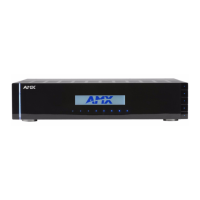
The IR learning programming controls are located on the front of the Mi Series Controller. FIG. 1 shows
the front of the Mi Series Controller with the navigation array to the left of the readout. The array is used
to navigate through the programming and setup of the Controller.
Main Menu screen
Press the center navigation button on the front of the Controller to access the Main Menu screen
(FIG. 2).
FIG. 1 IR learning programming controls
FIG. 2 Main Menu screen options
Press the center navigation button ("Nav. Center") on
the front of the Controller to access the Main Menu:
Exits this screen
To the About screens
To the Backlight Options screens
To the System Setup Mode scree
Use the navigation buttons (<< / >>) on the front of the Controller to move from one
option to another, and the SELECT button to make a selection.



 To Next Page